> ## Documentation Index
> Fetch the complete documentation index at: https://docs.vcms.io/llms.txt
> Use this file to discover all available pages before exploring further.
# Camfit
> Check the following before connecting Camfit.
***
## Things to watch
### Up to 50 rates per room type
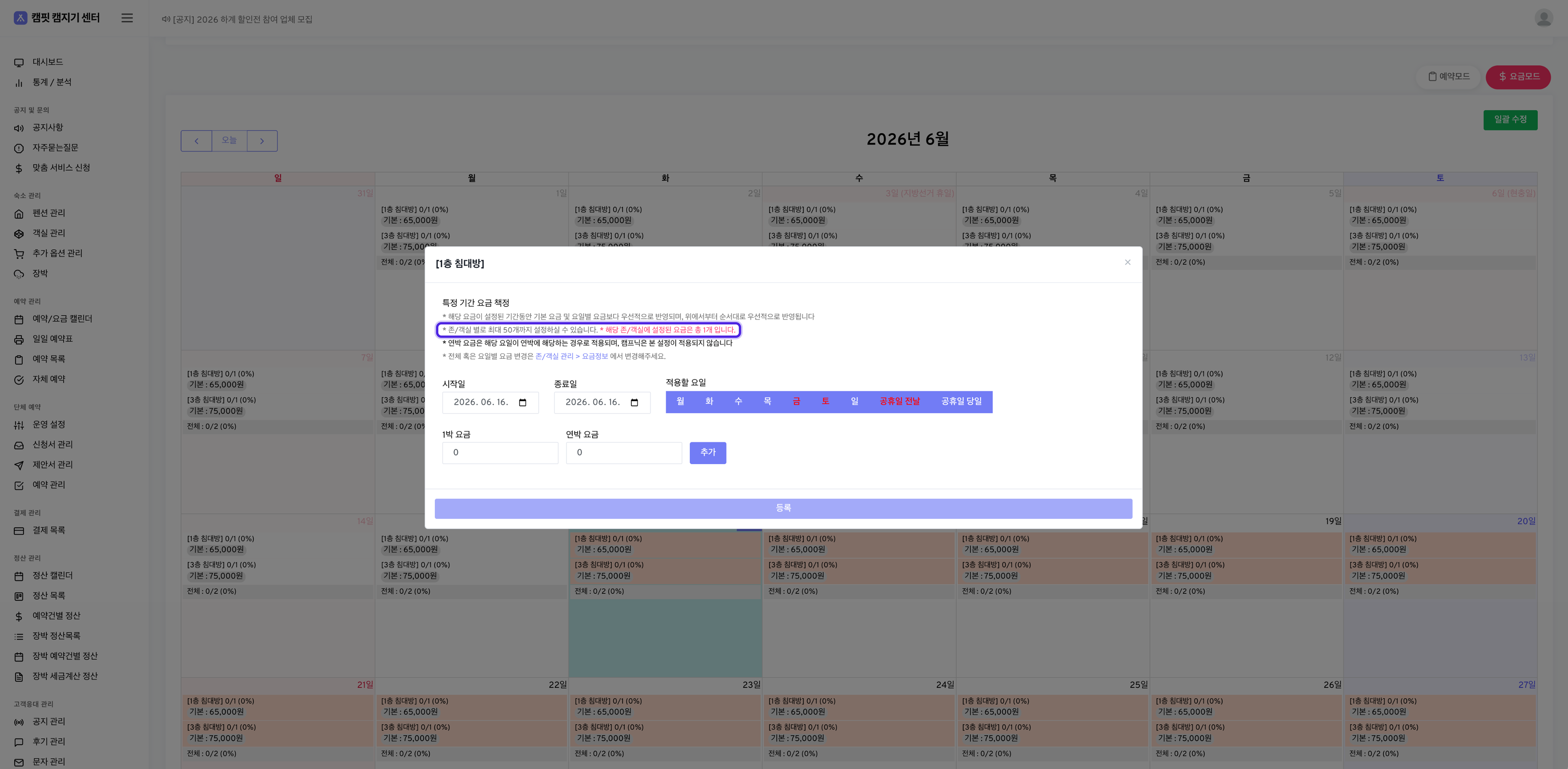 Channel policy caps a room type at 50 registered rates. So however you adjust rates in VCMS, at most 50 per room type make it across.
Go past 50 and only the first 50, counting from the nearest date, are applied. Rates for the dates after that are not set.
***
### VCMS single-night rates apply to multi-night stays too
Channel policy caps a room type at 50 registered rates. So however you adjust rates in VCMS, at most 50 per room type make it across.
Go past 50 and only the first 50, counting from the nearest date, are applied. Rates for the dates after that are not set.
***
### VCMS single-night rates apply to multi-night stays too
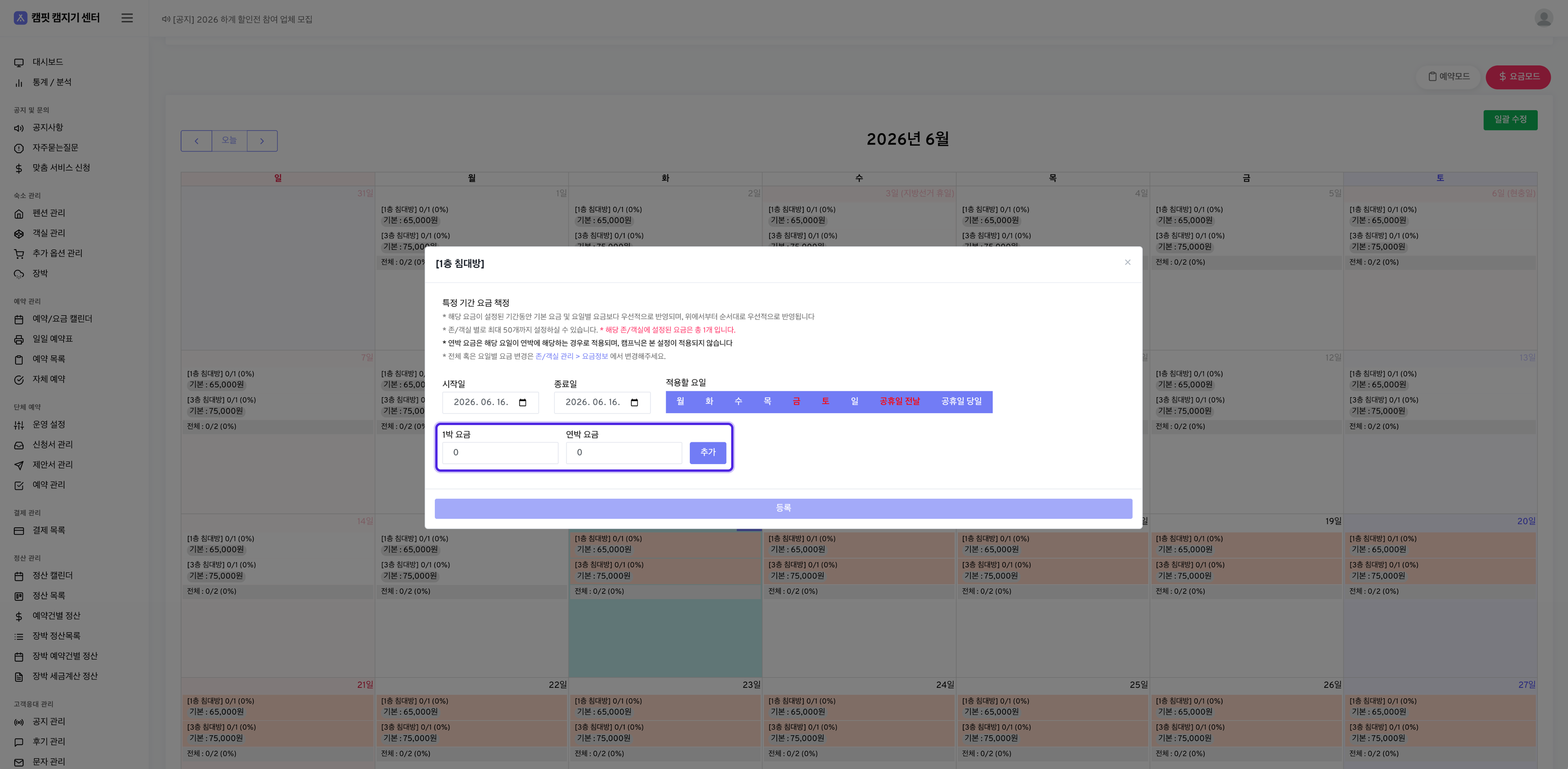 VCMS has no separate multi-night rate. Even with multi-night rates entered on Camfit, the VCMS single-night rate is what applies.
***
### VCMS cannot adjust inventory on partner option sites
A Camfit partner option site (room) is contracted with a partner company, so its inventory cannot be adjusted from VCMS. Camfit manages the inventory for those sites.
To see whether the partner option is on, go to the Camfit campsite manager center > Accommodation management > Camping zone management > pick a zone > **Partner option site (room) settings** at the bottom of the page.
VCMS has no separate multi-night rate. Even with multi-night rates entered on Camfit, the VCMS single-night rate is what applies.
***
### VCMS cannot adjust inventory on partner option sites
A Camfit partner option site (room) is contracted with a partner company, so its inventory cannot be adjusted from VCMS. Camfit manages the inventory for those sites.
To see whether the partner option is on, go to the Camfit campsite manager center > Accommodation management > Camping zone management > pick a zone > **Partner option site (room) settings** at the bottom of the page.