> ## Documentation Index
> Fetch the complete documentation index at: https://docs.vcms.io/llms.txt
> Use this file to discover all available pages before exploring further.
# Naver
> Check the following before connecting Naver.
***
## Connecting Naver
To connect Naver to VCMS, **turn off Naver's two-step verification** first, then connect with your existing Naver ID and password.
If the Naver connection has dropped, reconnect in the order below.
### Step 1. Turn off Naver two-step verification
Naver app, menu (≡) at the top left > your name > **Two-step verification** > re-enter your password > **Turn off** at the bottom of the page
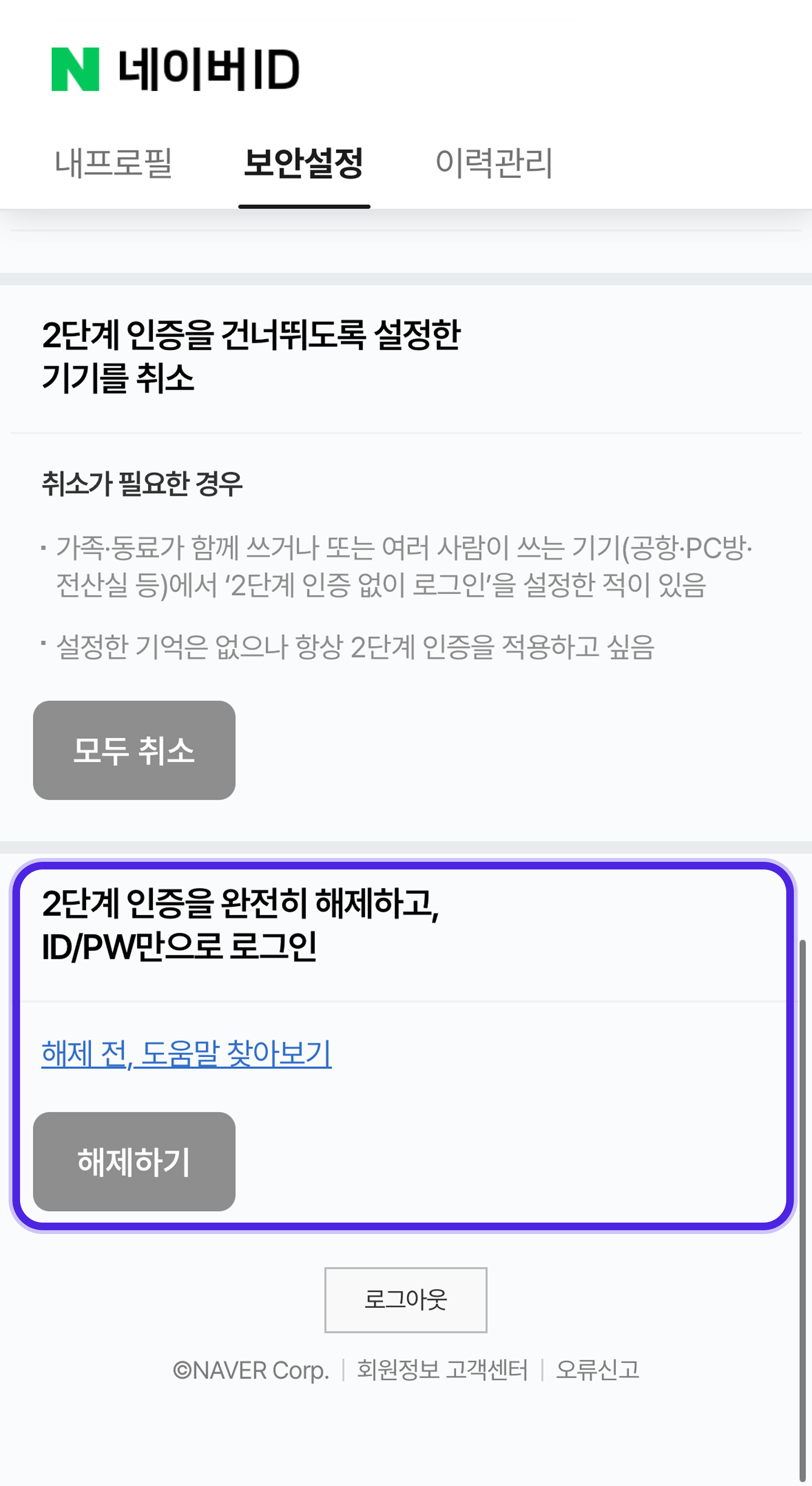
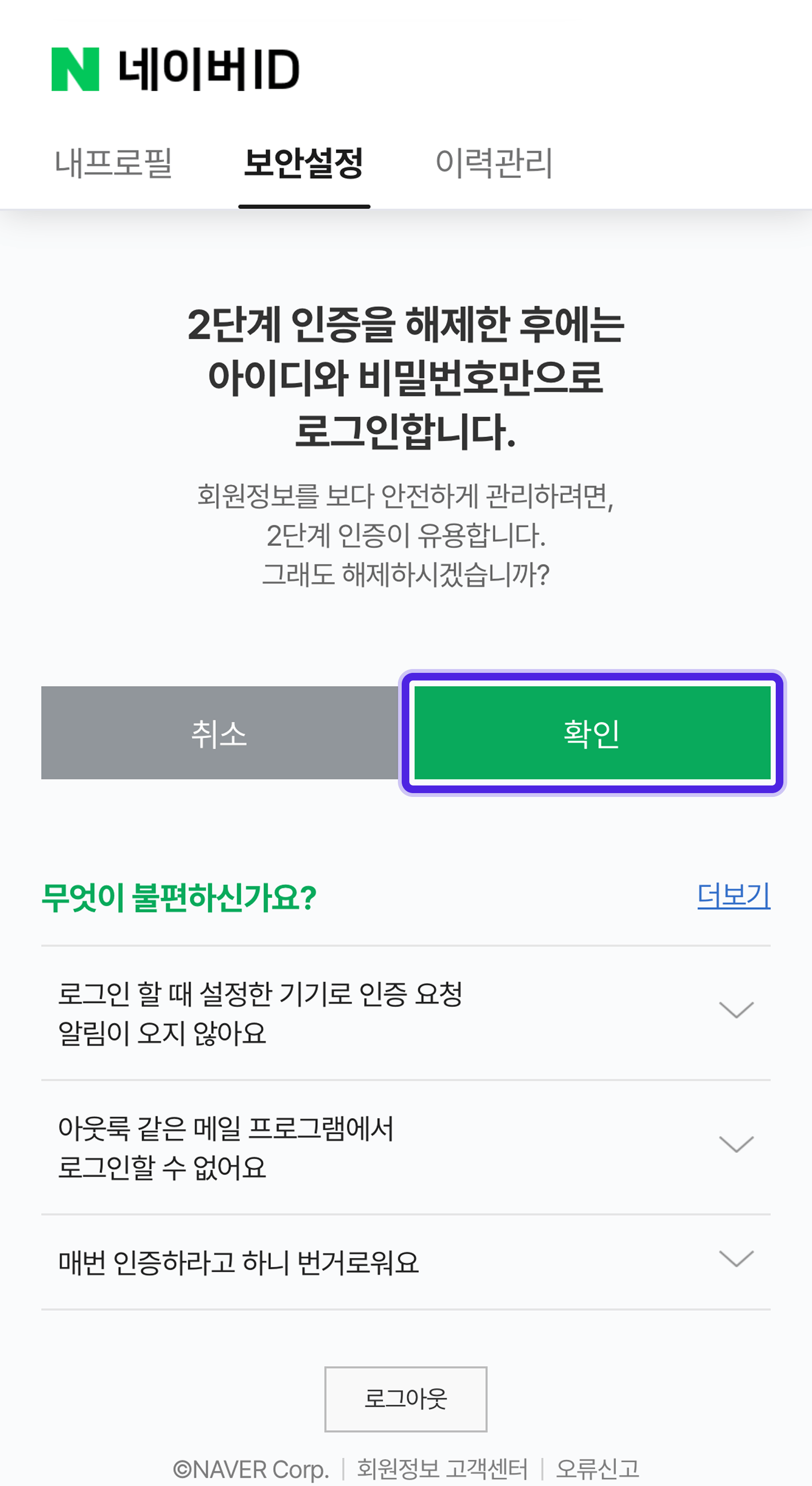
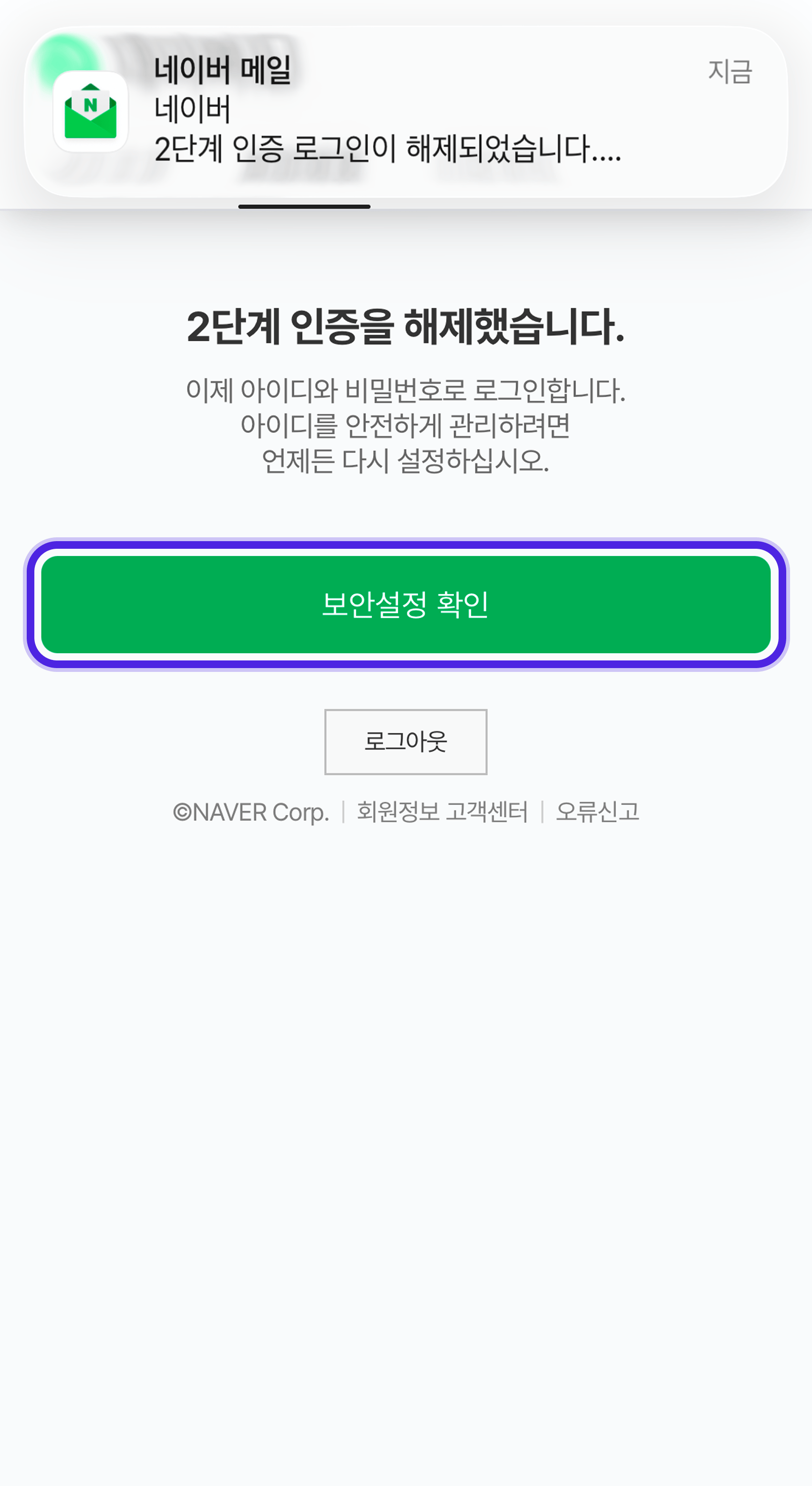 Naver ID > Security settings > Basic security > **Two-step verification** > re-enter your password > cancel two-step verification > **\[Turn off two-step verification completely and sign in with ID and password only]** > **Turn off**
 For more on turning it off 👉 see [Naver's help page on two-step verification](https://help.naver.com/service/5640/contents/1853?lang=ko\&osType=COMMONOS).
### Step 2. Turn off Naver's login blocking

Under Naver **Security settings > Login block settings**, "Block logins from other regions" stops VCMS from connecting. Turn that off too.
For more on turning it off 👉 see [Naver's help page on two-step verification](https://help.naver.com/service/5640/contents/1853?lang=ko\&osType=COMMONOS).
### Step 2. Turn off Naver's login blocking
Under Naver **Security settings > Login block settings**, "Block logins from other regions" stops VCMS from connecting. Turn that off too.
 ### Step 3. Reconnect Naver in VCMS
VCMS > Settings > Channels > Naver > **Reconnect** > enter ID and password
**Worth knowing**
* Turning off two-step verification deletes every application password you created.
* Turn two-step verification back on after connecting and the connection drops.
***
## Things to watch
Take care if your Naver room list has Today's Deal (a set discount applied if the room has not sold by 00:00) or holiday schedules registered.
* Syncing inventory and rates deletes Today's Deal and the holiday schedules, replacing them with the inventory and rates from the VCMS Distribution screen.
### Step 3. Reconnect Naver in VCMS
VCMS > Settings > Channels > Naver > **Reconnect** > enter ID and password
**Worth knowing**
* Turning off two-step verification deletes every application password you created.
* Turn two-step verification back on after connecting and the connection drops.
***
## Things to watch
Take care if your Naver room list has Today's Deal (a set discount applied if the room has not sold by 00:00) or holiday schedules registered.
* Syncing inventory and rates deletes Today's Deal and the holiday schedules, replacing them with the inventory and rates from the VCMS Distribution screen.
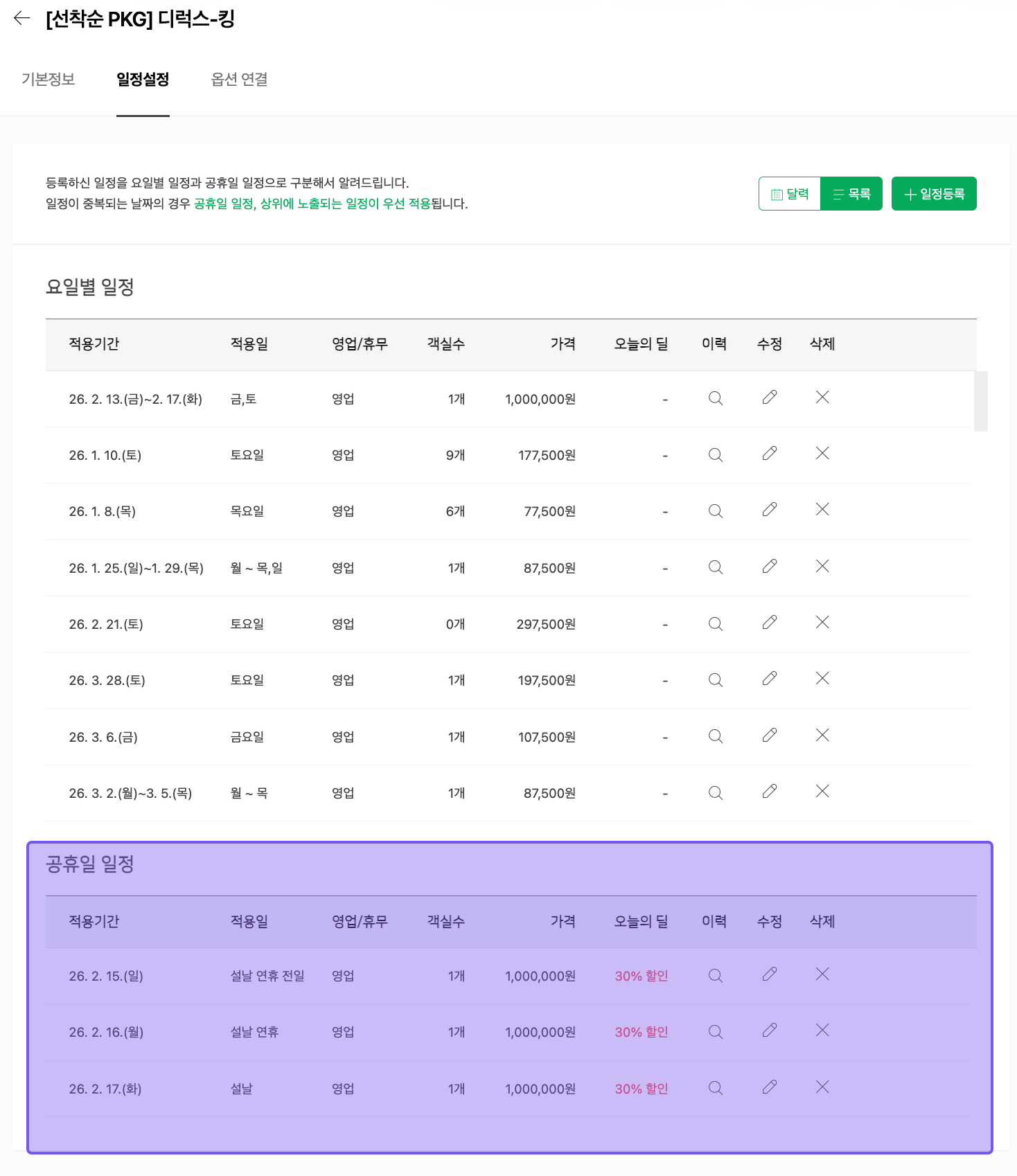 Syncing inventory only leaves the rate information deleted, so packages can go unsold on the holiday dates you set, or sell at some older rate you registered earlier.