> ## Documentation Index
> Fetch the complete documentation index at: https://docs.vcms.io/llms.txt
> Use this file to discover all available pages before exploring further.
# View Settings
> Shape the Distribution screen around the way your property actually runs.
## **Filters**
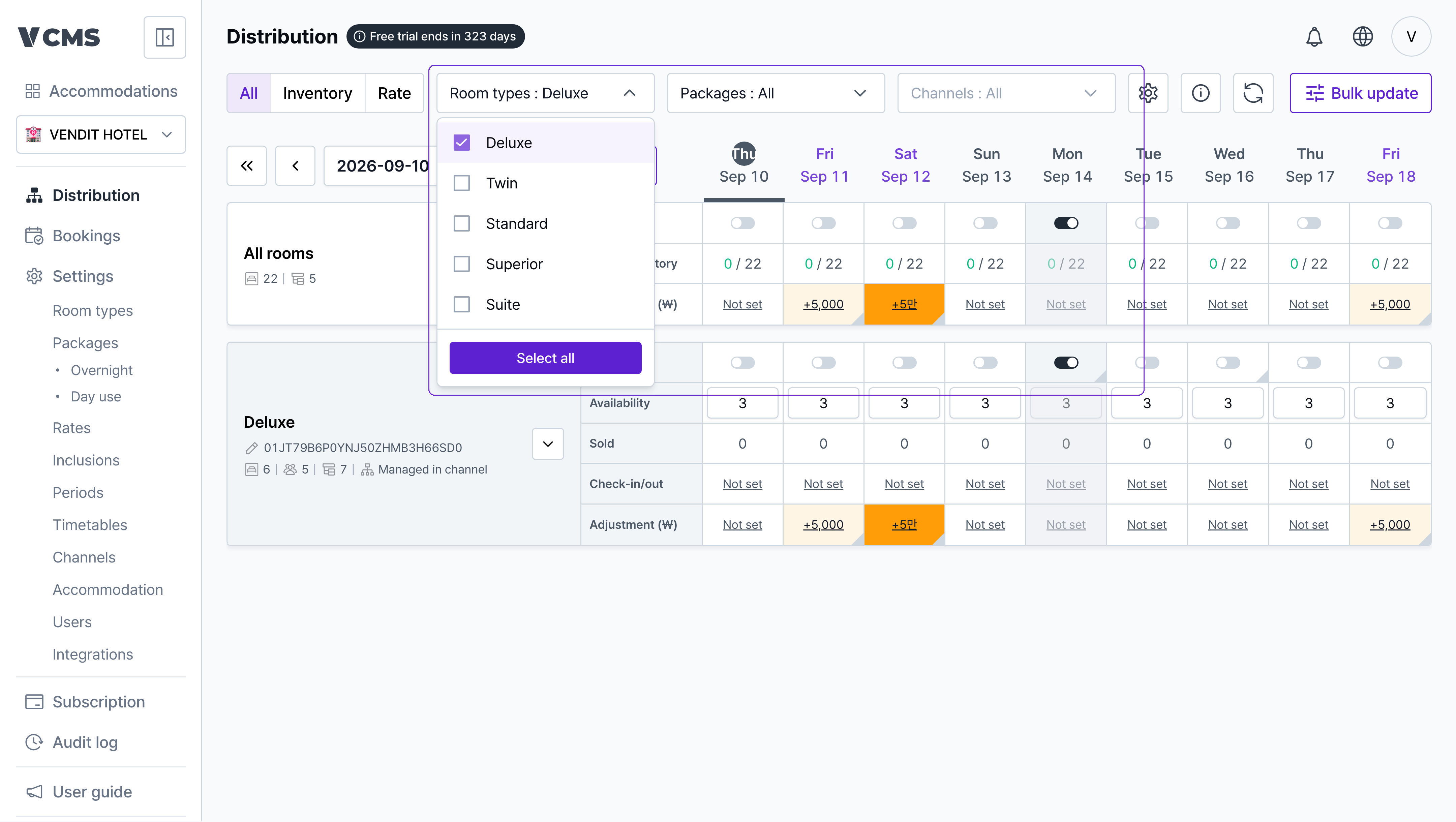 Show only the room types, packages, and channels you want to look at.
***
## **View settings**
Show only the room types, packages, and channels you want to look at.
***
## **View settings**
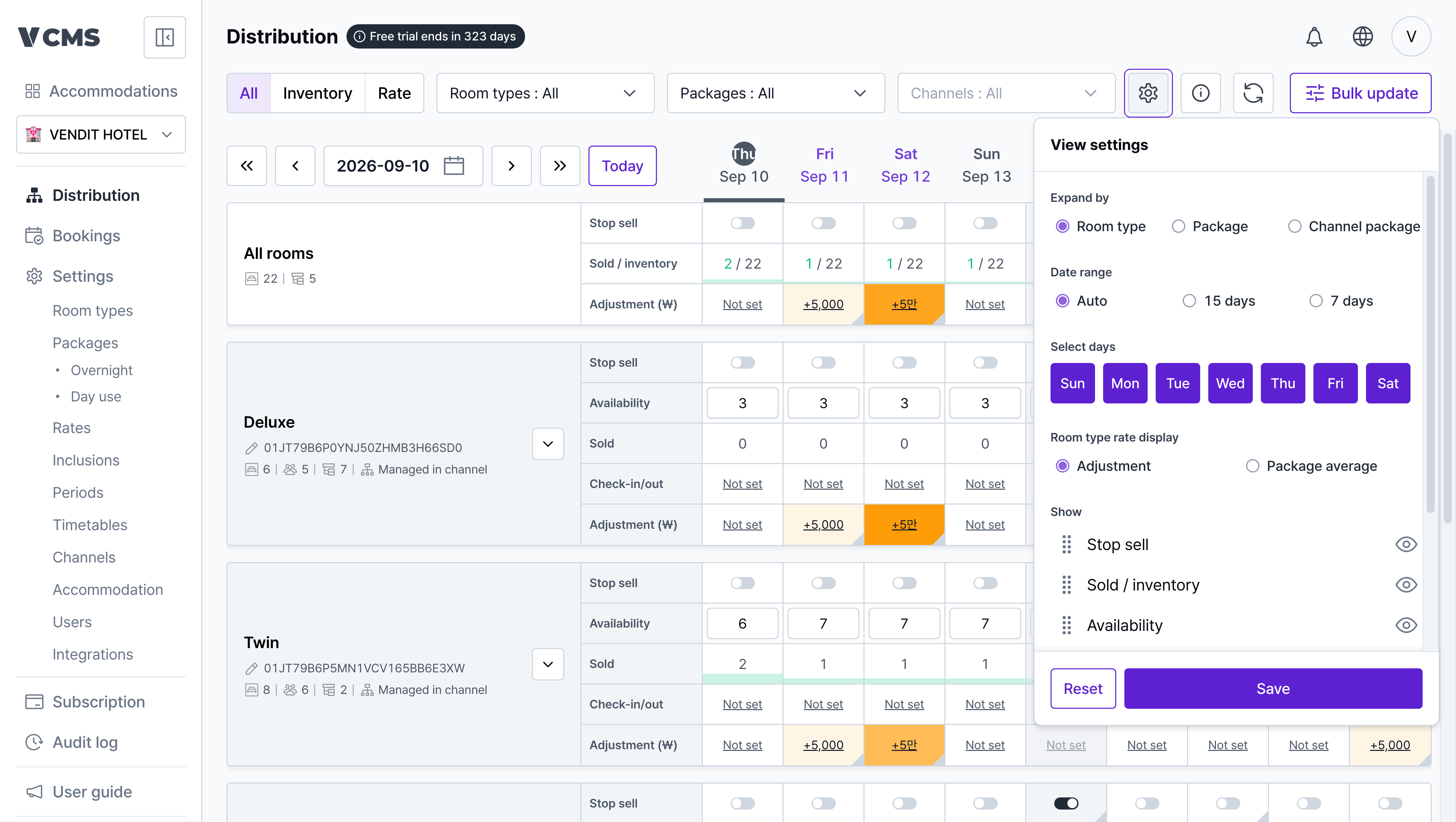 Use view settings to build the Distribution screen you want.
* **Date range**
* Auto: the number of days shown follows your monitor resolution.
* 15 days / 7 days: shows exactly that far ahead.
* **Default expansion**
* Choose which level is expanded when the screen opens.
* **Days of the week**
* Show only the days you care about.
* **Show on screen**
* Hide the rows you don't need and keep the ones you do.
Use view settings to build the Distribution screen you want.
* **Date range**
* Auto: the number of days shown follows your monitor resolution.
* 15 days / 7 days: shows exactly that far ahead.
* **Default expansion**
* Choose which level is expanded when the screen opens.
* **Days of the week**
* Show only the days you care about.
* **Show on screen**
* Hide the rows you don't need and keep the ones you do.