> ## Documentation Index
> Fetch the complete documentation index at: https://docs.vcms.io/llms.txt
> Use this file to discover all available pages before exploring further.

# I want to change the number of rooms

<Warning>
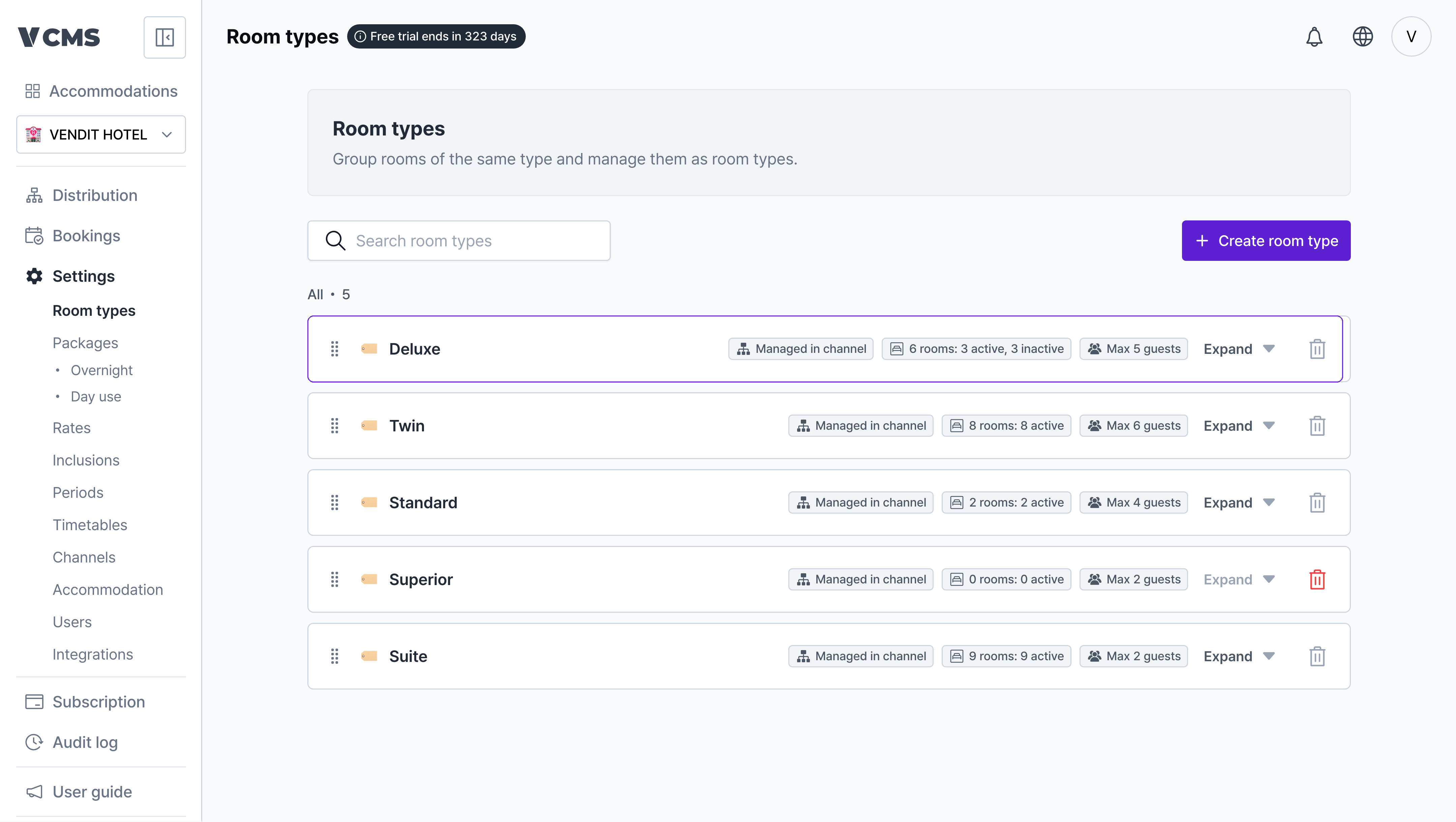
  **What does suspending a room do to inventory?**

  * Distribution sells against the number of rooms in operation, so changing a room's status shows up in Distribution immediately.
</Warning>

<Steps>
  <Step title="[Settings] - [Room types], then pick the room type you want to change.">
    <img src="https://mintcdn.com/vendit-d49adf2c/AywIyZTf2npy9O_O/images/en-roomtype-pick.png?fit=max&auto=format&n=AywIyZTf2npy9O_O&q=85&s=323087342d4a93f0bdd6ee8a9b6953d9" alt="Room type step 1" width="4320" height="2439" data-path="images/en-roomtype-pick.png" />
  </Step>

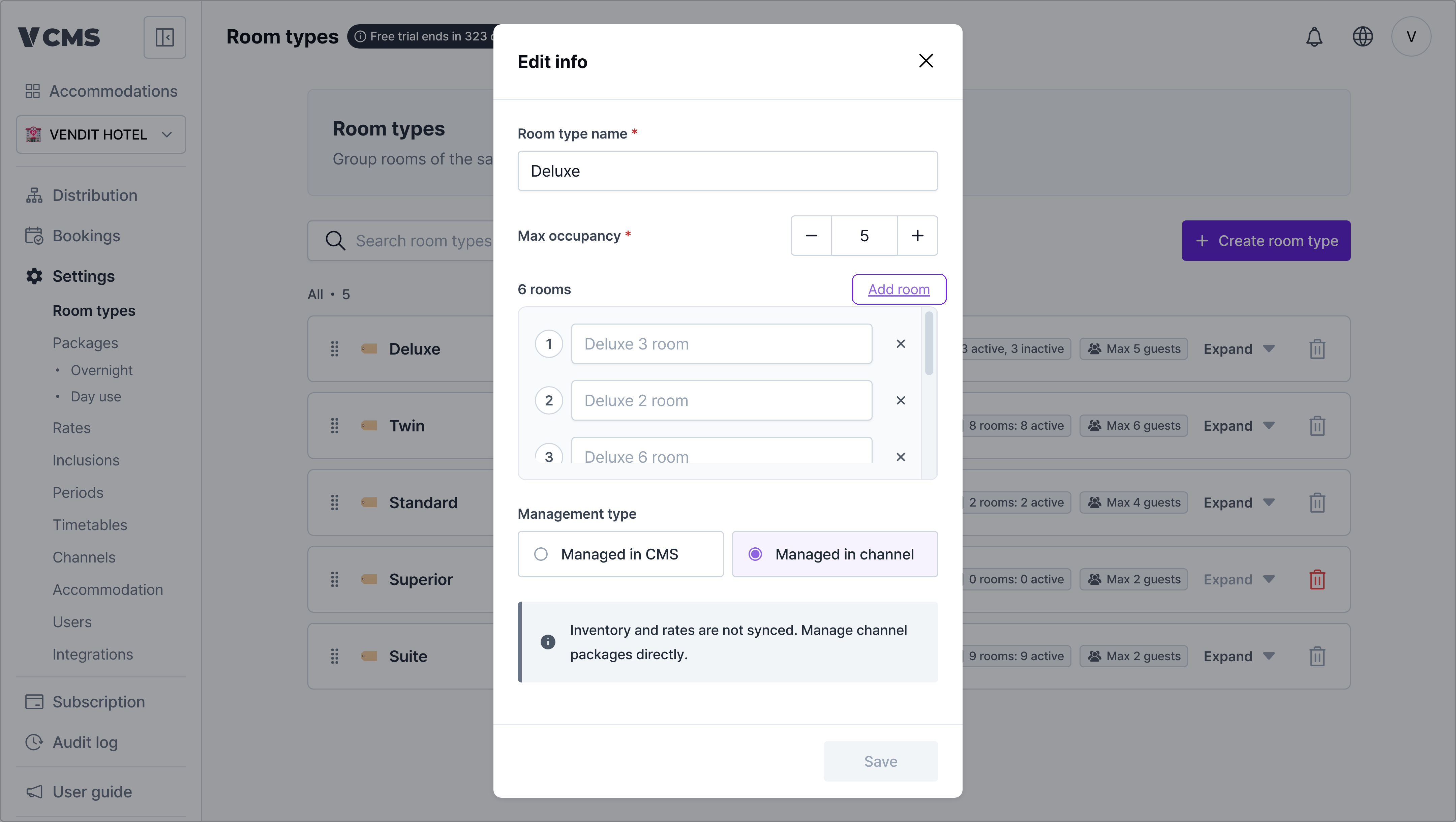
  <Step title="Press + Add to add a room.">
    <img src="https://mintcdn.com/vendit-d49adf2c/AywIyZTf2npy9O_O/images/en-roomtype-add-room.png?fit=max&auto=format&n=AywIyZTf2npy9O_O&q=85&s=76e4ae17e8b0f40103fb5b5d40d8750d" alt="Room type step 2" width="4320" height="2439" data-path="images/en-roomtype-add-room.png" />

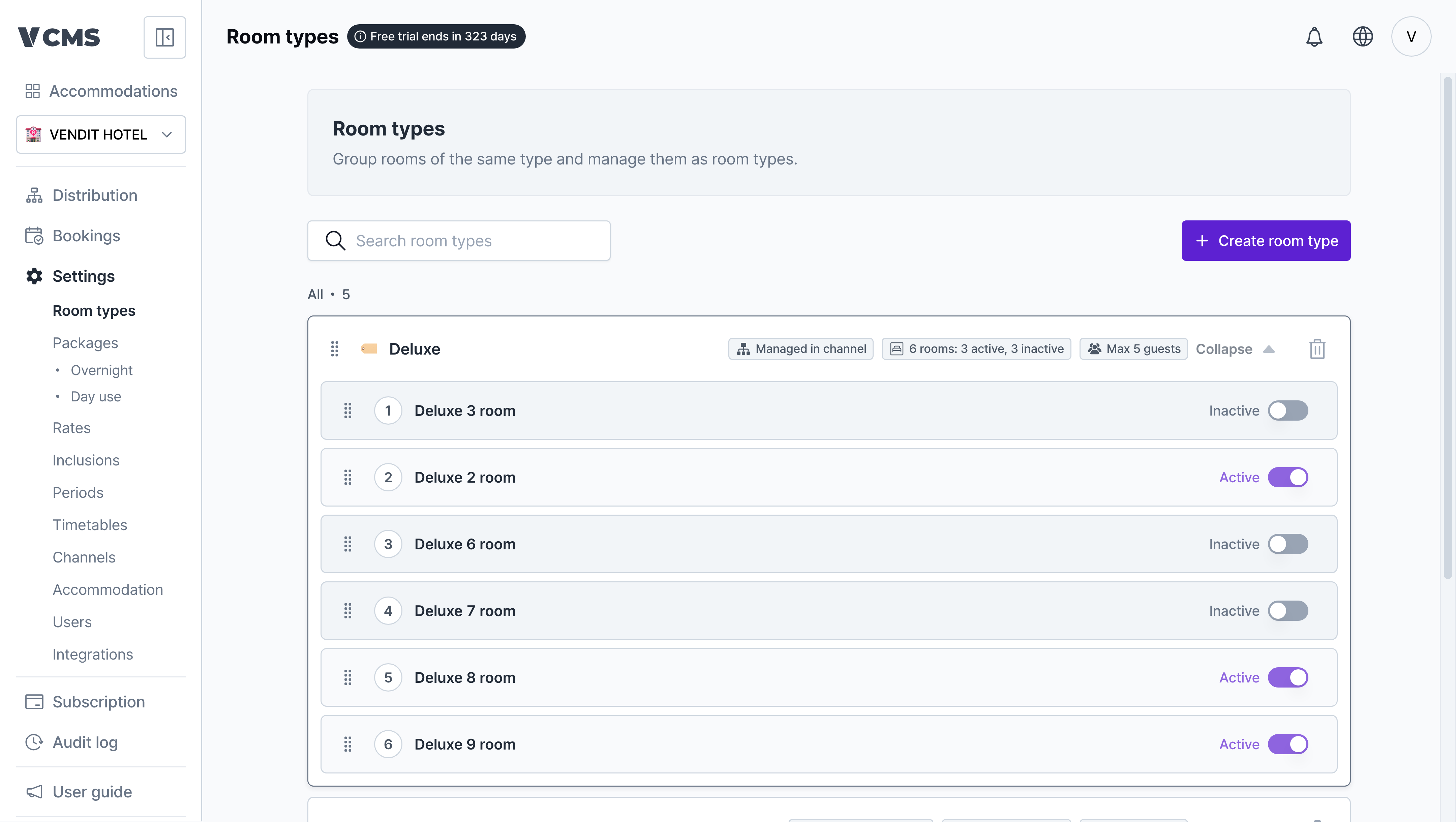
    * To take a room out of service for a while, set its status to suspended.
          <img src="https://mintcdn.com/vendit-d49adf2c/AywIyZTf2npy9O_O/images/en-roomtype-room-status.png?fit=max&auto=format&n=AywIyZTf2npy9O_O&q=85&s=9a295b9b9c789ef355328f1f86fbcccf" alt="Room suspended status" width="4320" height="2439" data-path="images/en-roomtype-room-status.png" />
  </Step>
</Steps>