> ## Documentation Index
> Fetch the complete documentation index at: https://docs.vcms.io/llms.txt
> Use this file to discover all available pages before exploring further.

# How do I set inventory and rates?

> Set inventory and rates on the VCMS package, then link the channel package to it and those values sync to the channel.

<Steps>
  <Step title="Start by creating packages from the room types and rates your property already uses." />

  <Step title="Build the package in VCMS on top of a room type.">
    Create the package from the room types and rates your property uses.
  </Step>

  <Step title="Link the sales channel's packages to your VCMS packages so inventory and rate management run cleanly.">
    Channel packages sitting under a linked package all take the same package rate, and they share inventory.
  </Step>

  <Step title="Link the channel package to the VCMS package.">
    A linked channel package takes the VCMS package's rate exactly, and shares its inventory.
  </Step>
</Steps>

<Info>
  If you use the Vendit VCLOUD service, a channel package not linked to a package is created under an unassigned room type.
</Info>

## FAQ

<AccordionGroup>
  <Accordion title="Can I hide or delete packages I don't sell?">
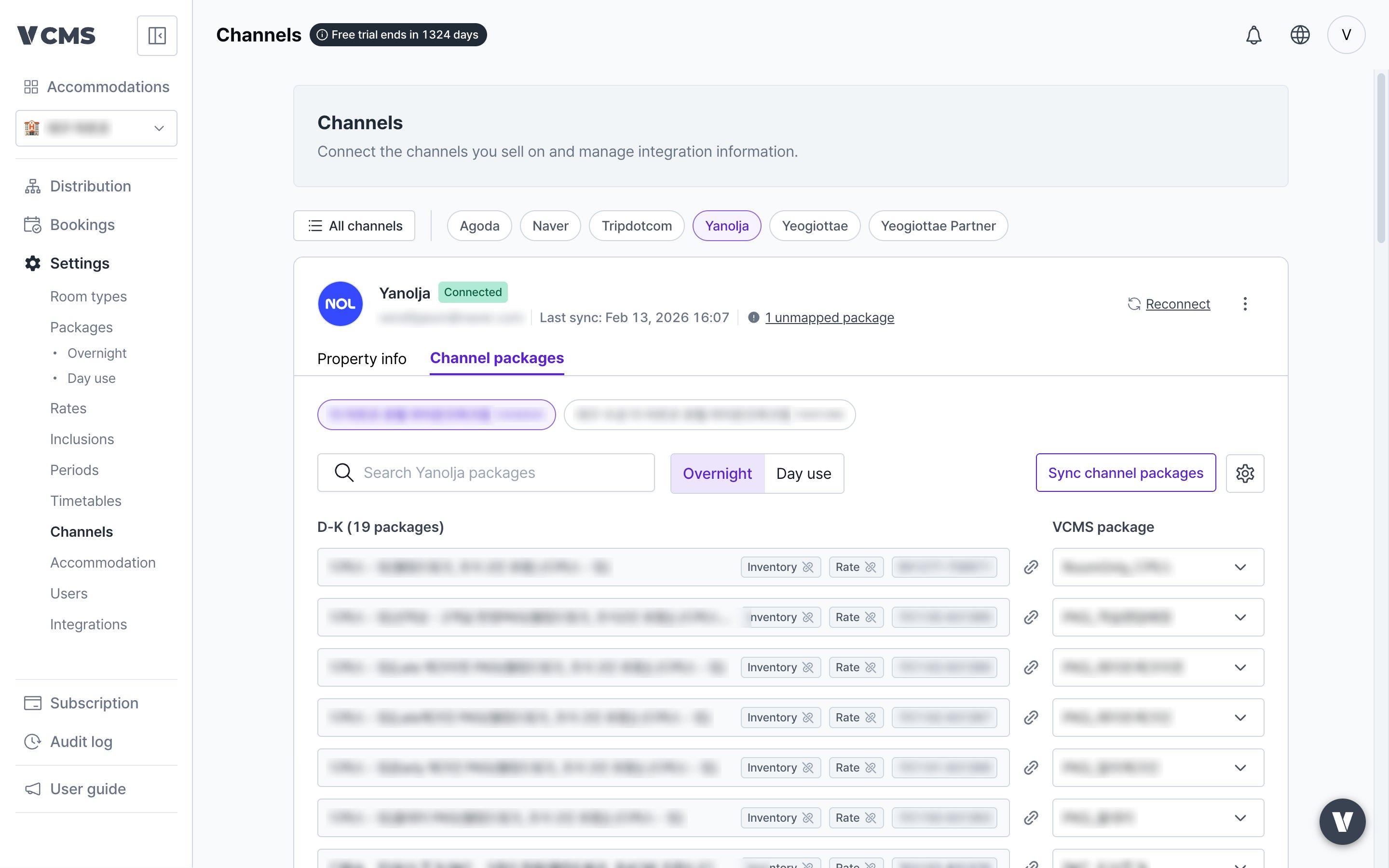
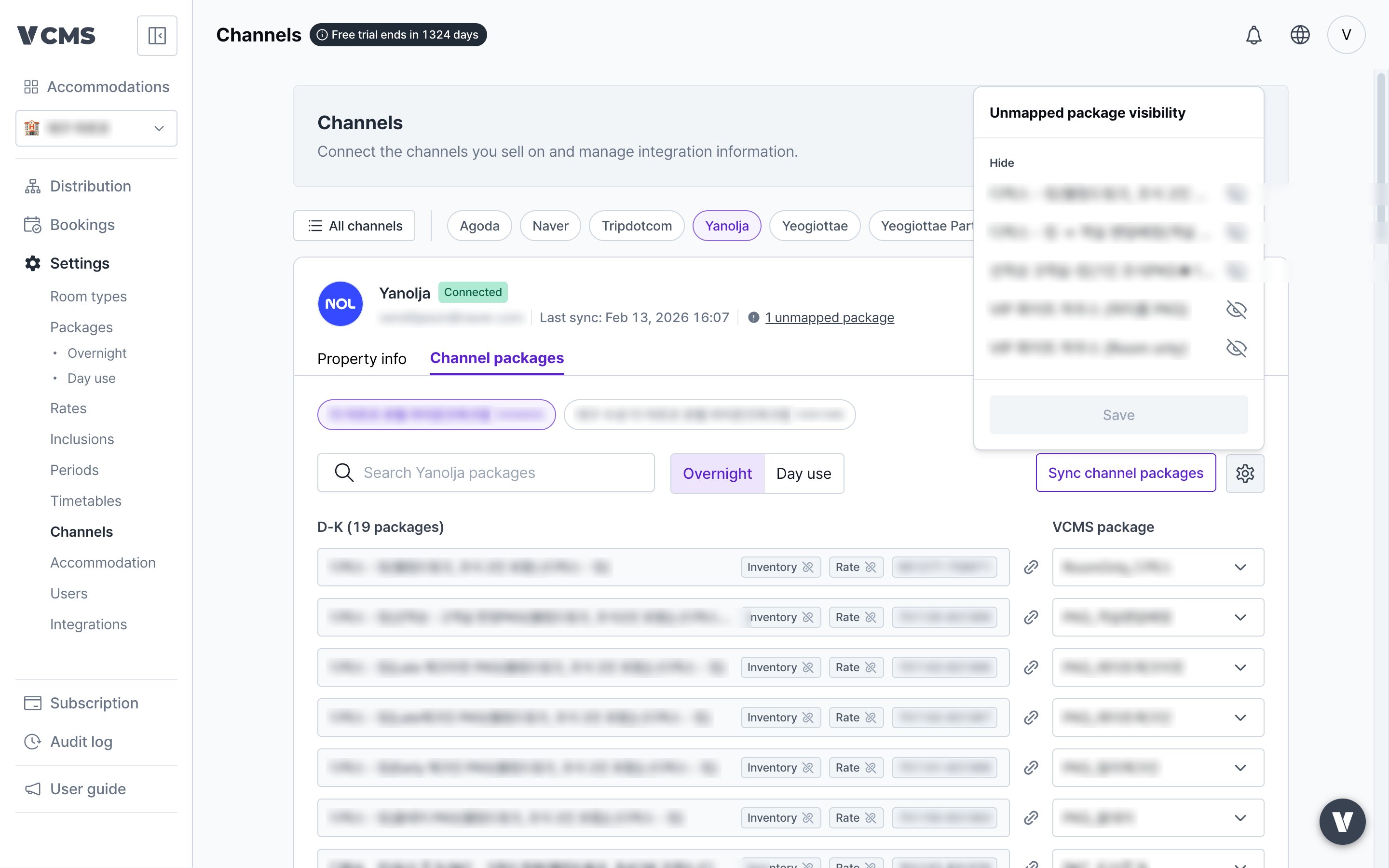
    Hide, yes. Delete, no. Deleting an unlinked channel package could take the booking data attached to it, so for safety and data integrity there is hiding but no deleting. Here is how to hide an unlinked channel package you do not sell.
    <Steps>
      <Step title="In [Settings] - [Channels] - [Channel packages], press the ⚙️ unlinked channel package display setting.">
        <Frame>
          <img src="https://mintcdn.com/vendit-d49adf2c/DFH5IrxiyErW58ON/images/en-channel-packages.png?fit=max&auto=format&n=DFH5IrxiyErW58ON&q=85&s=6d2dac9fc7ce84ed1a9f3e3e7ef30978" alt="Channel package display setting" width="2880" height="1800" data-path="images/en-channel-packages.png" />
        </Frame>
      </Step>

      <Step title="Press hide or show, then save, and the channel packages you picked are hidden.">
        <Frame>
          <img src="https://mintcdn.com/vendit-d49adf2c/DFH5IrxiyErW58ON/images/en-channel-package-visibility.png?fit=max&auto=format&n=DFH5IrxiyErW58ON&q=85&s=437186dff86d599db3e253a4cfb591e3" alt="Hiding channel packages" width="2880" height="1800" data-path="images/en-channel-package-visibility.png" />
        </Frame>
      </Step>
    </Steps>
  </Accordion>
</AccordionGroup>

<Accordion title="Can I mark up or discount a single channel package?">
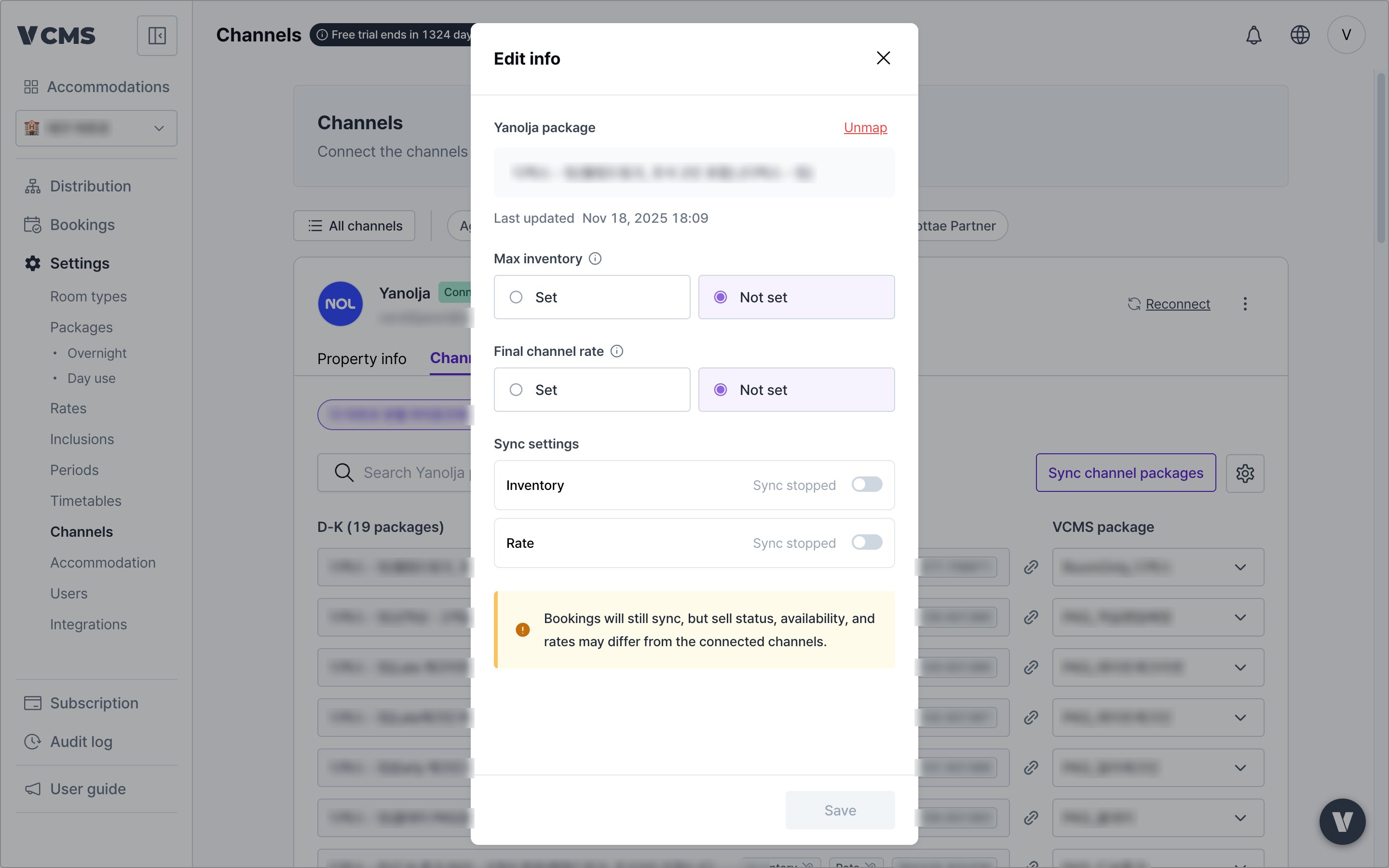
  Yes. Set that channel package's final channel rate.
  <Steps>
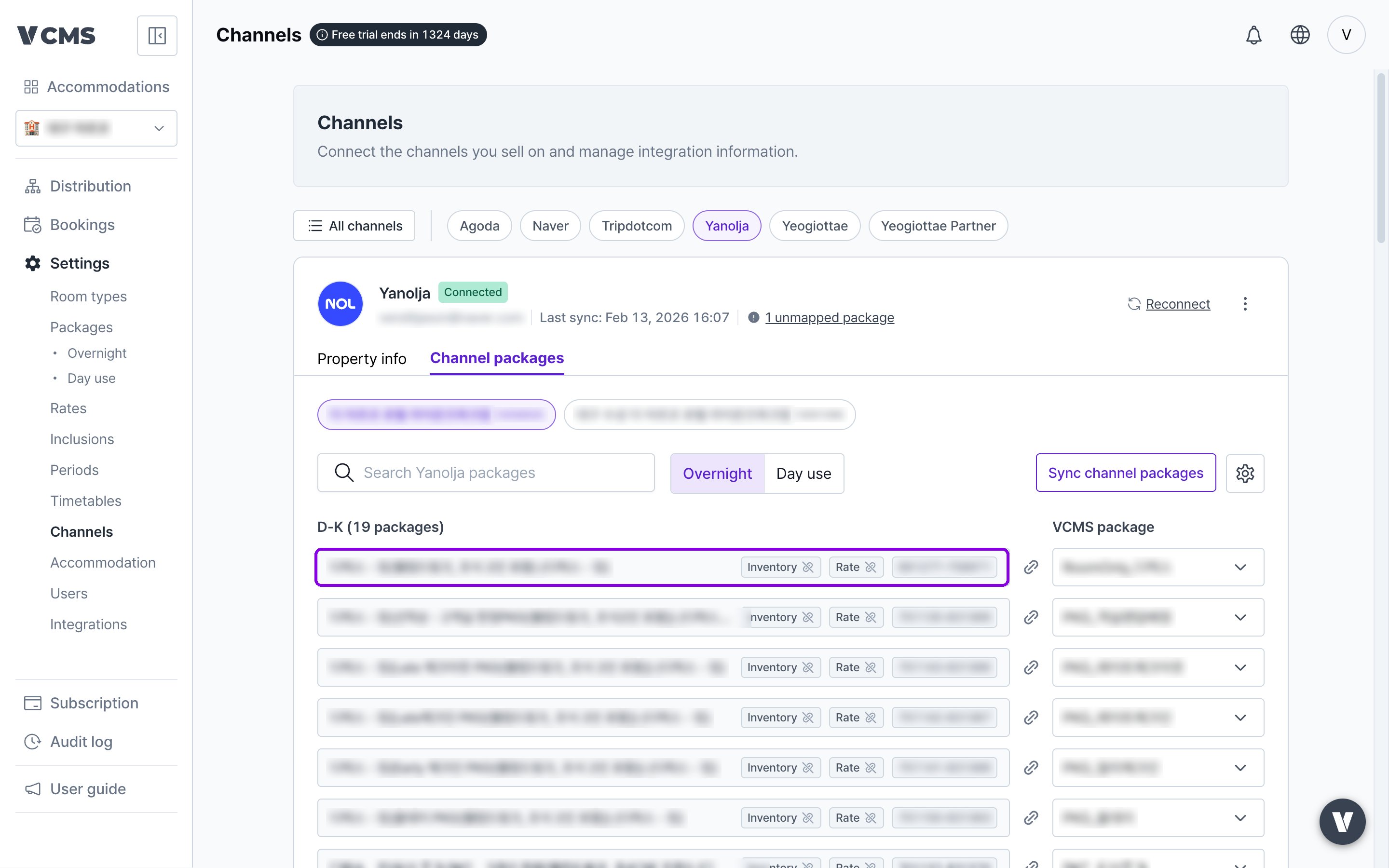
    <Step title="In [connected channel] - [Channel packages], pick the channel package to mark up or discount.">
      <Frame>
        <img src="https://mintcdn.com/vendit-d49adf2c/DFH5IrxiyErW58ON/images/en-channel-package-select.png?fit=max&auto=format&n=DFH5IrxiyErW58ON&q=85&s=182a745d163257e3a610f01e37cf81ea" alt="Picking a channel package" width="2880" height="1800" data-path="images/en-channel-package-select.png" />
      </Frame>
    </Step>

    <Step title="Set the final channel rate and the marked-up or discounted amount is what goes to the channel.">
      <Frame>
        <img src="https://mintcdn.com/vendit-d49adf2c/DFH5IrxiyErW58ON/images/en-channel-package-edit.png?fit=max&auto=format&n=DFH5IrxiyErW58ON&q=85&s=dc345d9c15666501c1e55e7e95f63c50" alt="Setting the final channel rate" width="2880" height="1800" data-path="images/en-channel-package-edit.png" />
      </Frame>
    </Step>
  </Steps>
</Accordion>