> ## Documentation Index
> Fetch the complete documentation index at: https://docs.vcms.io/llms.txt
> Use this file to discover all available pages before exploring further.
# How do timetables work?
> Check-in and check-out times can differ per package on sale, for early check-in, late check-out, and the rest.
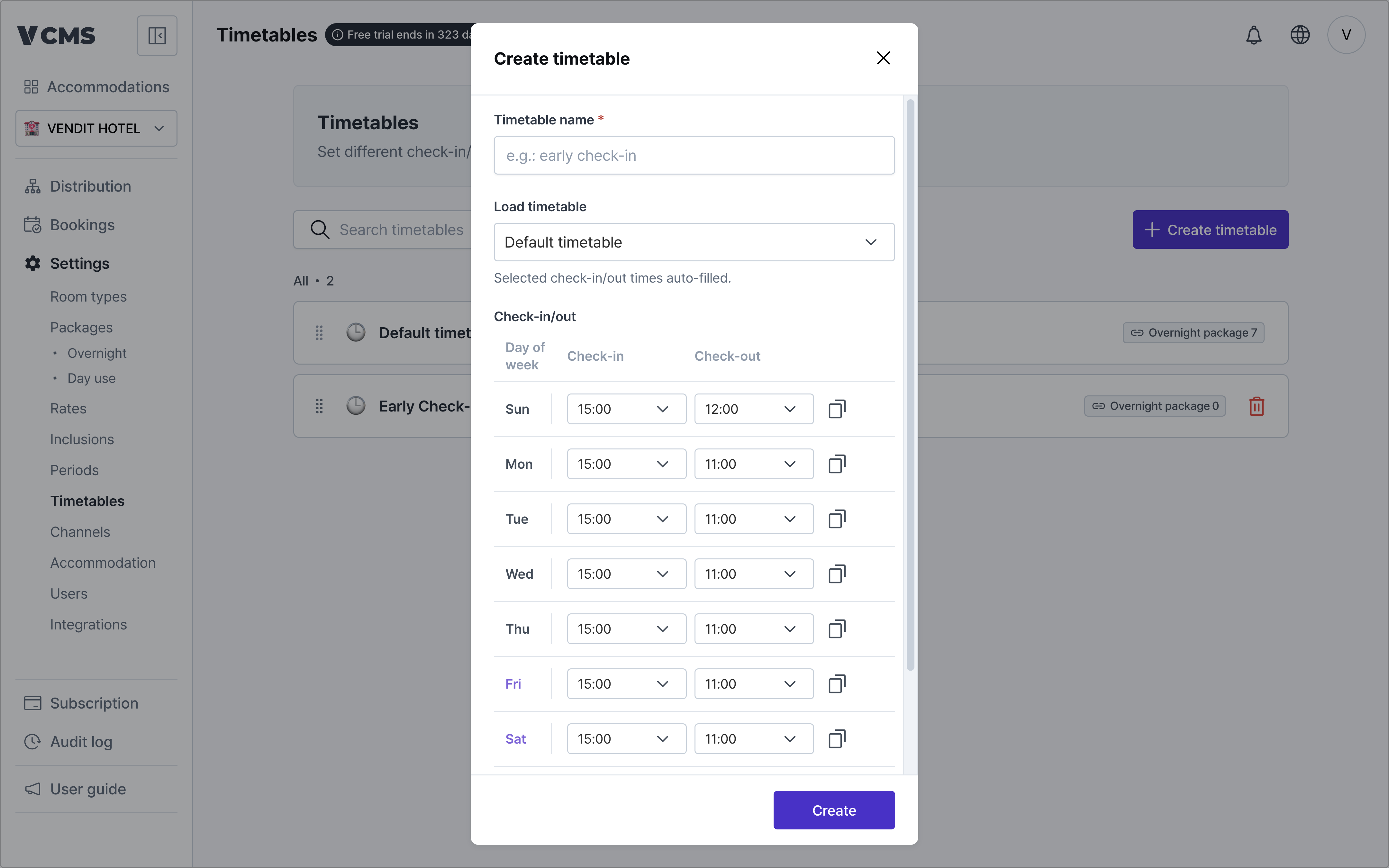 * Import an existing timetable
* Pull in the accommodation's default timetable, or one you built earlier.
* Time increments
* Check-in and check-out times can be set in 30-minute or 60-minute increments.
* Where a sales channel does not support 30-minute increments, the time is rounded up.
* For example,
* Check-in set to 15:30
* On a channel that supports 60-minute increments only, it is rounded up to 16:00.
* Import an existing timetable
* Pull in the accommodation's default timetable, or one you built earlier.
* Time increments
* Check-in and check-out times can be set in 30-minute or 60-minute increments.
* Where a sales channel does not support 30-minute increments, the time is rounded up.
* For example,
* Check-in set to 15:30
* On a channel that supports 60-minute increments only, it is rounded up to 16:00.
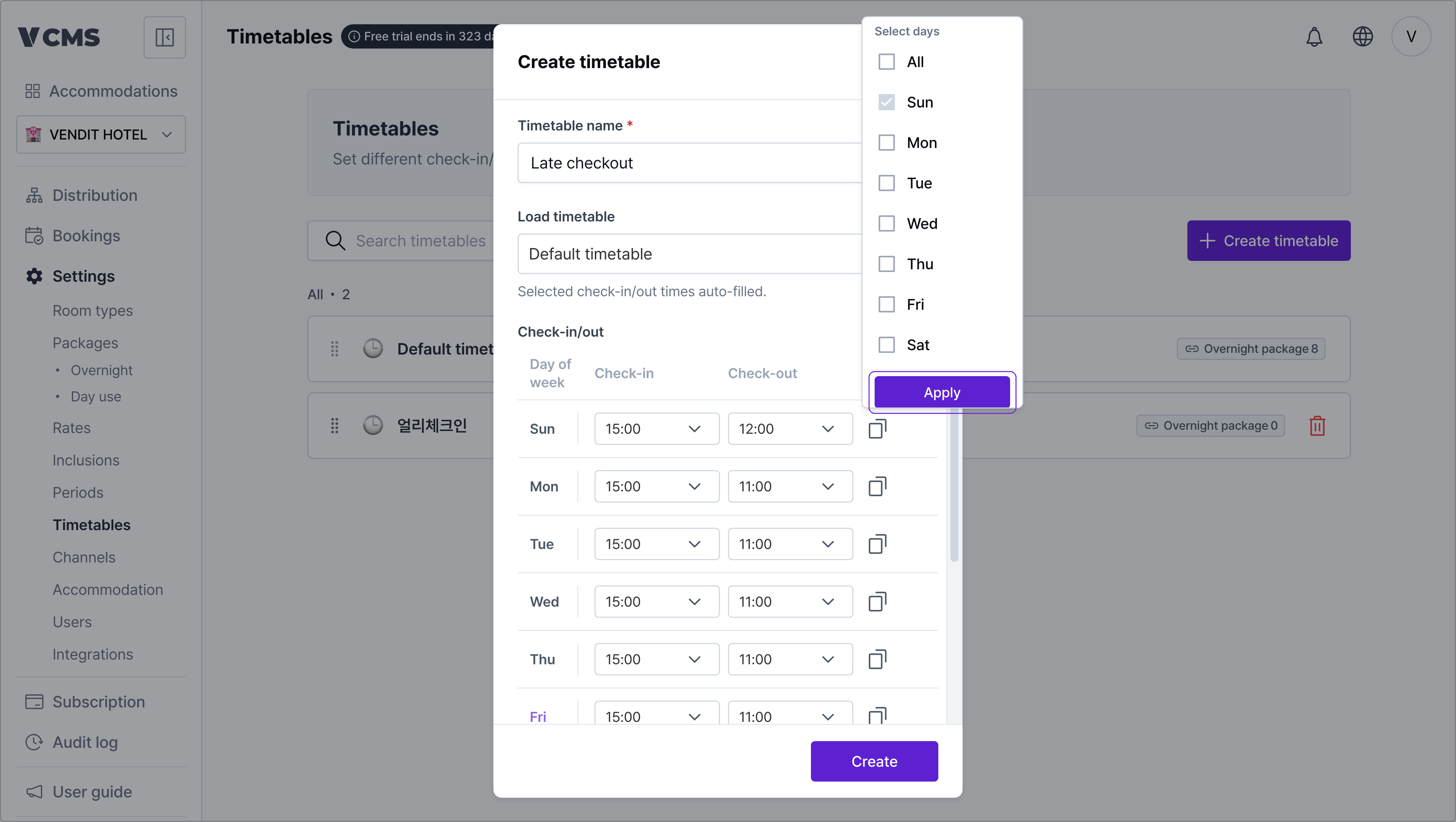 * Check-in and check-out times
* Set them separately for each day, Sunday through Saturday.
* Apply to selected days
* Copy one time and apply it to the days you select.
* Check-in and check-out times
* Set them separately for each day, Sunday through Saturday.
* Apply to selected days
* Copy one time and apply it to the days you select.
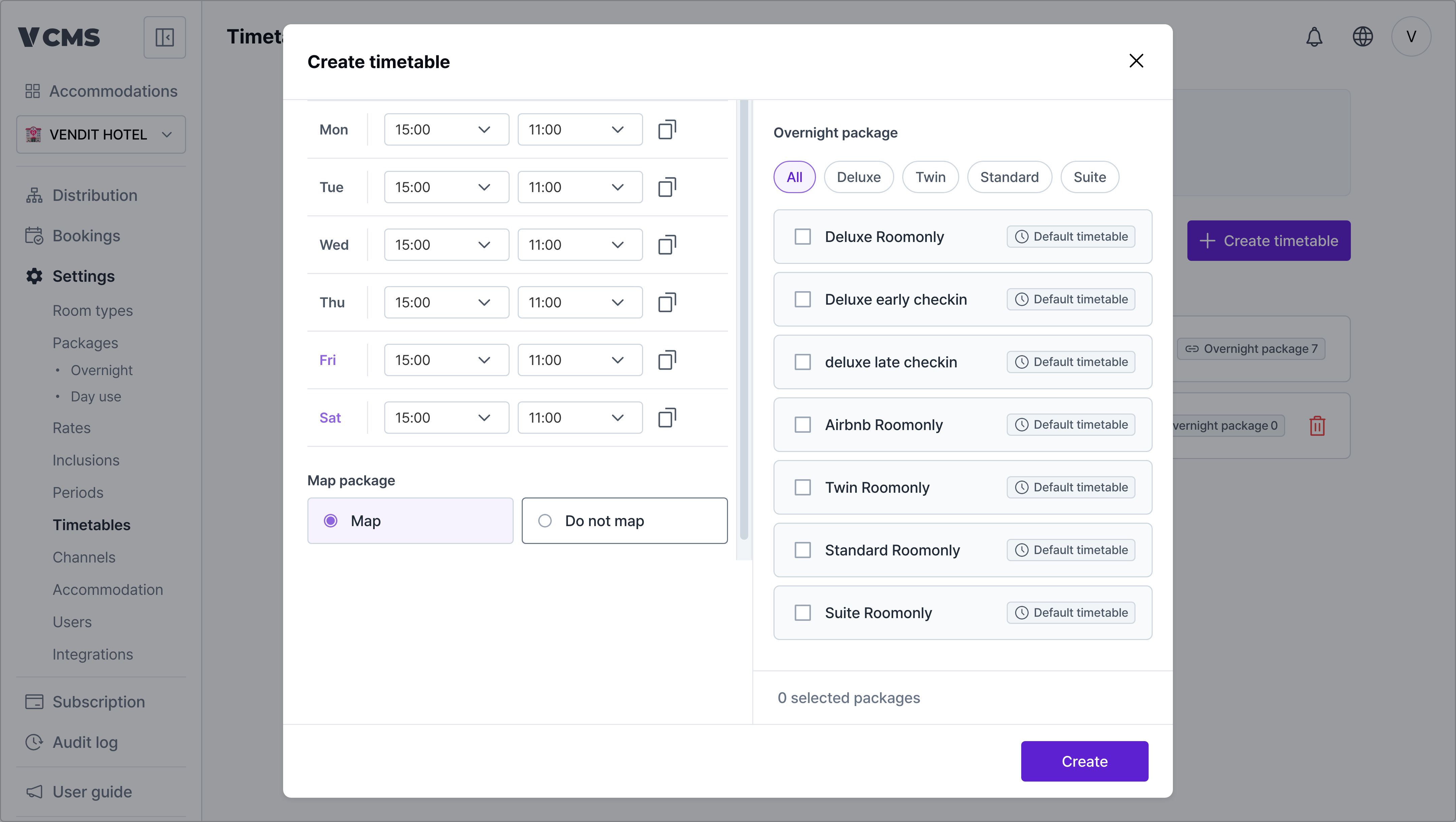 * 👉 [Connecting a timetable from the package](https://docs.vcms.io/en/inventory-rate/timetable)
***
**Check-in and check-out times only reach the channels (OTAs) that accept them when inventory and rates sync.**
### Channels that `can` change check-in and check-out times
1. Yeogiottae owner app (motels)
2. Coolstay (motels, hotels, pensions)
3. Yanolja (motels, hotels, guest houses)
### Channels that `cannot`
1. Yeogiottae Partner Center
2. Ddnayodotcom
3. Naver
4. Airbnb
5. Onda (hotels, pensions)
6. Agoda
7. Tripdotcom
8. Yanolja (pensions)
* 👉 [Connecting a timetable from the package](https://docs.vcms.io/en/inventory-rate/timetable)
***
**Check-in and check-out times only reach the channels (OTAs) that accept them when inventory and rates sync.**
### Channels that `can` change check-in and check-out times
1. Yeogiottae owner app (motels)
2. Coolstay (motels, hotels, pensions)
3. Yanolja (motels, hotels, guest houses)
### Channels that `cannot`
1. Yeogiottae Partner Center
2. Ddnayodotcom
3. Naver
4. Airbnb
5. Onda (hotels, pensions)
6. Agoda
7. Tripdotcom
8. Yanolja (pensions)