> ## Documentation Index
> Fetch the complete documentation index at: https://docs.vcms.io/llms.txt
> Use this file to discover all available pages before exploring further.
# May 15, 2026
> Hello from Vendit. Here is what changed in VCMS in the second week of May.
***
> **Highlights**\
> "Channels can now be viewed and managed on mobile."\
> "Large amounts read clearly, up to hundreds of millions."\
> "Room counts and max occupancy take larger numbers, to match your property."\
> "VCMS is available in Vietnamese."
### A dropped channel connection shows at the top of the screen
> For properties running several connected channels
When a channel connection drops, a disconnected badge appears at the top of the screen. If the dropped channel belongs to the property you are running, a dialog appears too, so you know immediately.
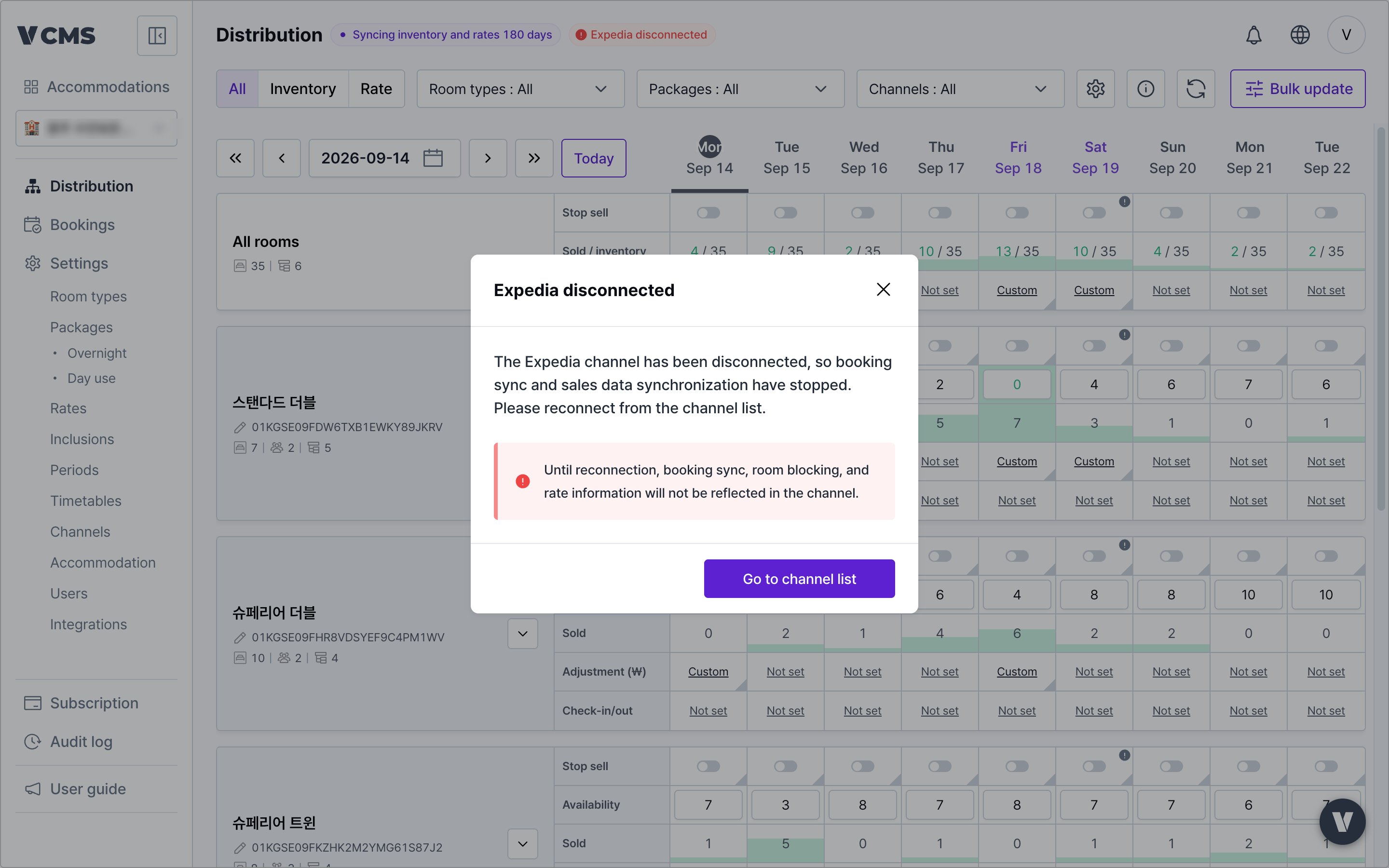 **More detail**
* The dialog appears only when the dropped channel belongs to the property you are running, and it keeps appearing until the channel reconnects.
* With several channels down it reads **"\[channel name] and N others disconnected"**.
While a channel is disconnected, booking imports and sales sync stop. Stop-sells and rates do not reach the channel until it is back, so reconnect from the channel list right away.
### Large amounts read more clearly
> For properties selling high-priced rooms or long-stay packages
**More detail**
* The dialog appears only when the dropped channel belongs to the property you are running, and it keeps appearing until the channel reconnects.
* With several channels down it reads **"\[channel name] and N others disconnected"**.
While a channel is disconnected, booking imports and sales sync stop. Stop-sells and rates do not reach the channel until it is back, so reconnect from the channel list right away.
### Large amounts read more clearly
> For properties selling high-priced rooms or long-stay packages
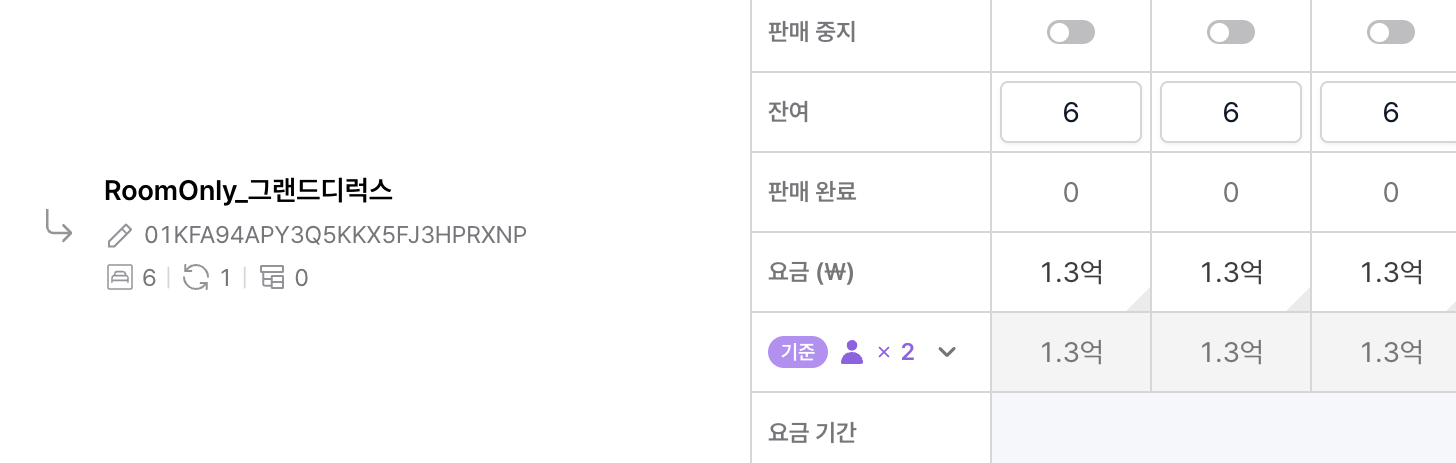 Korean won amounts display better. The million-unit abbreviation is gone and hundreds of millions are supported, which fixes the large amounts that used to be hard to read at a glance.
***
### Values survive closing a settings dialog
Pressing ESC to close a settings dialog mid-edit used to wipe what you had entered. Fixed. Close a dialog by accident and your input is still there.
**More detail**
* The fix covers these dialogs:
* Distribution > View settings
* Distribution > Sell status view
* Distribution > Sell status and rate adjustment
* Channels > Unlinked package display setting
The shortcut that clears provisional changes in Distribution has moved from **ESC** to **Shift + ESC**.
***
## Room types
### Max occupancy and room count accept larger numbers
> For properties with large room counts or high occupancy
Korean won amounts display better. The million-unit abbreviation is gone and hundreds of millions are supported, which fixes the large amounts that used to be hard to read at a glance.
***
### Values survive closing a settings dialog
Pressing ESC to close a settings dialog mid-edit used to wipe what you had entered. Fixed. Close a dialog by accident and your input is still there.
**More detail**
* The fix covers these dialogs:
* Distribution > View settings
* Distribution > Sell status view
* Distribution > Sell status and rate adjustment
* Channels > Unlinked package display setting
The shortcut that clears provisional changes in Distribution has moved from **ESC** to **Shift + ESC**.
***
## Room types
### Max occupancy and room count accept larger numbers
> For properties with large room counts or high occupancy
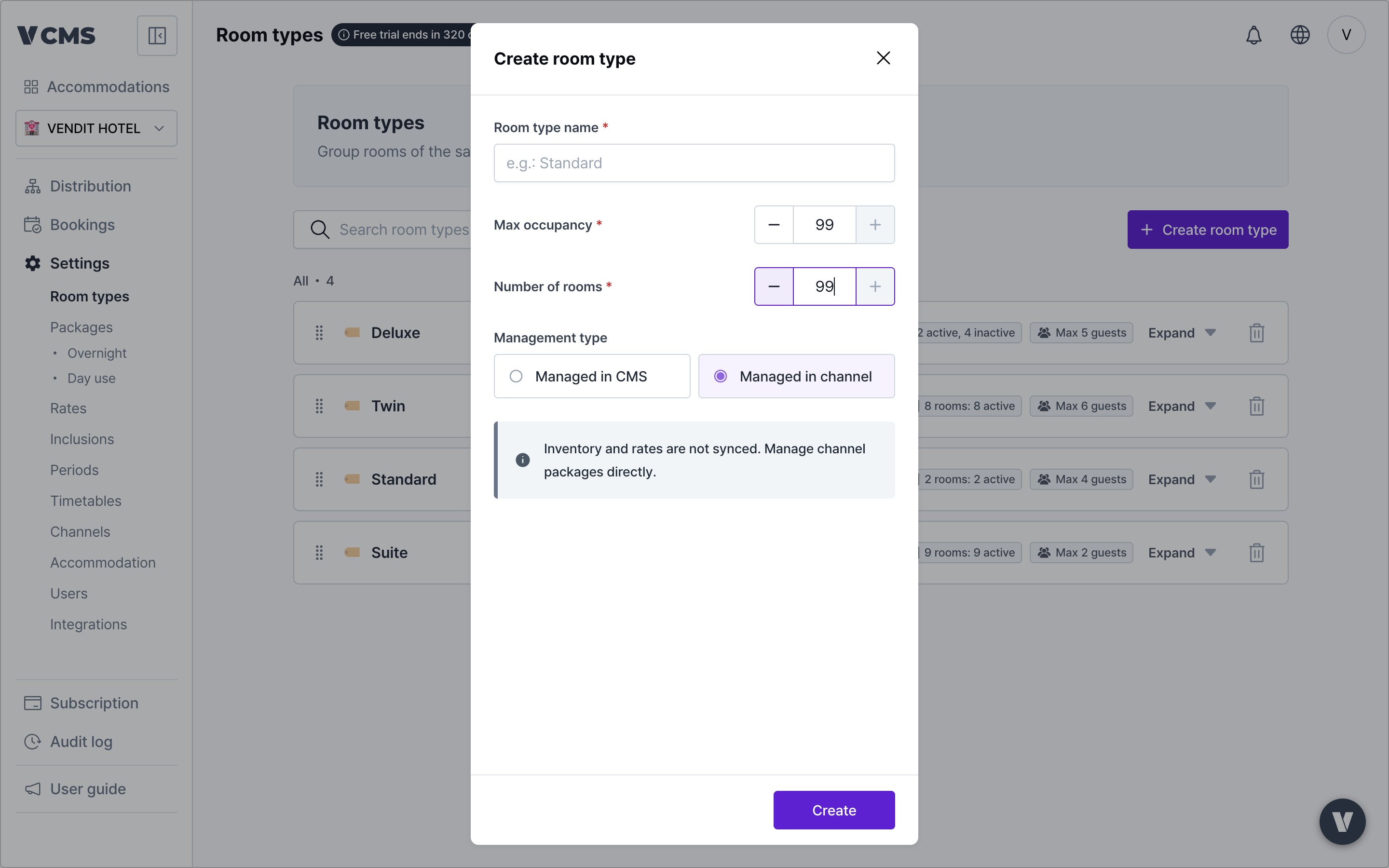 The maximum occupancy and room count you can enter in room type settings have gone up. Properties that could not enter their real operating scale can now do so accurately.
***
## Channels
### The channel screen works on mobile
> For operators who check or manage channel settings while away
The maximum occupancy and room count you can enter in room type settings have gone up. Properties that could not enter their real operating scale can now do so accurately.
***
## Channels
### The channel screen works on mobile
> For operators who check or manage channel settings while away
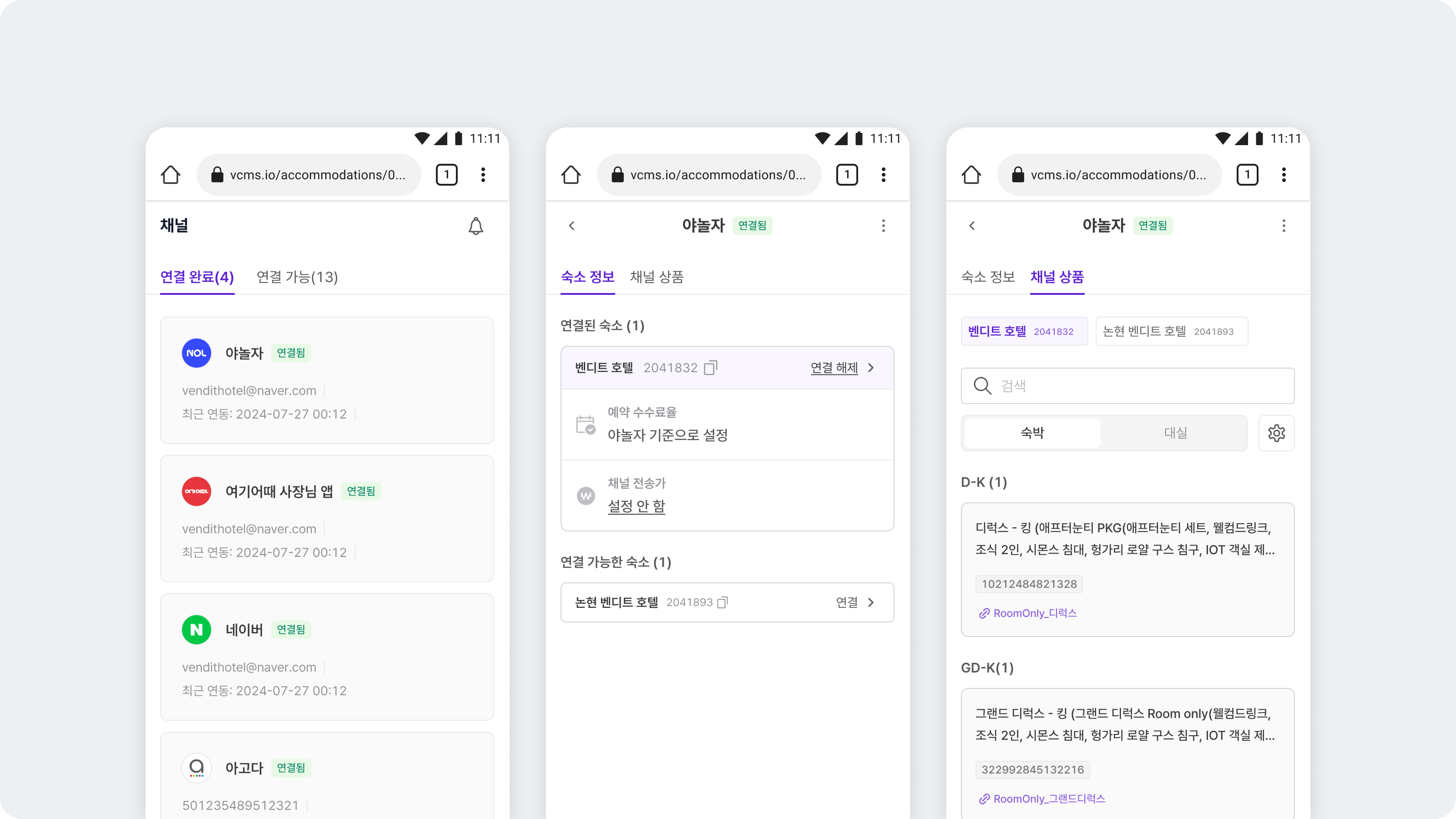
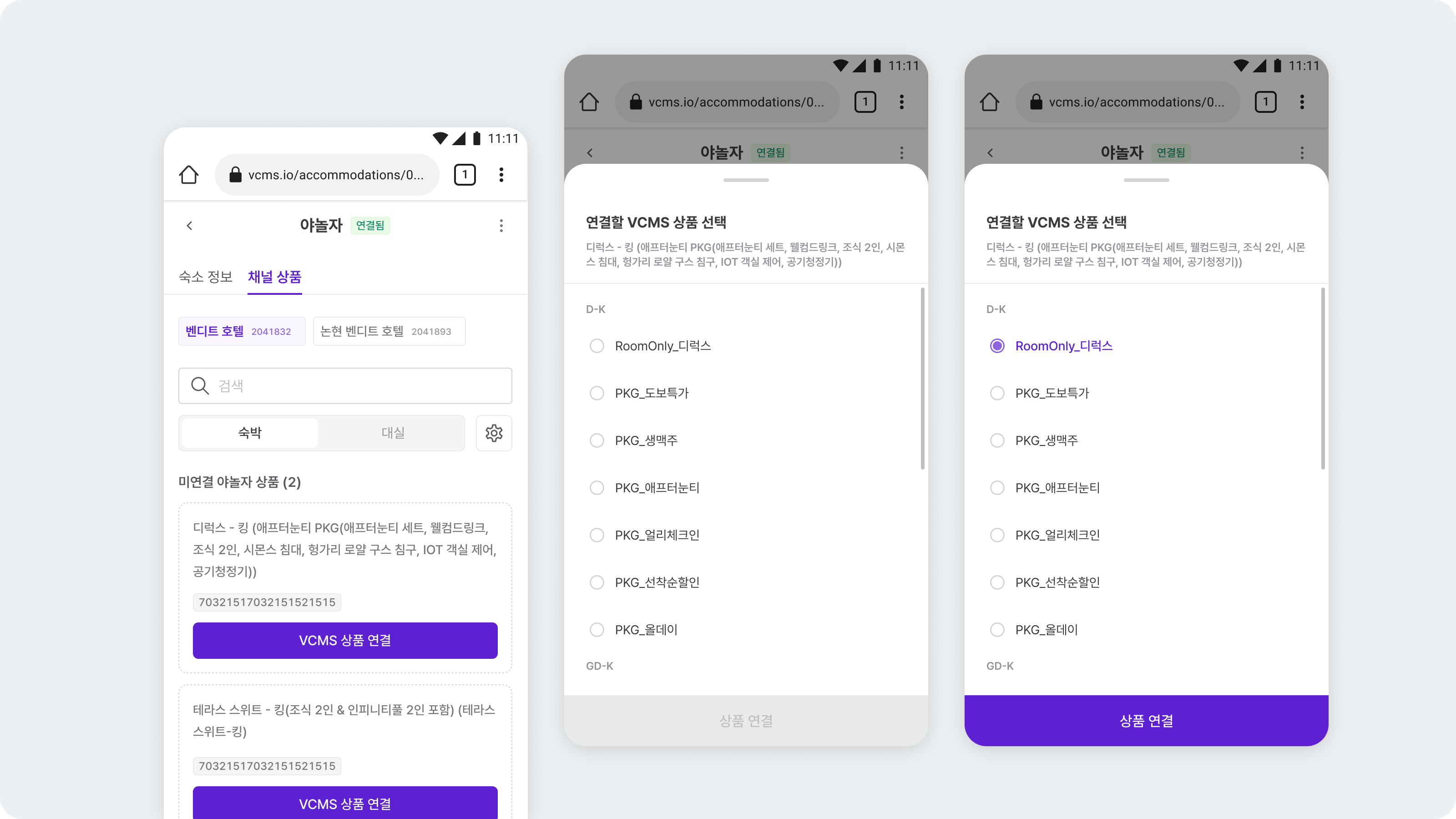 The channel screen is available on mobile. Check connection states and manage the main settings from wherever you are.
**More detail**
* Channel packages that are not linked yet can be linked to VCMS packages from mobile.
* Commission and final channel rate can be set from mobile.
***
## Subscription
### Clearer subscription messaging
The channel screen is available on mobile. Check connection states and manage the main settings from wherever you are.
**More detail**
* Channel packages that are not linked yet can be linked to VCMS packages from mobile.
* Commission and final channel rate can be set from mobile.
***
## Subscription
### Clearer subscription messaging
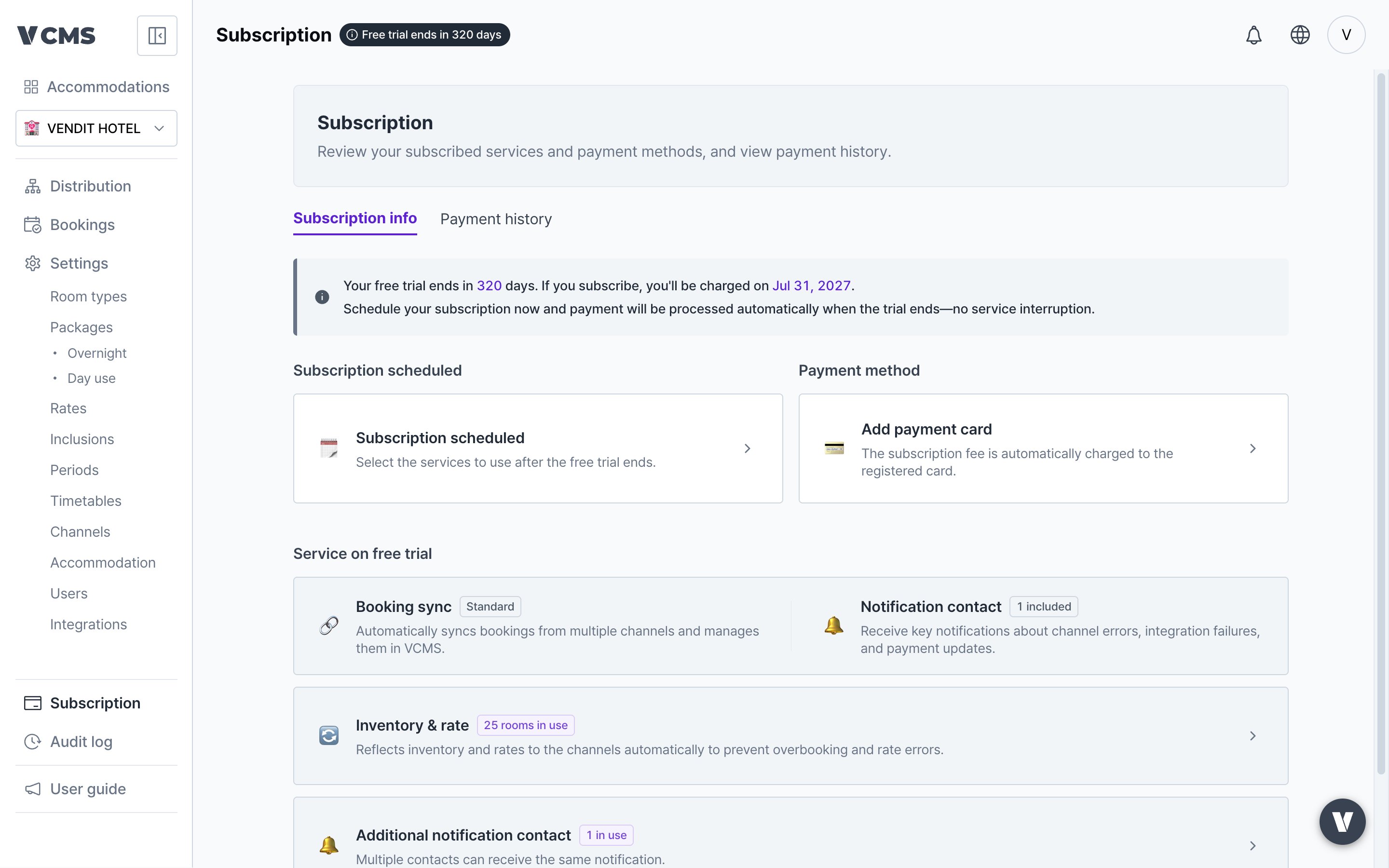 More of the situations you can hit during a subscription are explained, and the wording for each is better. When your subscription state changes, what to do next is easier to see.
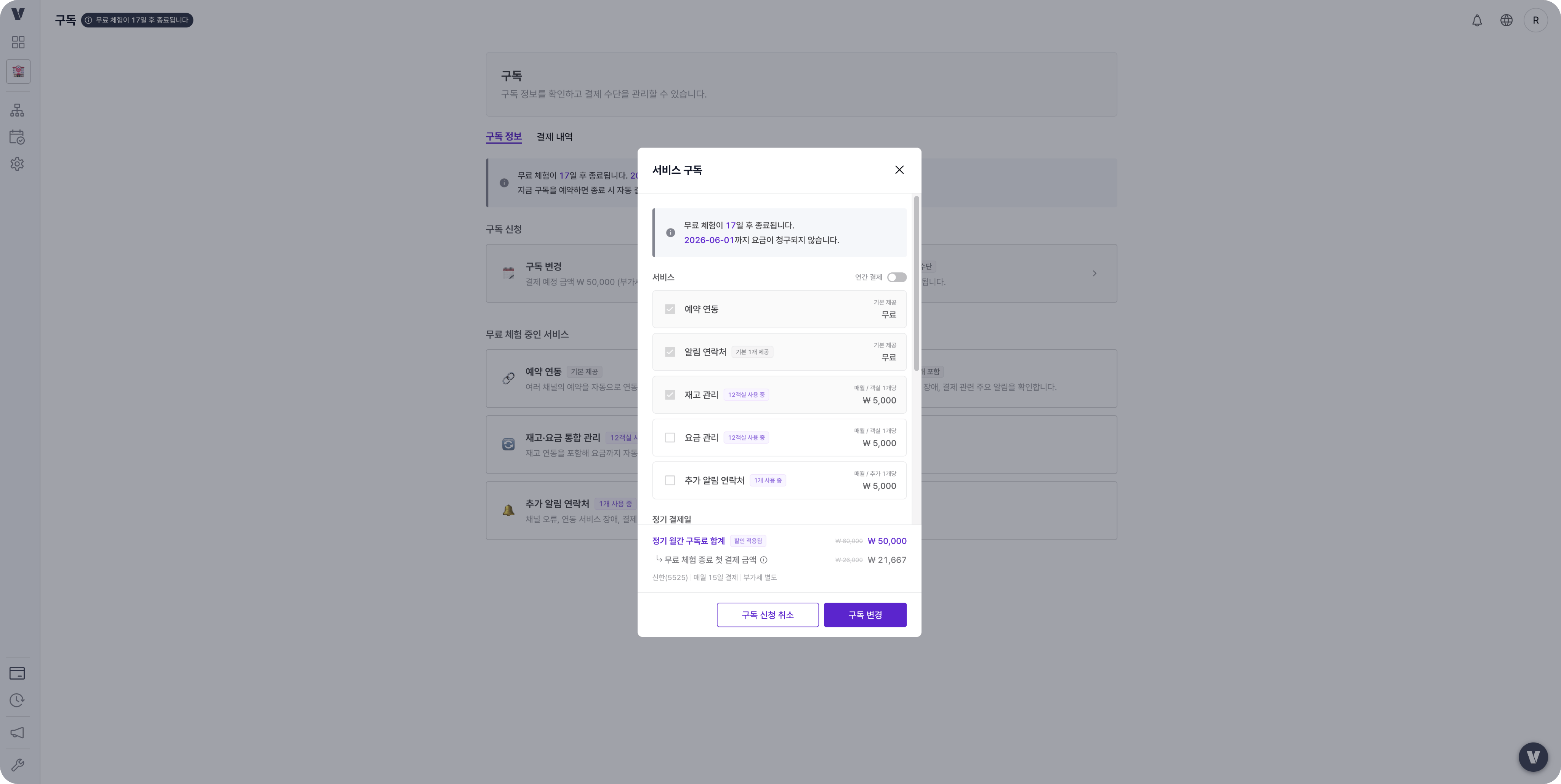 Also, before the free trial starts, you can cancel the subscription you requested yourself.
To keep using the service after the trial ends, subscribe again. You can re-subscribe at any time after cancelling.
***
## Other
### Radio buttons and tooltips look better
Radio buttons and tooltips now share one design and read more cleanly. Nothing functional changed. It is about a consistent screen across the product.
***
### Vietnamese added
Also, before the free trial starts, you can cancel the subscription you requested yourself.
To keep using the service after the trial ends, subscribe again. You can re-subscribe at any time after cancelling.
***
## Other
### Radio buttons and tooltips look better
Radio buttons and tooltips now share one design and read more cleanly. Nothing functional changed. It is about a consistent screen across the product.
***
### Vietnamese added
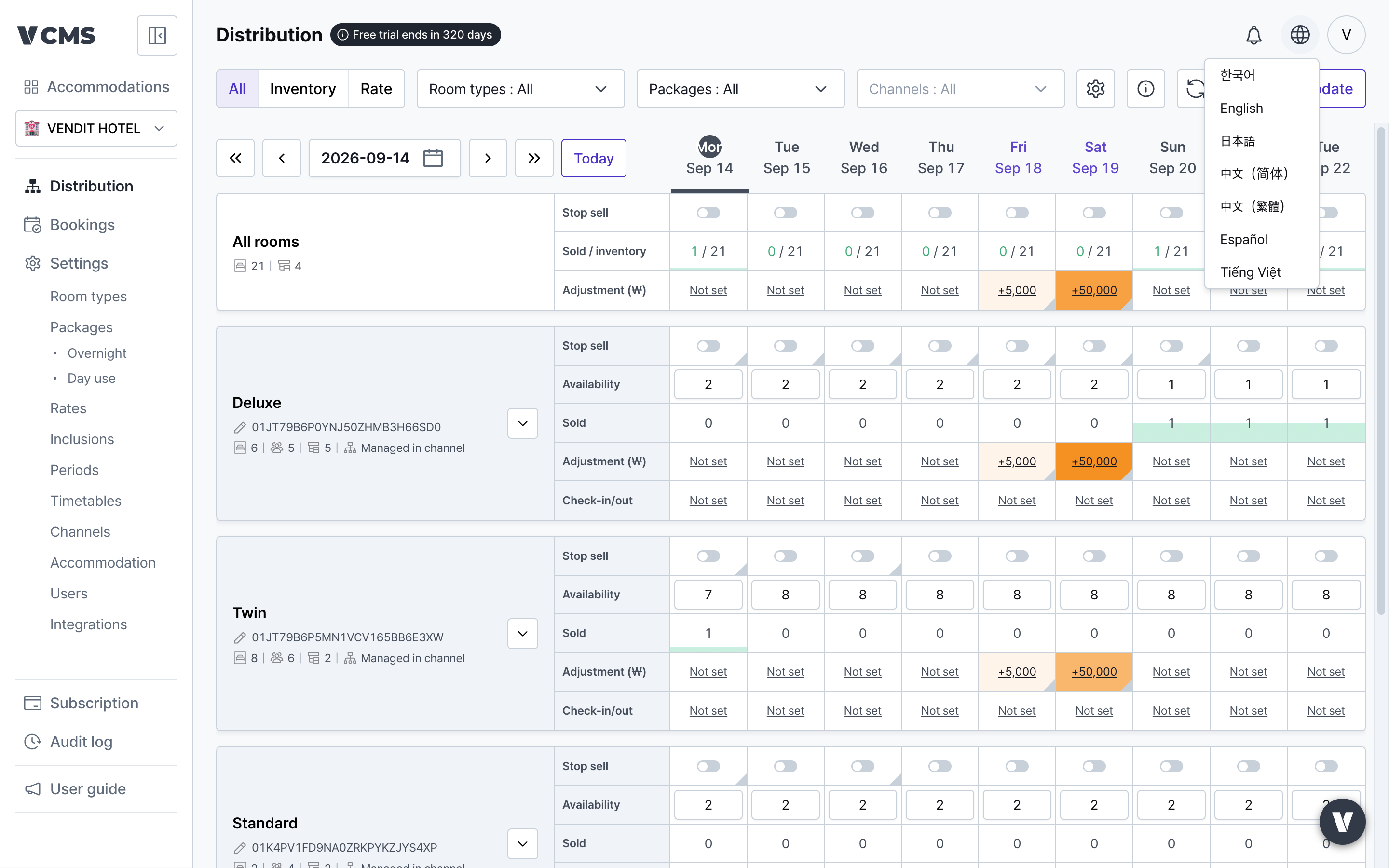 VCMS can be used in Vietnamese, so Vietnamese-speaking teams can work in it without friction.
**More detail**
* Change the language with the globe icon (🌐) at the top right of the screen.
VCMS can be used in Vietnamese, so Vietnamese-speaking teams can work in it without friction.
**More detail**
* Change the language with the globe icon (🌐) at the top right of the screen.