> ## Documentation Index
> Fetch the complete documentation index at: https://docs.vcms.io/llms.txt
> Use this file to discover all available pages before exploring further.
# Jun 9, 2026
> Hello from Vendit. Here is what changed in VCMS in the second week of June.
***
> **Highlights**\
> "Liveanywhere is connected to VCMS."
## New
### The Liveanywhere channel is connected
 Liveanywhere, the short-term rental and month-long stay channel, is connected. Liveanywhere inventory and bookings can be managed from VCMS.
**More detail**
* How to connect: \[Channels] - \[Available channels], then click Liveanywhere.
* On the rental structure: unlike ordinary accommodation bookings, Liveanywhere works in **6-night or 30-night rental contracts**. What syncs is the contract, not an individual guest's booking.
* On sign-in: a Liveanywhere account signed up through social login cannot connect to VCMS. Use a phone number or email account.
Liveanywhere rates **cannot be adjusted from VCMS**. Set and manage them on the channel.
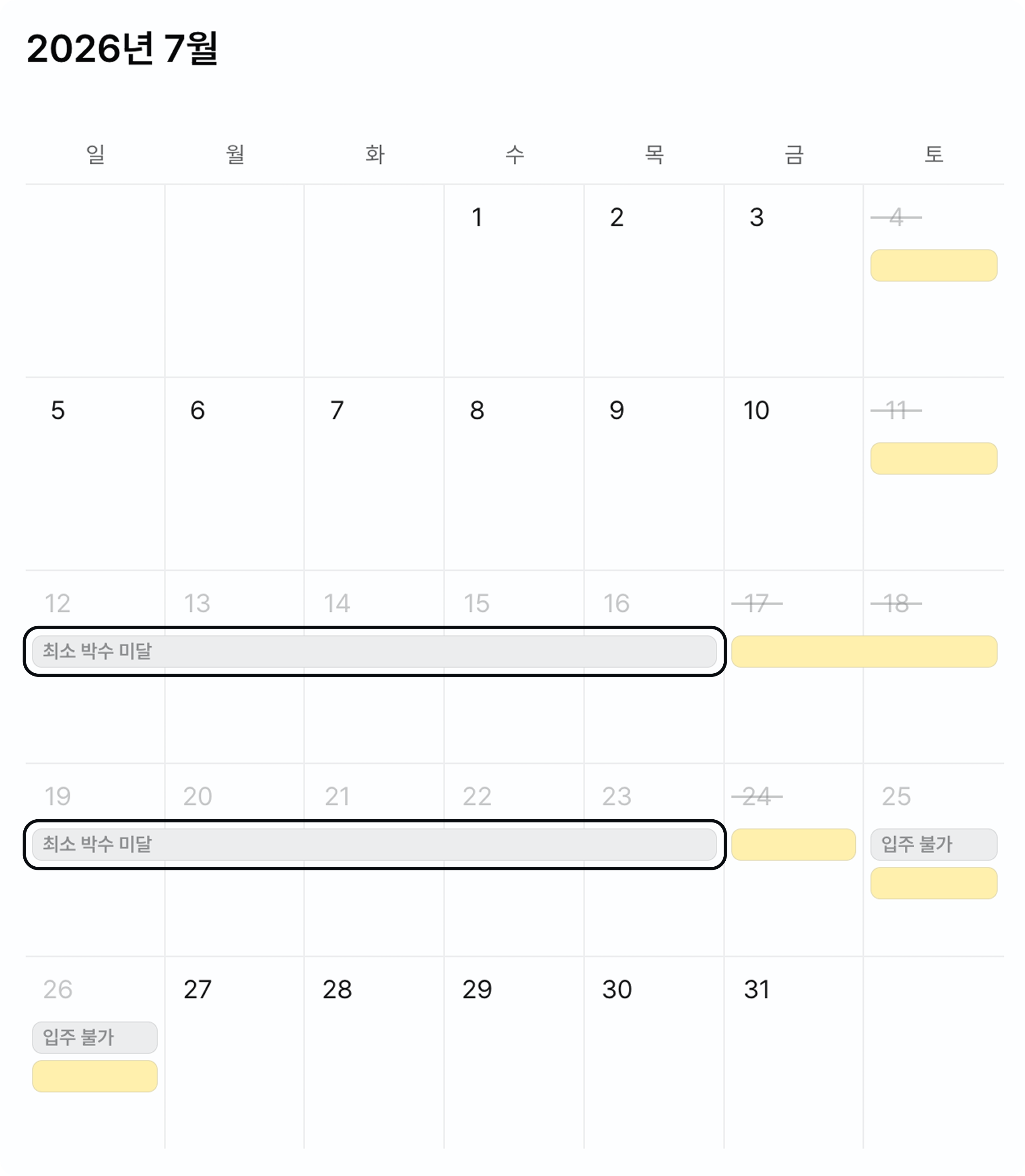
**On the minimum-nights shortfall**
Close individual dates and the dates caught between them can show as unbookable for **falling short of the minimum nights**.
Liveanywhere, the short-term rental and month-long stay channel, is connected. Liveanywhere inventory and bookings can be managed from VCMS.
**More detail**
* How to connect: \[Channels] - \[Available channels], then click Liveanywhere.
* On the rental structure: unlike ordinary accommodation bookings, Liveanywhere works in **6-night or 30-night rental contracts**. What syncs is the contract, not an individual guest's booking.
* On sign-in: a Liveanywhere account signed up through social login cannot connect to VCMS. Use a phone number or email account.
Liveanywhere rates **cannot be adjusted from VCMS**. Set and manage them on the channel.
**On the minimum-nights shortfall**
Close individual dates and the dates caught between them can show as unbookable for **falling short of the minimum nights**.