

Highlights
”Channels can now be viewed and managed on mobile."
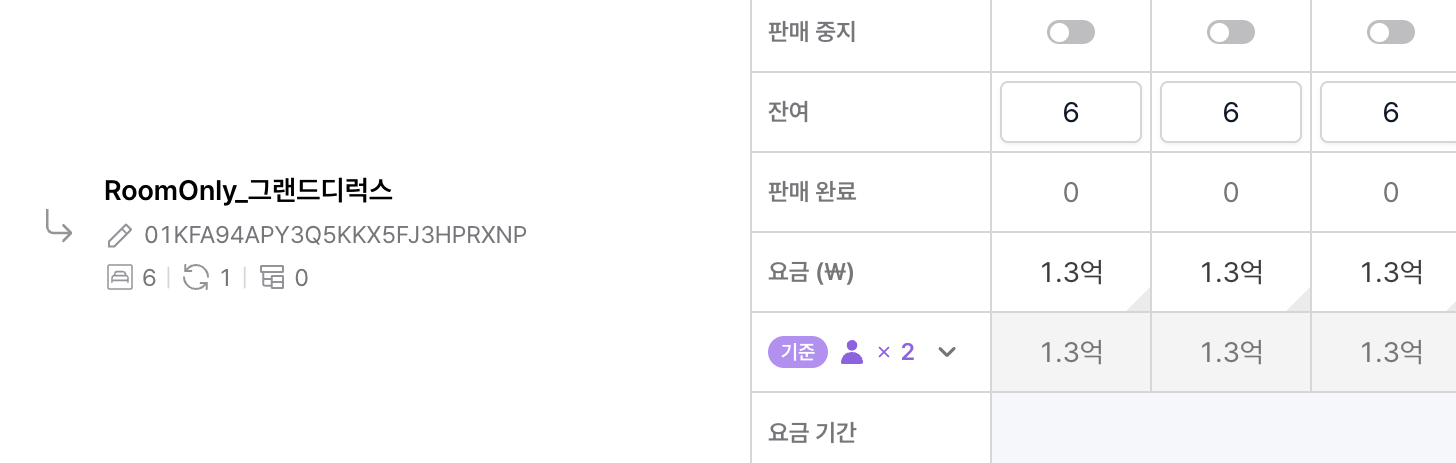
"Large amounts read clearly, up to hundreds of millions."
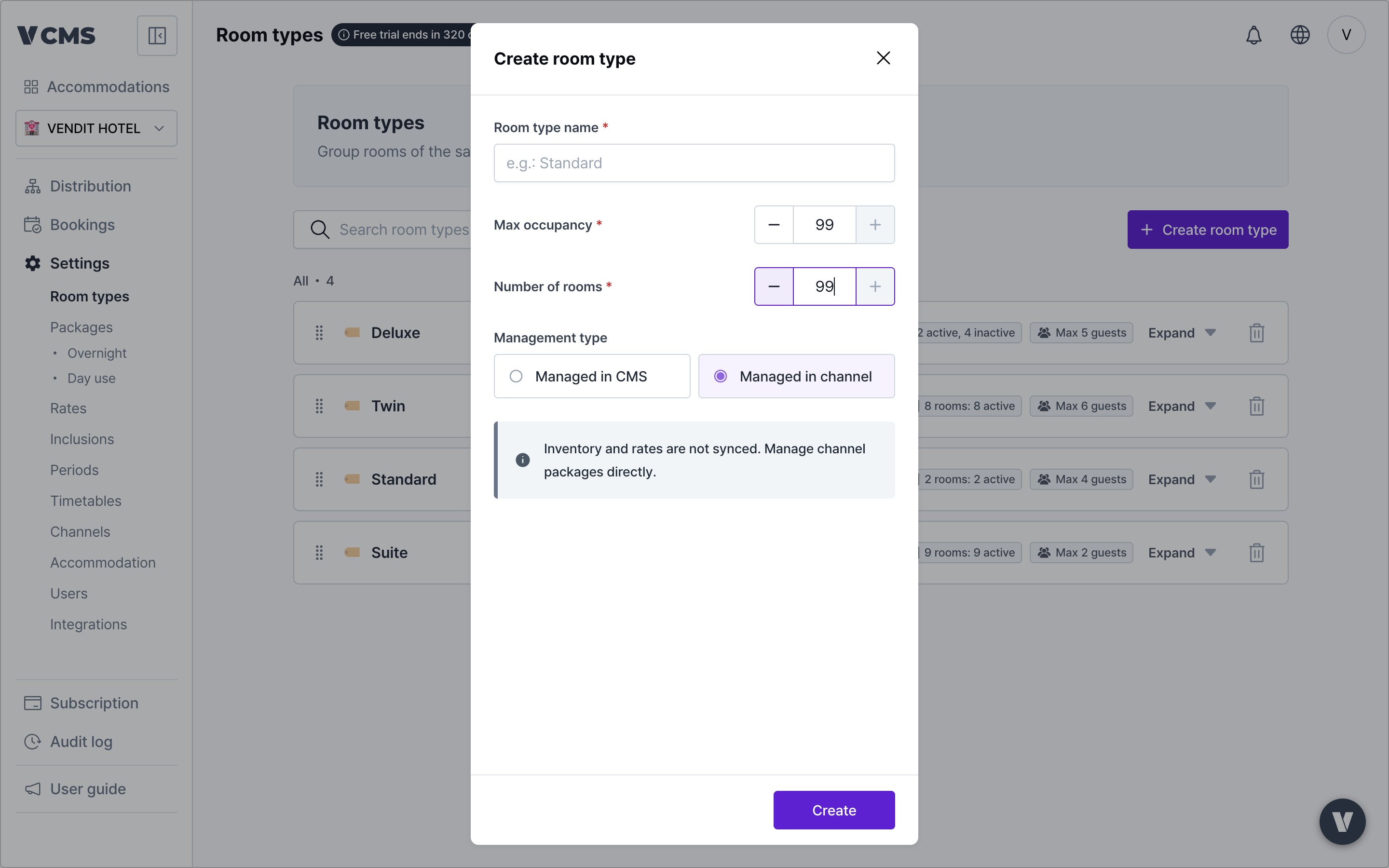
"Room counts and max occupancy take larger numbers, to match your property."
"VCMS is available in Vietnamese.”
A dropped channel connection shows at the top of the screen
For properties running several connected channelsWhen a channel connection drops, a disconnected badge appears at the top of the screen. If the dropped channel belongs to the property you are running, a dialog appears too, so you know immediately.
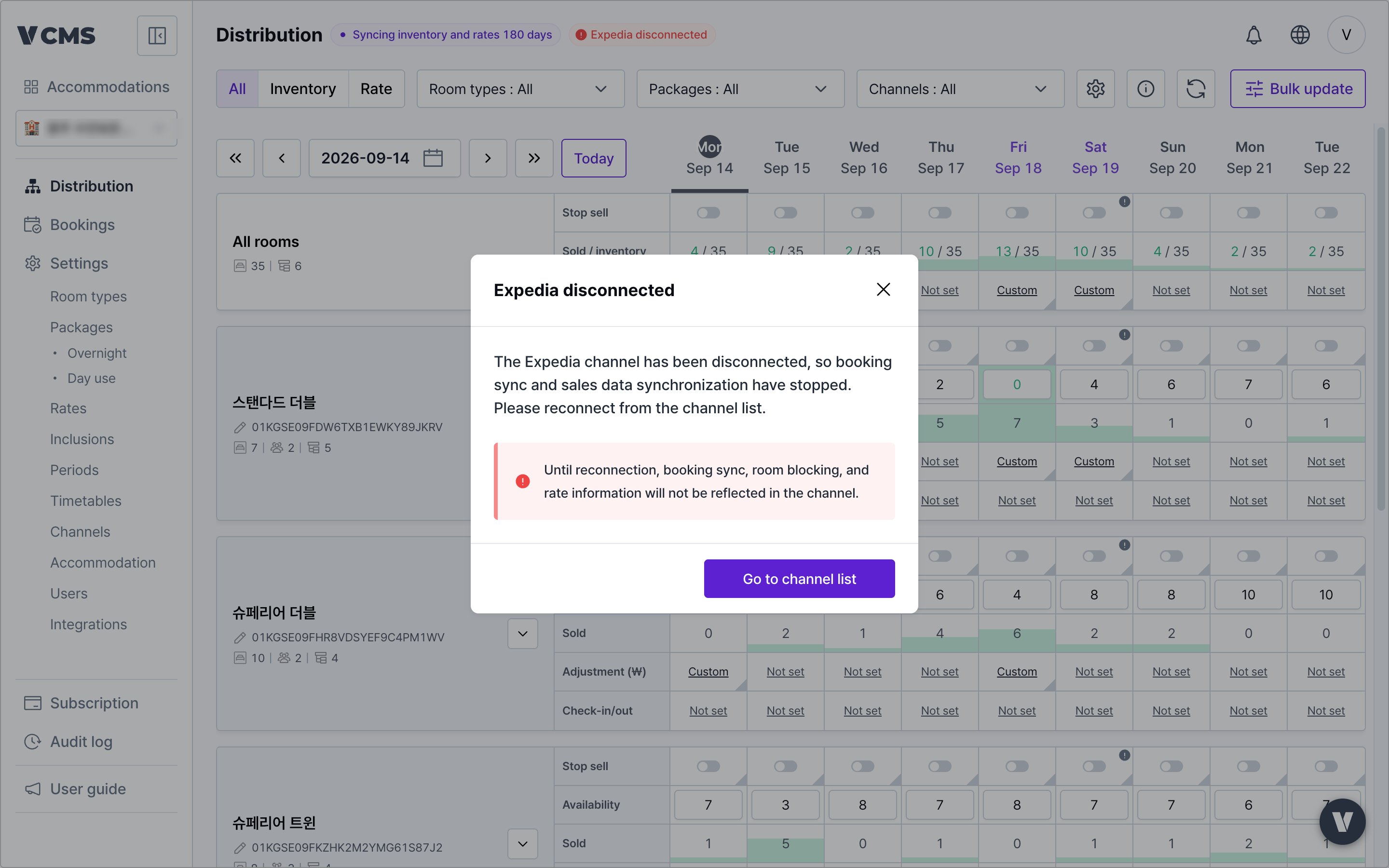
- The dialog appears only when the dropped channel belongs to the property you are running, and it keeps appearing until the channel reconnects.
- With several channels down it reads “[channel name] and N others disconnected”.
Large amounts read more clearly
For properties selling high-priced rooms or long-stay packages
Values survive closing a settings dialog
Pressing ESC to close a settings dialog mid-edit used to wipe what you had entered. Fixed. Close a dialog by accident and your input is still there. More detail- The fix covers these dialogs:
- Distribution > View settings
- Distribution > Sell status view
- Distribution > Sell status and rate adjustment
- Channels > Unlinked package display setting
The shortcut that clears provisional changes in Distribution has moved from ESC to Shift + ESC.
Room types
Max occupancy and room count accept larger numbers
For properties with large room counts or high occupancy
Channels
The channel screen works on mobile
For operators who check or manage channel settings while away
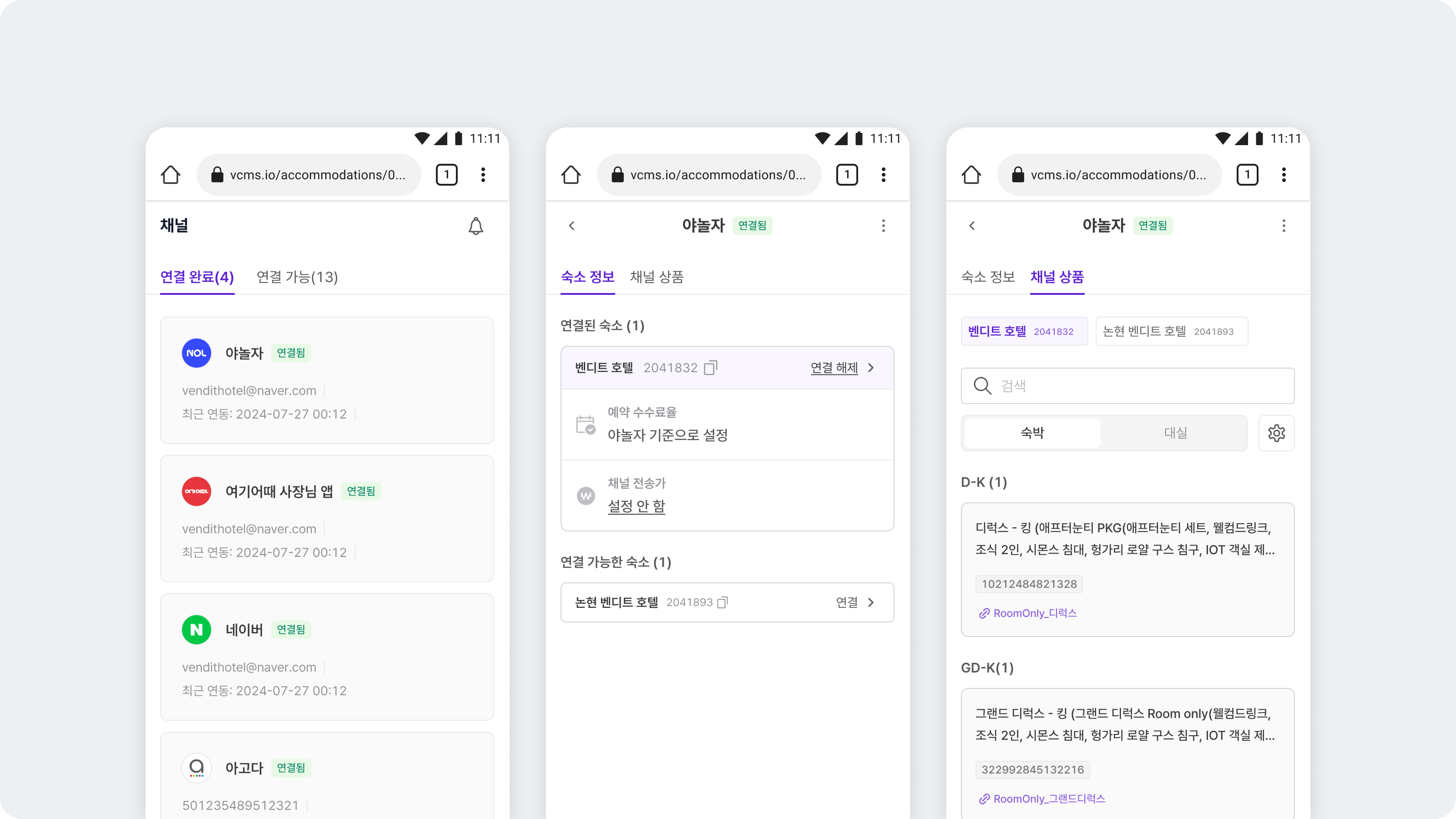
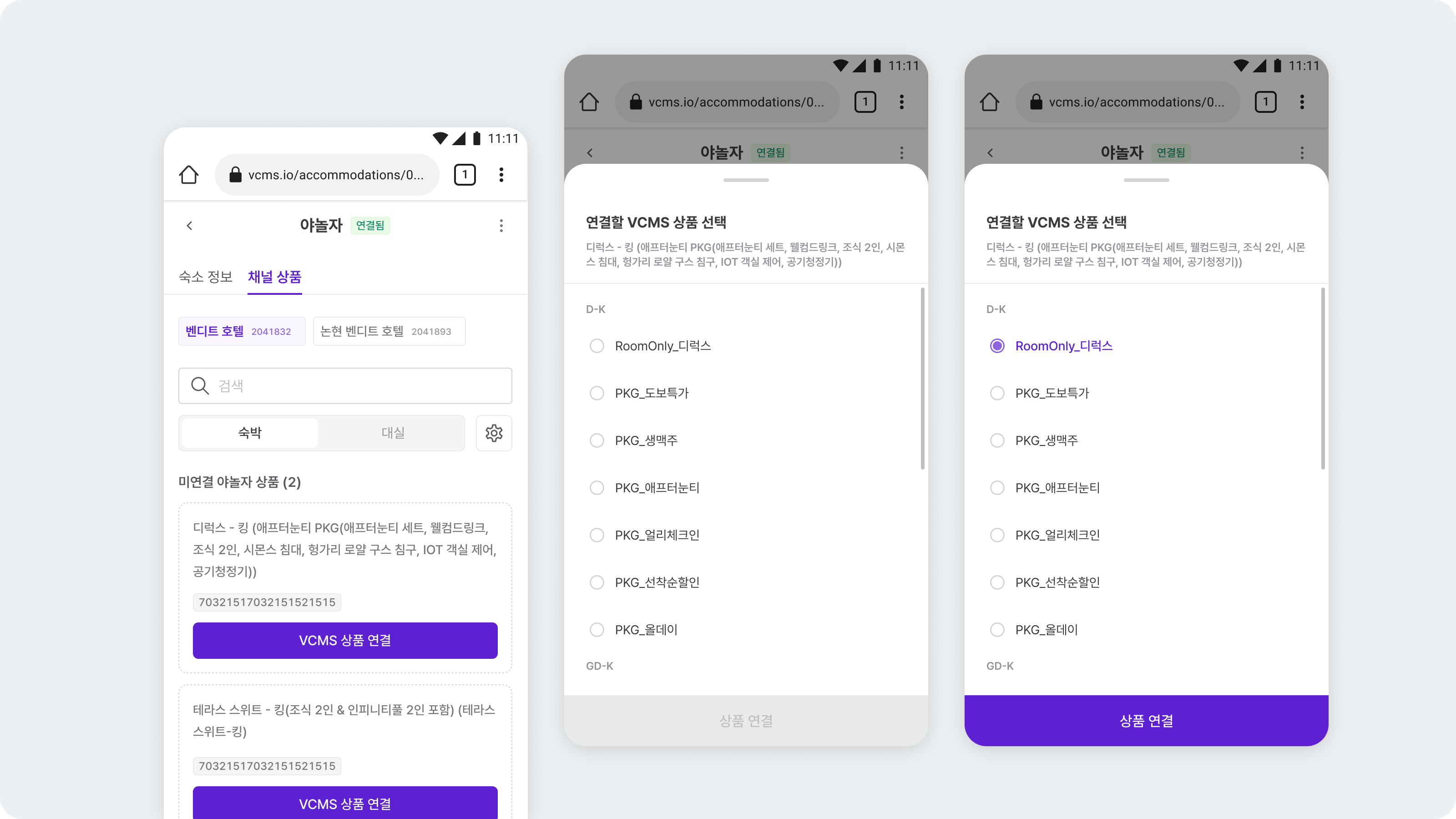
- Channel packages that are not linked yet can be linked to VCMS packages from mobile.
- Commission and final channel rate can be set from mobile.
Subscription
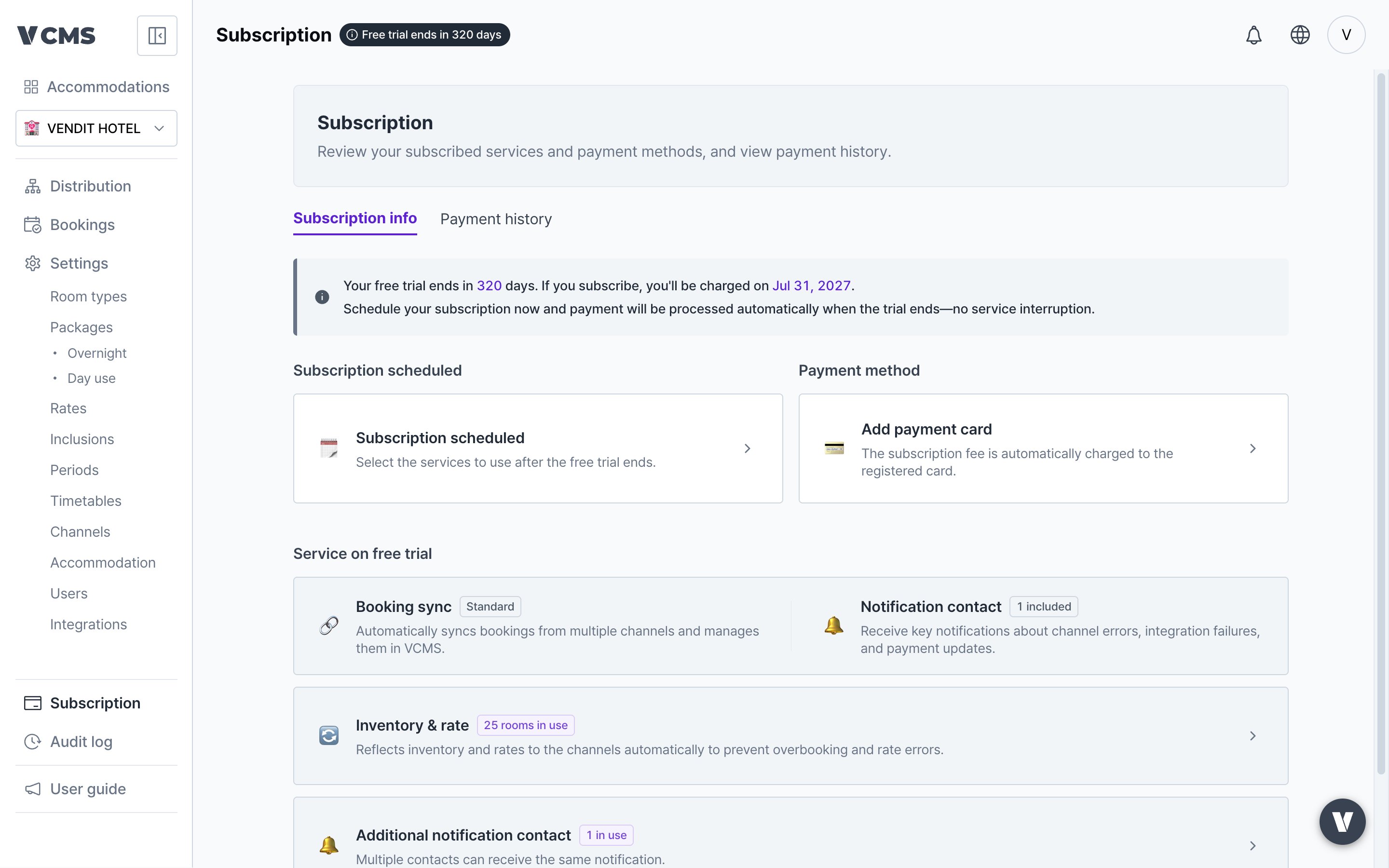
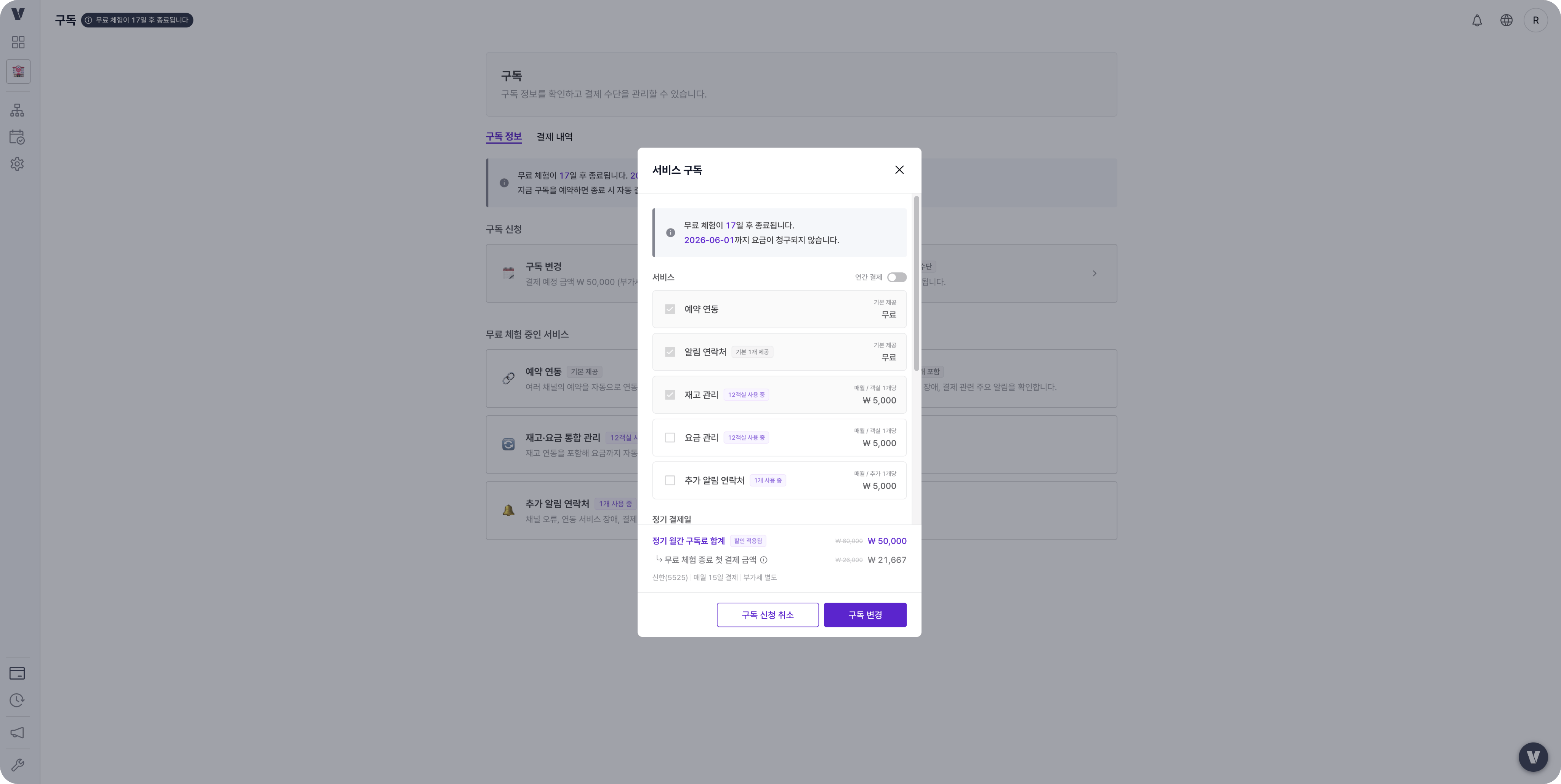
Clearer subscription messaging
Other
Radio buttons and tooltips look better
Radio buttons and tooltips now share one design and read more cleanly. Nothing functional changed. It is about a consistent screen across the product.Vietnamese added
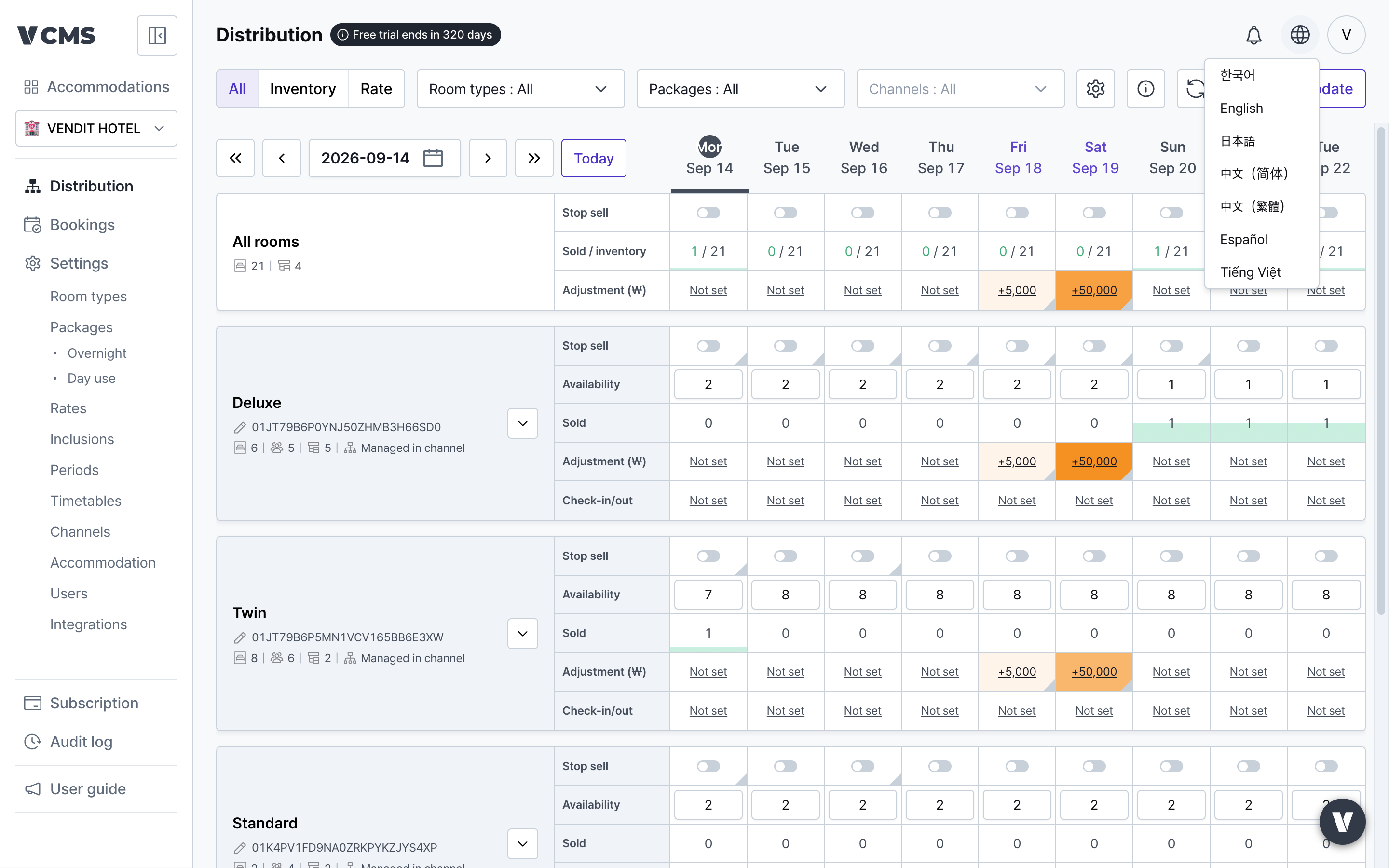
- Change the language with the globe icon (🌐) at the top right of the screen.