

Highlights
”Sell rooms in bundles and inventory still draws down correctly. Set units per booking."
"Rate entry is easier. Apply rate periods in one pass and preview the result."
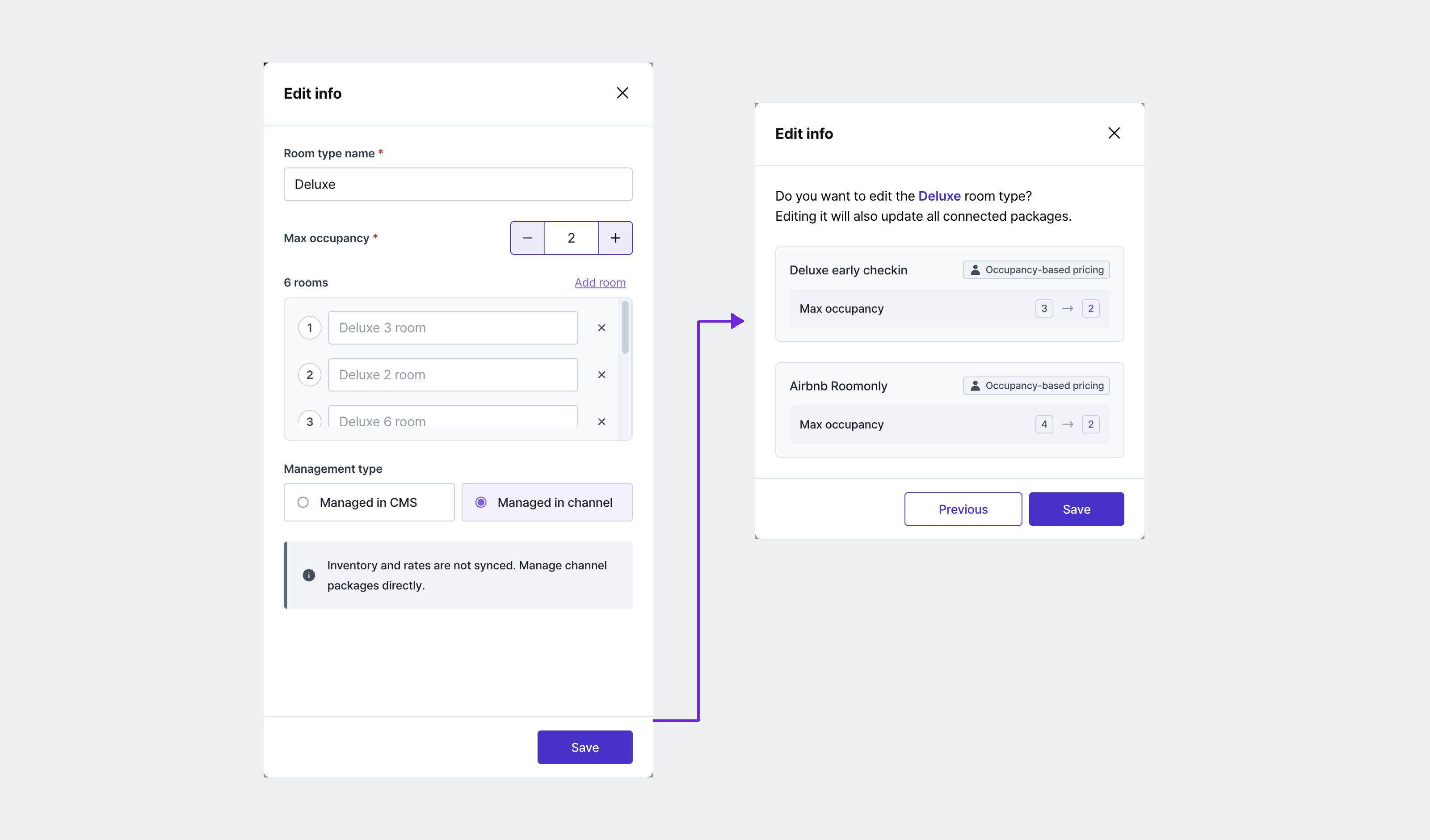
"Change a room type and the connected packages adjust themselves.”
New
One booking can draw down several units of inventory
For properties selling several rooms as one package, capsules for instance
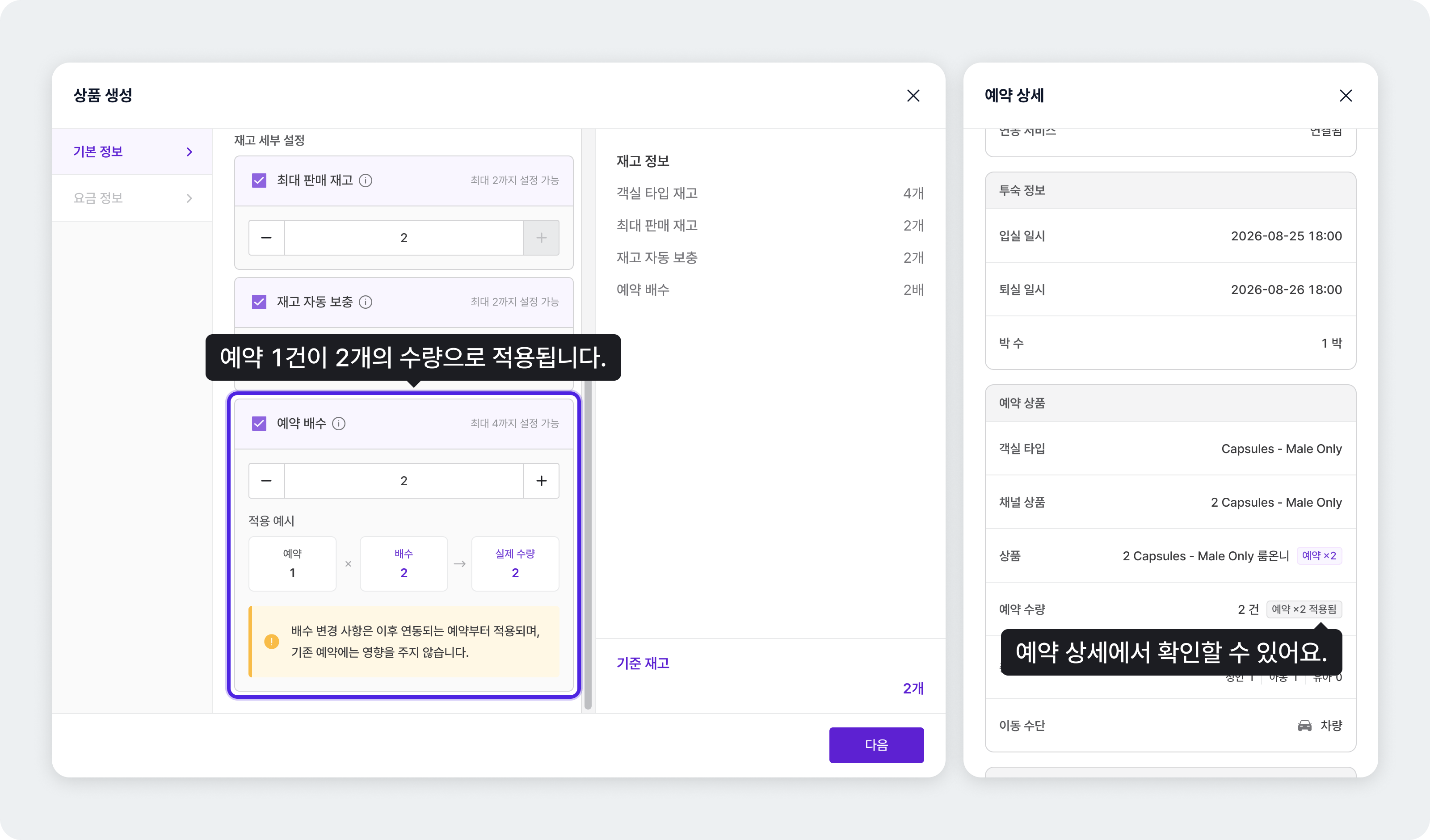
In a capsule hotel, one capsule sleeps one person, so two people travelling together need two capsules. Set units per booking to 2 on a “2 capsules” bundle and the bundle appears when the guest selects 2 people, with each booking drawing 2 capsules from inventory. Guests see the package that fits their party size, and your inventory stays accurate.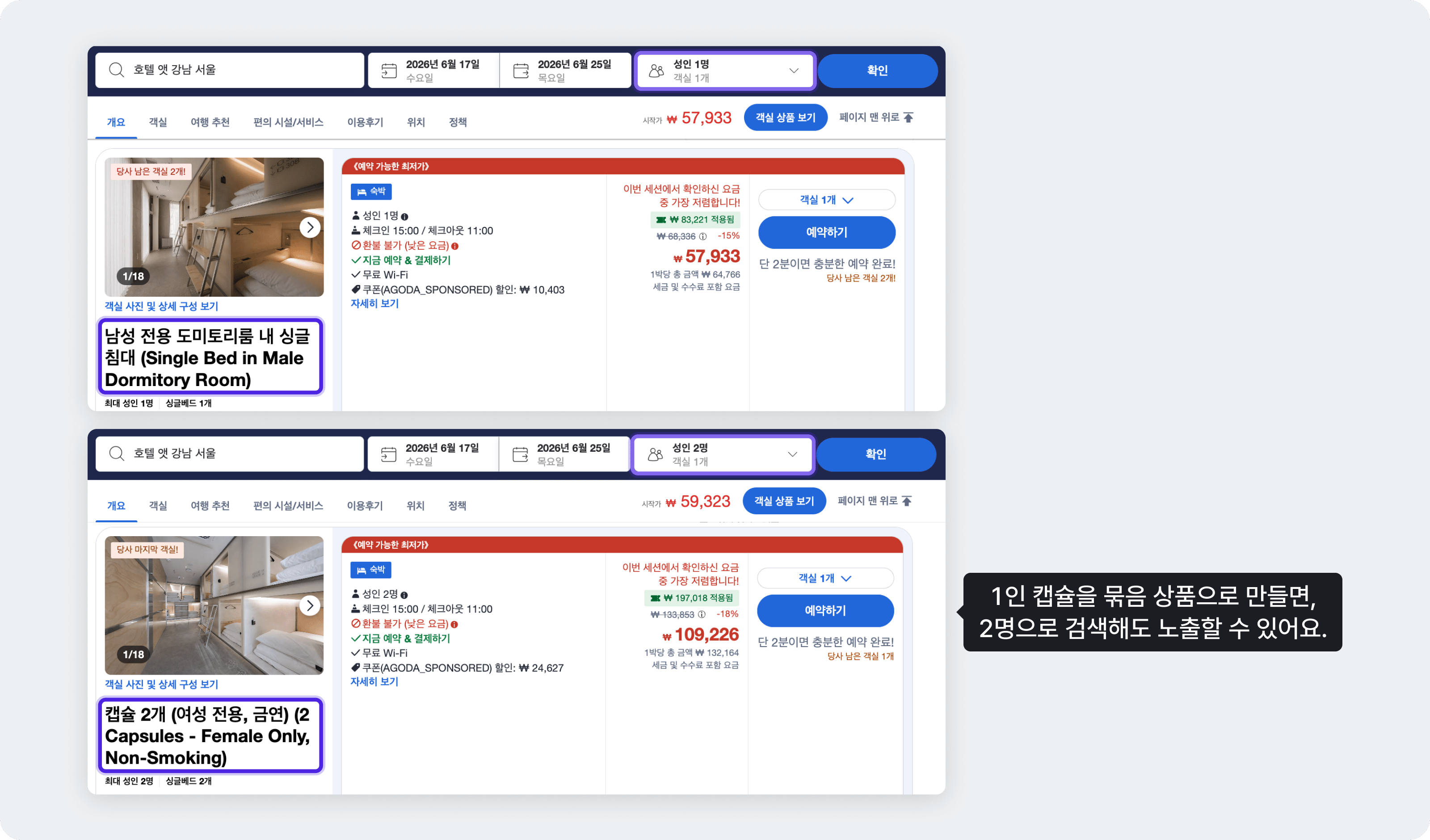
- How: [Settings] - [Packages], set units per booking
- A units-per-booking badge appears on Distribution, packages, booking details, and channel package linking, and availability is calculated against it.
- Linking a channel package to a units-per-booking package goes through a confirmation dialog.
- Booking details and channel package mapping work on mobile too.
- The guide covers the cases in full.
Improved
Rate setting is much easier
For properties adjusting rates by period and season often
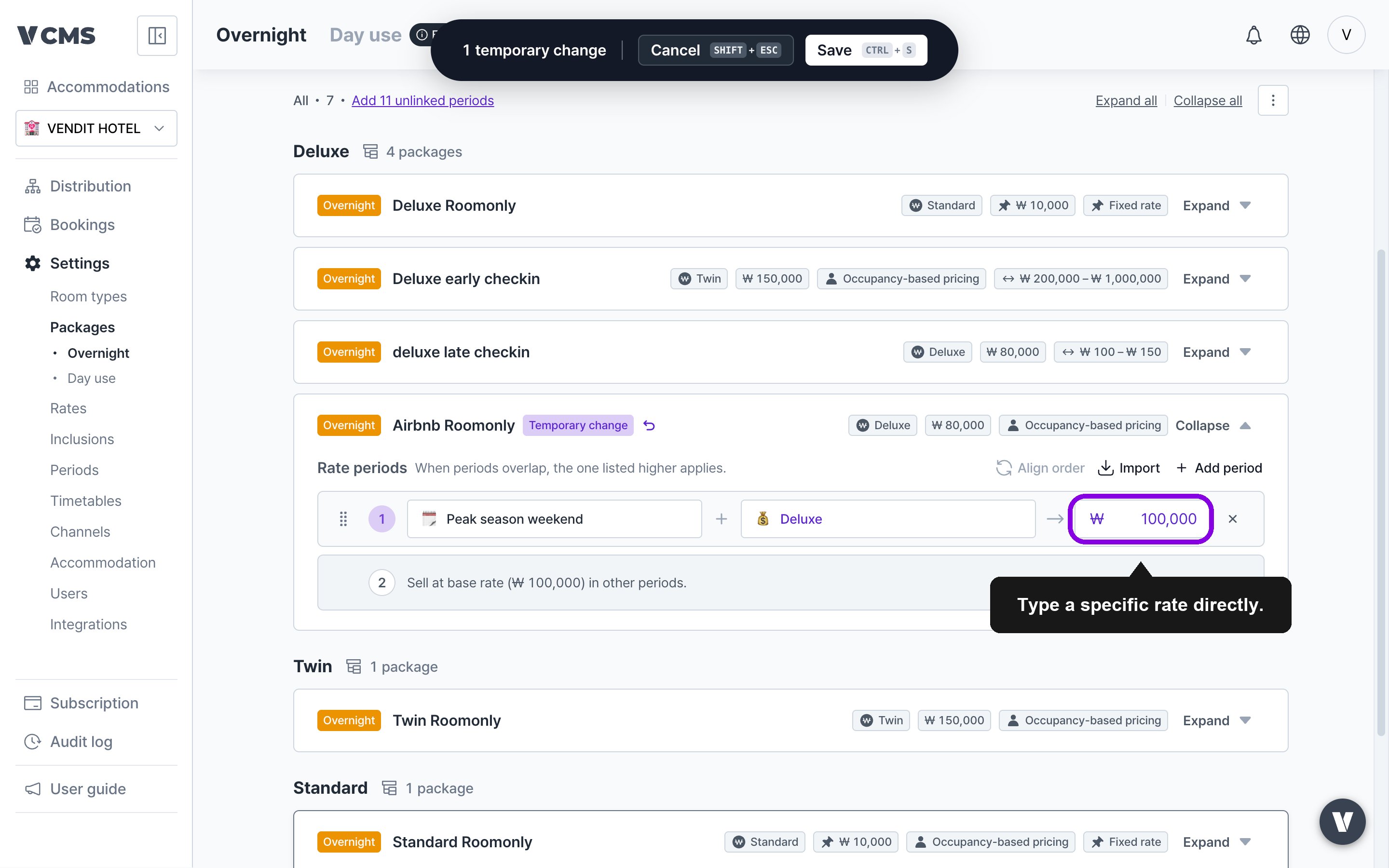
- In [Packages] - [Rate information], a rate change can be applied to rate periods in bulk.
- Editing a package rate shows a before-and-after preview dialog.
- The guide covers the cases in full.
Change a room type and connected packages adjust themselves
For properties that change room composition often, or run many packages
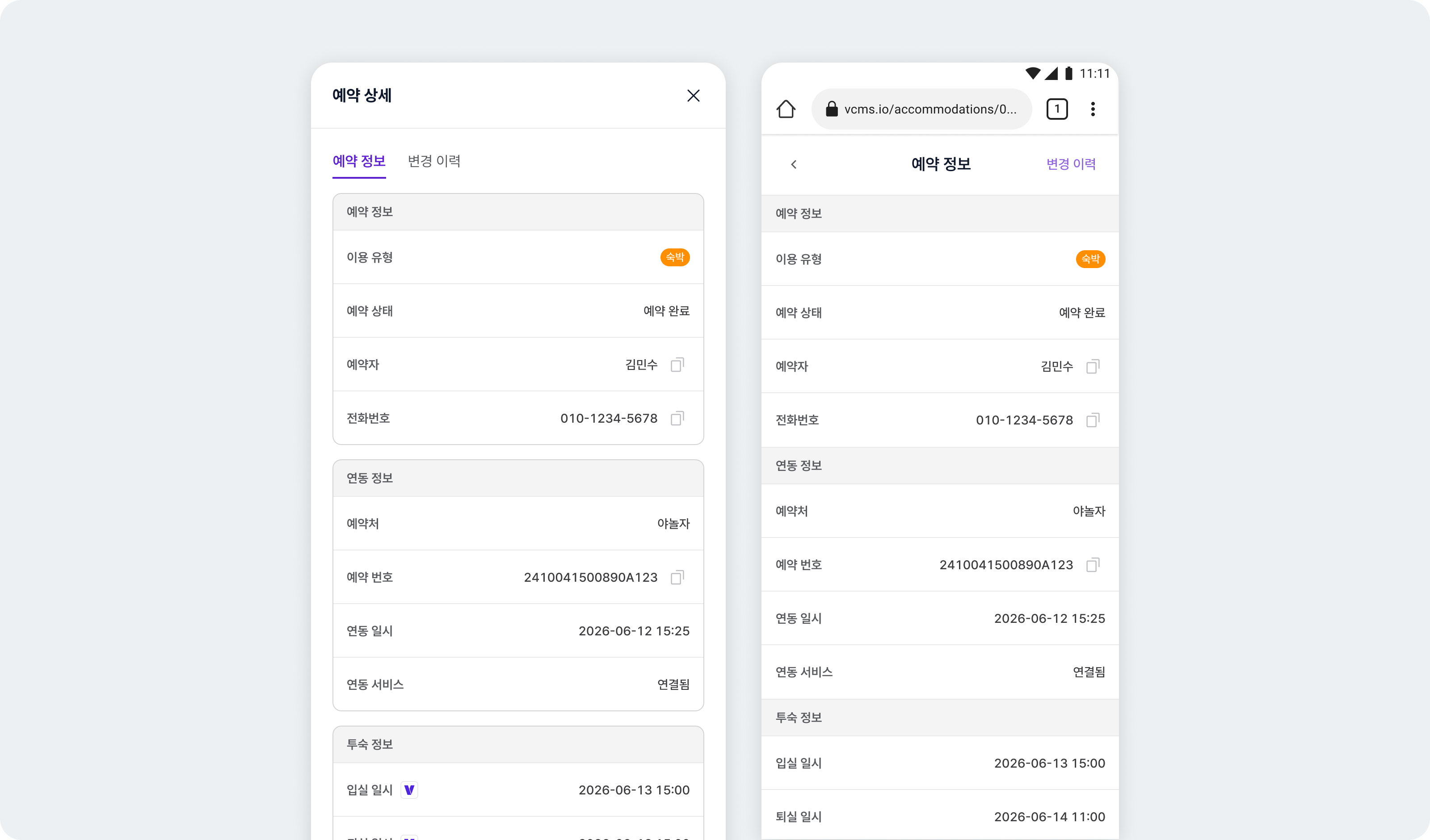
Booking details are grouped and easier to read
Fixes
- Fixed borders and background corners misaligning on the Distribution table.
- Airbnb: fixed the adjustment handle not appearing after a rate change on a channel package with max inventory of 1.
- Fixed the bulk update dialog opening wrongly when dragging sell status across weekdays excluded in view settings.