Highlights
”Subscribe directly in VCMS."
"Pick the features you need, sized to your property.”
New
Subscribe directly in VCMS
For properties on the free trial, or ready to subscribe
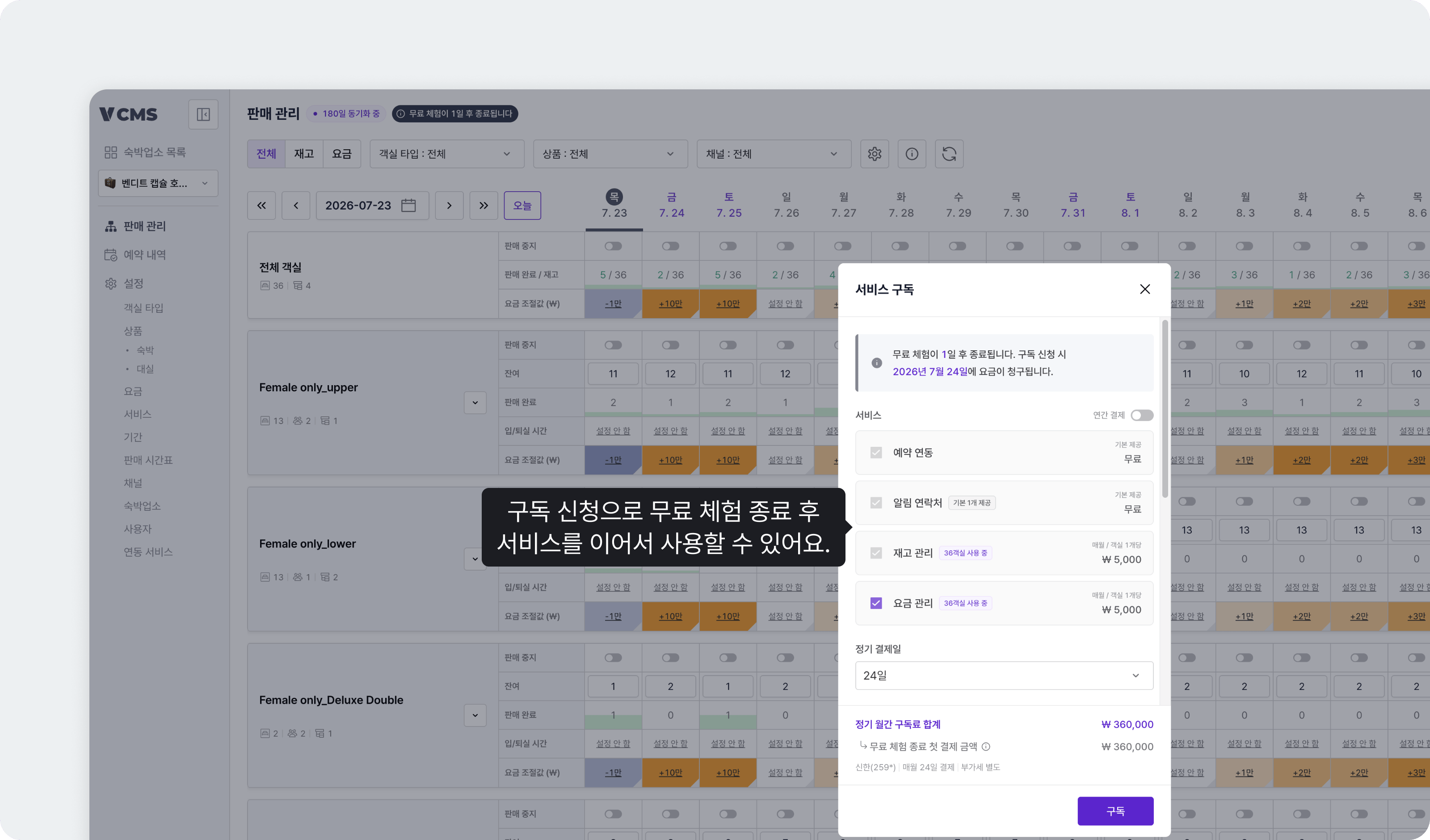
On the free trial, press the “Free trial” button at the top to subscribe.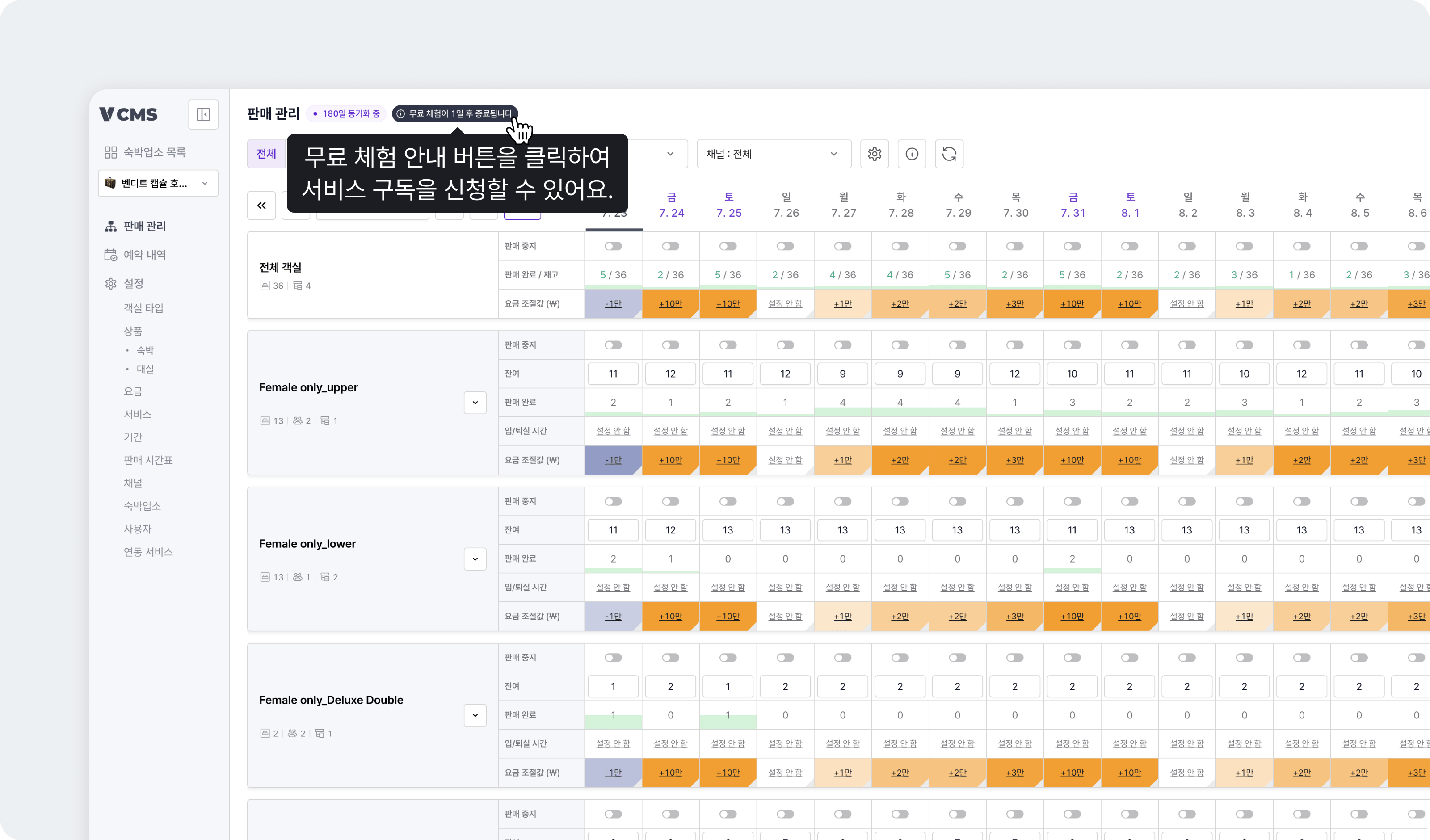
Using booking sync only? Subscribe from the subscription page.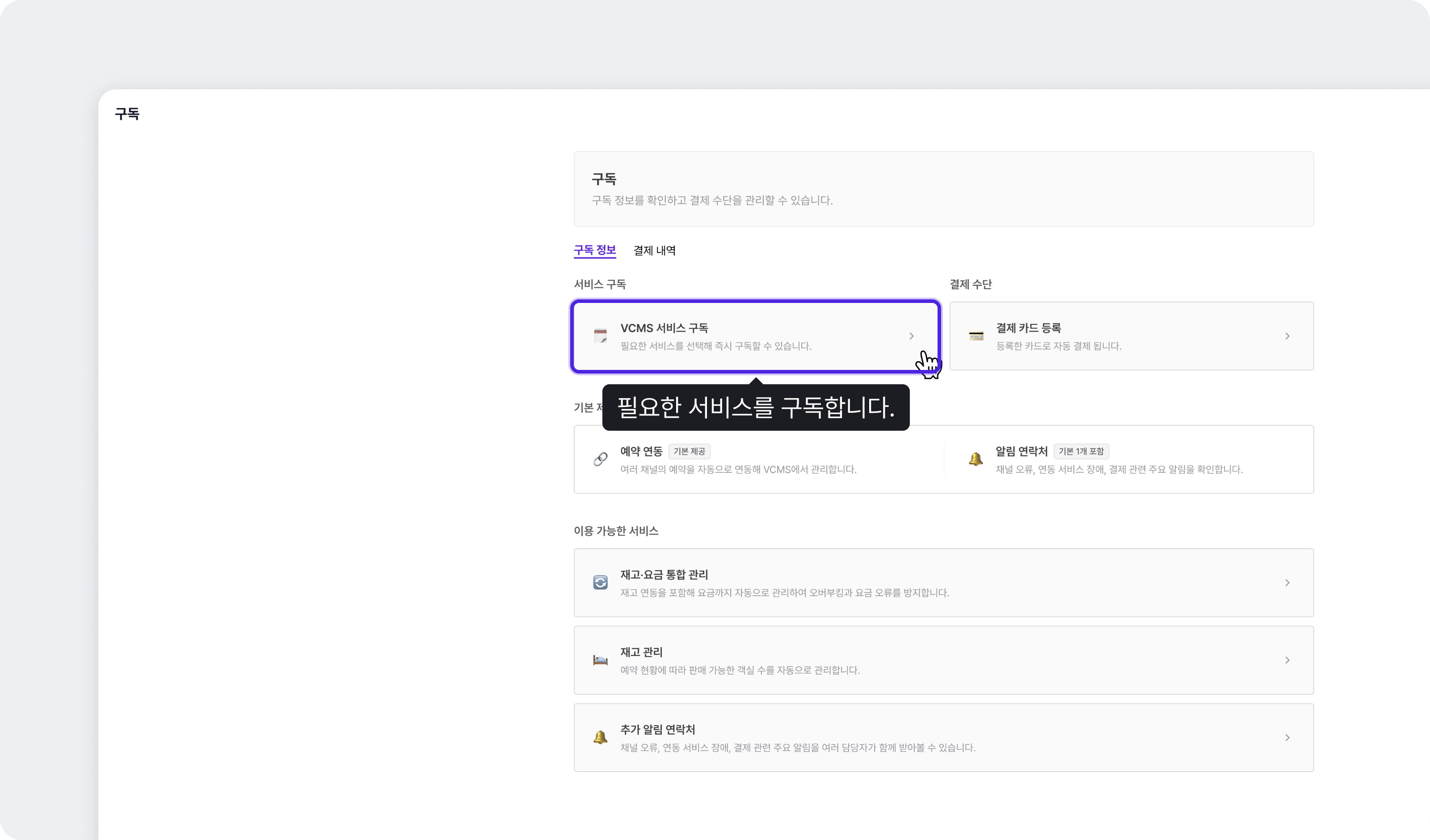
- The recurring billing date can be any day from the 1st to the 25th, and it can be changed.
- You can cancel at any time.
A scheduled cancellation ends at the next billing date. An immediate cancellation ends the subscription at once, under the refund terms. Subscription covers cancellation, refunds, and what happens when a payment fails.
Pick the features you need, sized to your property
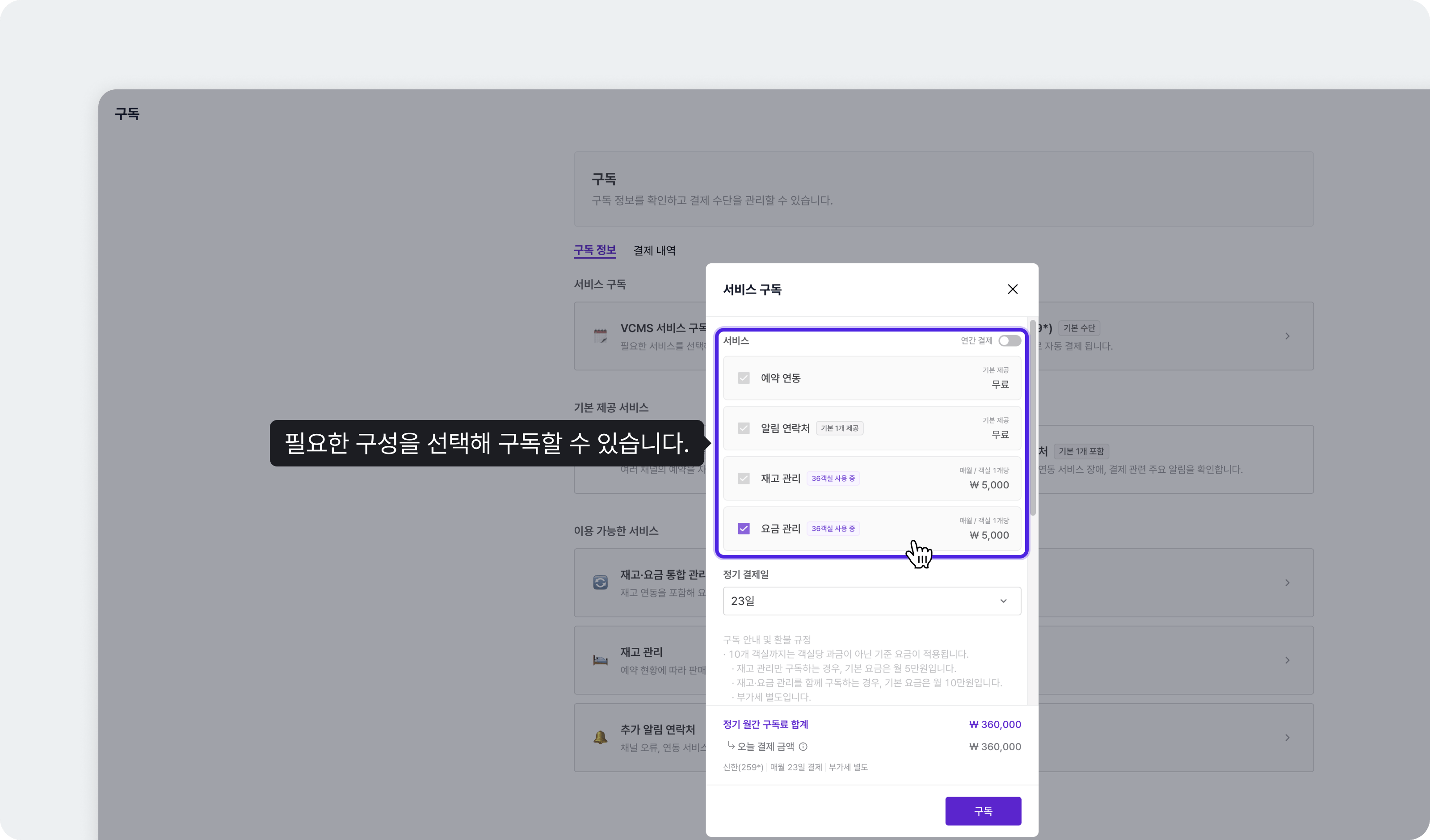
- Inventory management can be subscribed on its own. Rate management goes with inventory management. (Rate management alone is not available.)
- Add rooms or extra notification contacts and you are charged for the addition.
- Annual billing comes with a discount.
Flexible through the seasons
-
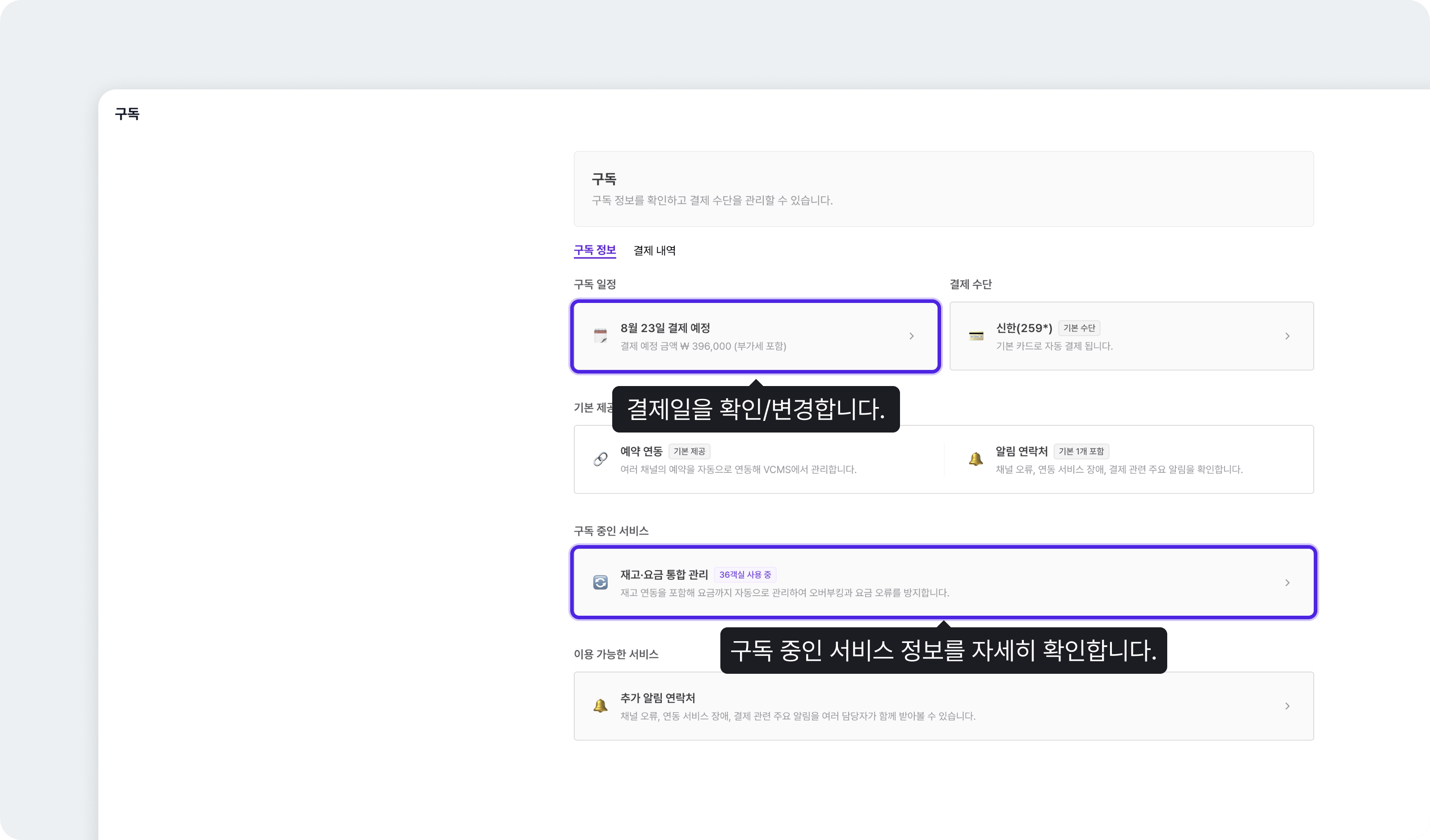
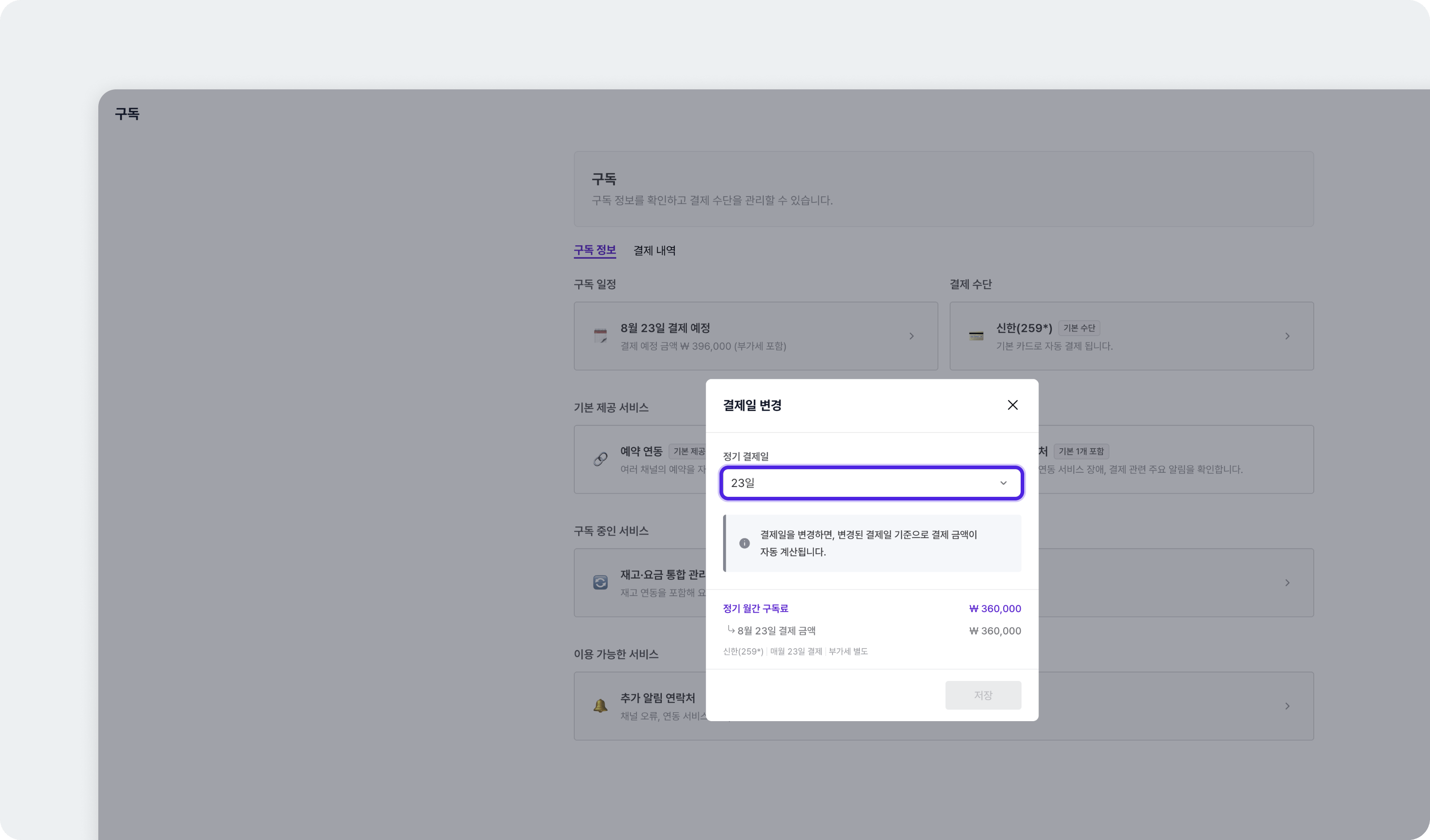
Changing the billing date: move it earlier and what you already paid is deducted at the next charge. Move it later and the extra days are billed first, with the regular fee charged at the next billing date.
-
Changing the configuration: on inventory and rate management together, you can drop back to inventory management alone.
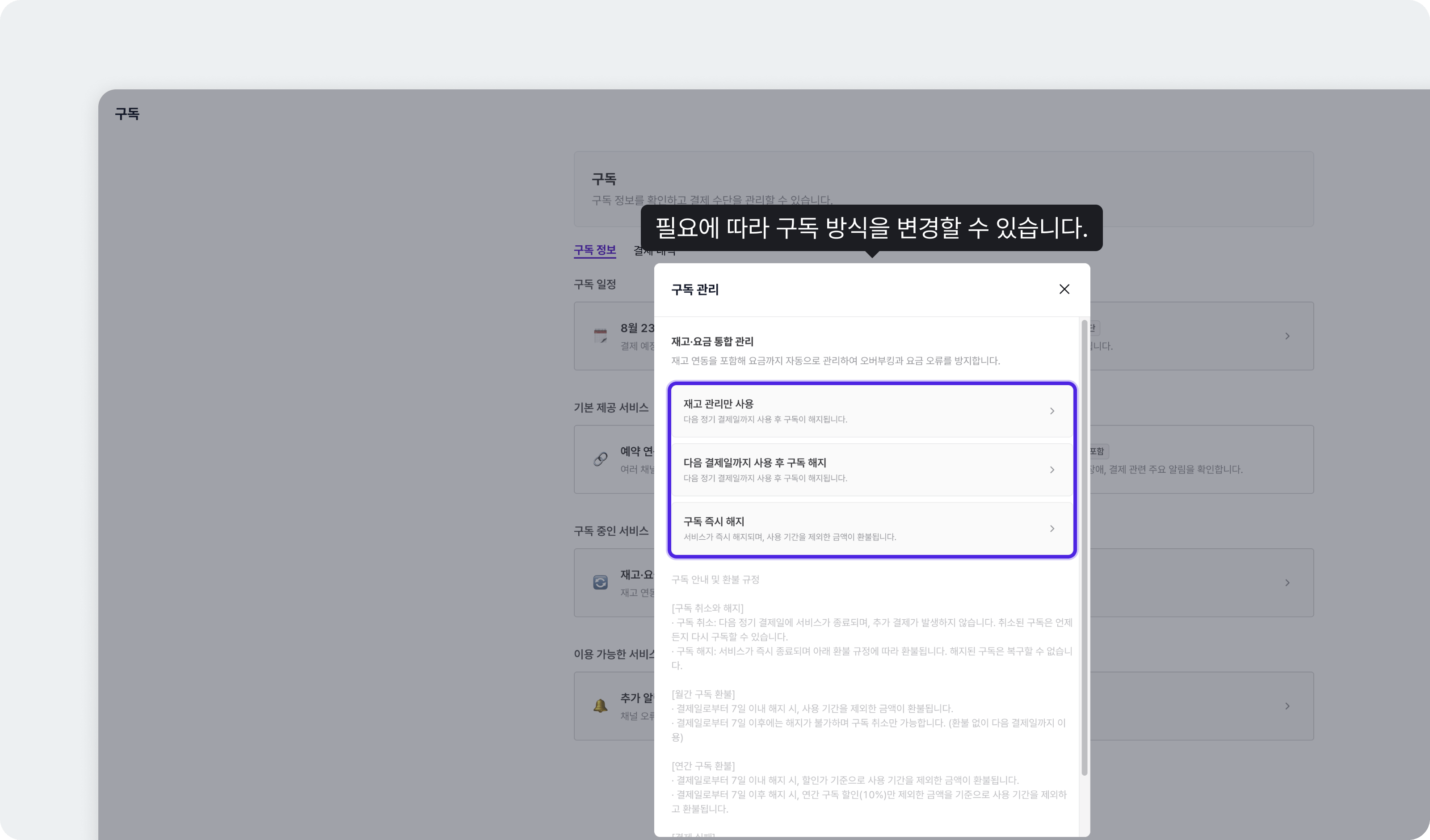
- Scheduled cancellation: you keep the service to the next billing date, and the subscription ends there.
- Immediate cancellation: the service ends at once and you are refunded the amount less the period used. With no refund due, you keep the service to the next billing date.
On Naver, be careful when running inventory management aloneWhile the Naver channel is connected, stopping rate management can disturb Naver’s own rate settings. Take particular care if your Naver room list has Today’s Deal (a set discount applied if the room has not sold by 00:00) or holiday schedules registered.
- Sync inventory and rates together and Today’s Deal and the holiday schedules are deleted, replaced by the inventory and rates on the VCMS Distribution screen.
- Sync inventory only and the deleted rate information can leave packages unsold on holiday dates, or selling at some older rate.
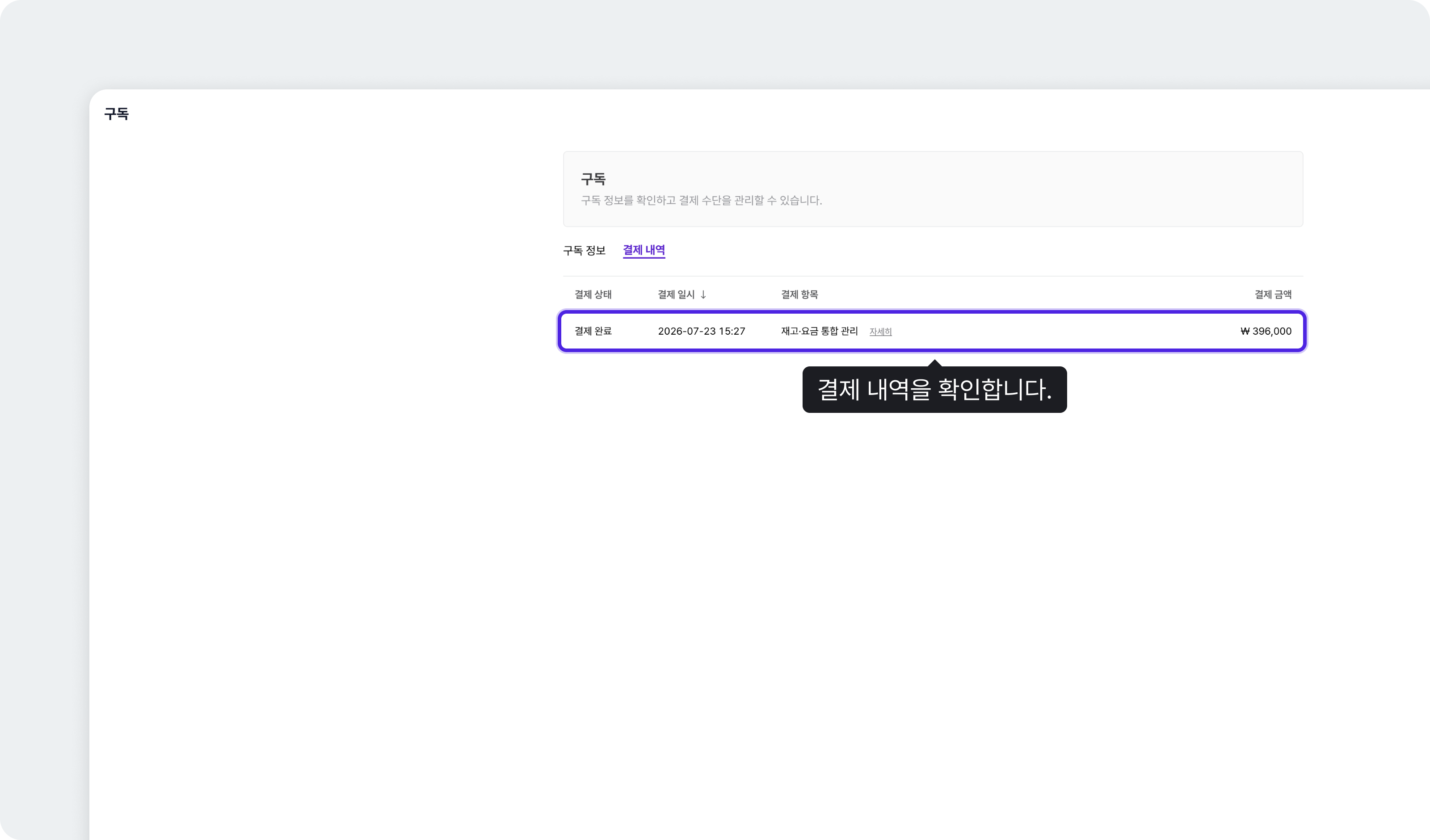
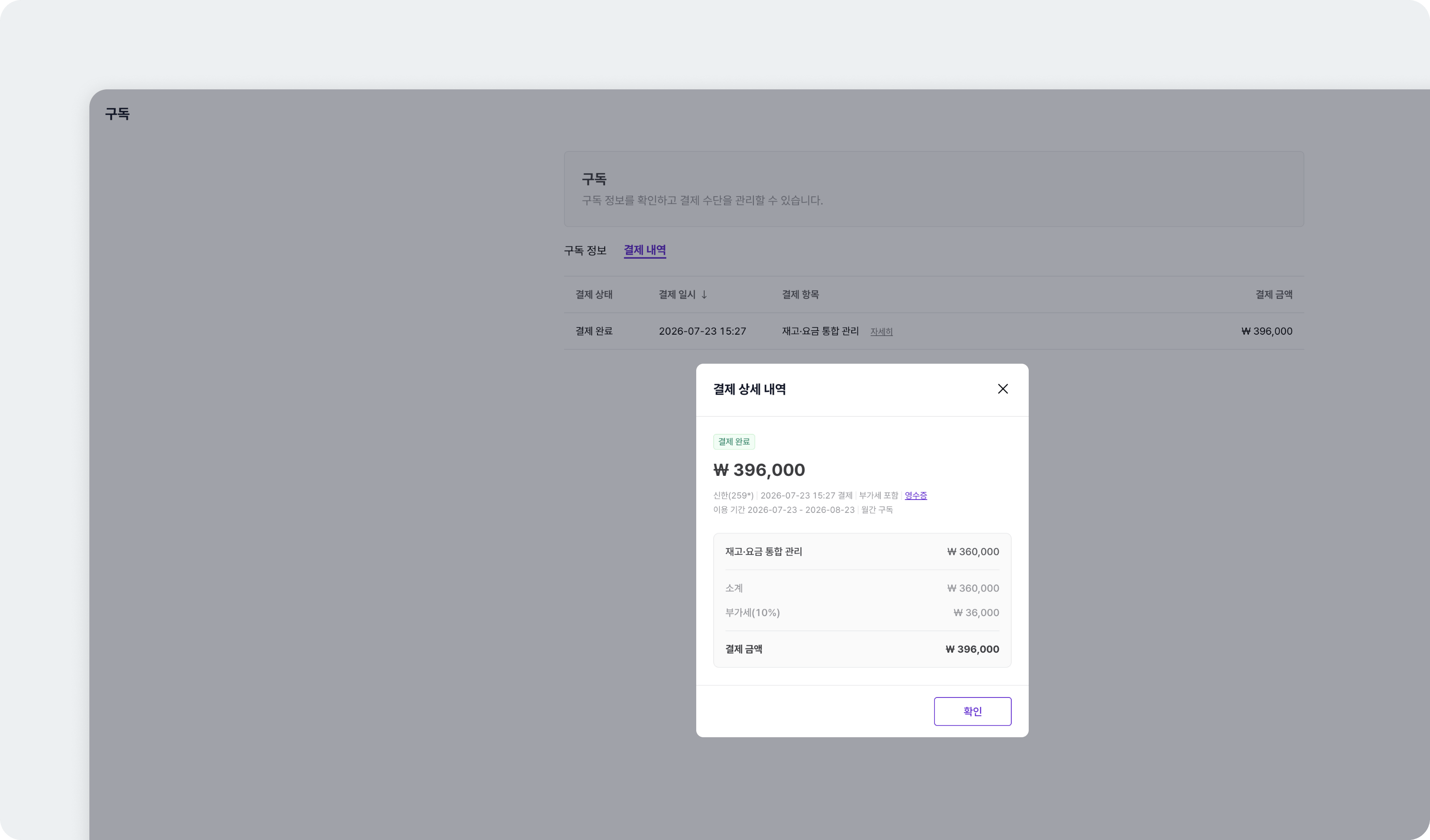
Payment history shows amounts and discounts
Payment history shows what you paid and what discount applied, side by side.When a payment happens, a KakaoTalk or SMS notification goes to the contact registered for the accommodation, and it also appears in the notification menu at the top. (Sent one day before a charge, when the free trial ends, and when a payment completes.)