

Highlights
”Daily rate adjustment is rebuilt. Set rates per package, day by day, on mobile too.”
New
Daily rate adjustment is rebuilt
For owners managing rates closely, date by dateThe screen for adjusting rates by date and room type in Distribution has been substantially reworked. It used to offer bulk adjustment only. Now you can adjust in bulk, or edit rates package by package.
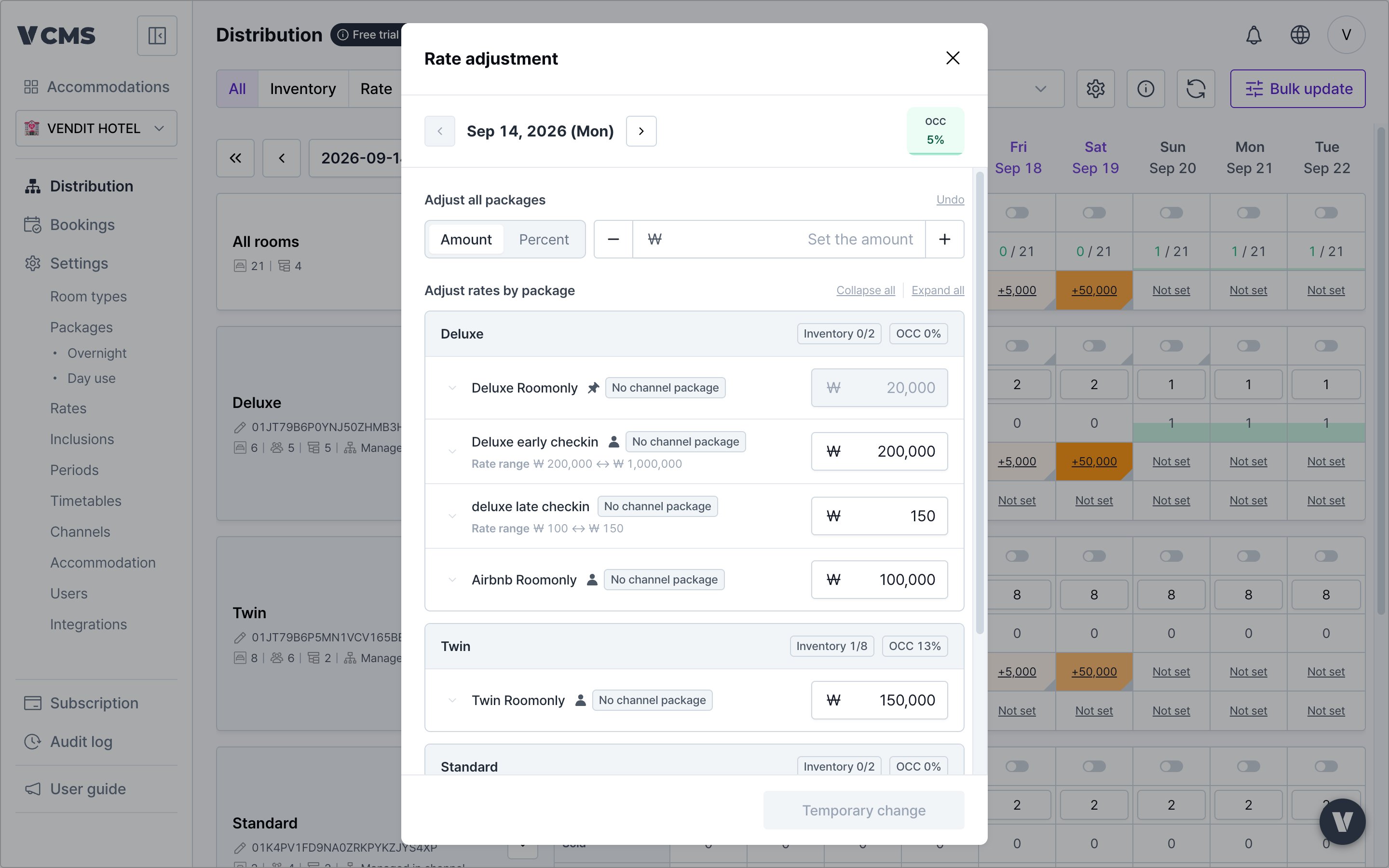
- The date being changed and its occupancy show at the top.
- Move between dates and keep adjusting, as far as the date range shown on the Distribution screen.
- For channel packages, you see the final amount sent, with the final channel rate applied.
- Daily rate adjustment now works on mobile.
- With multiple currencies, pick the currency first, then adjust.
- Mobile adjusts the selected date only.
Drag to copy rates
For owners levelling rates across dates and roomsIn Distribution (all rooms and room type), drag a rate to copy it to other dates. Rates set individually are copied as they are.
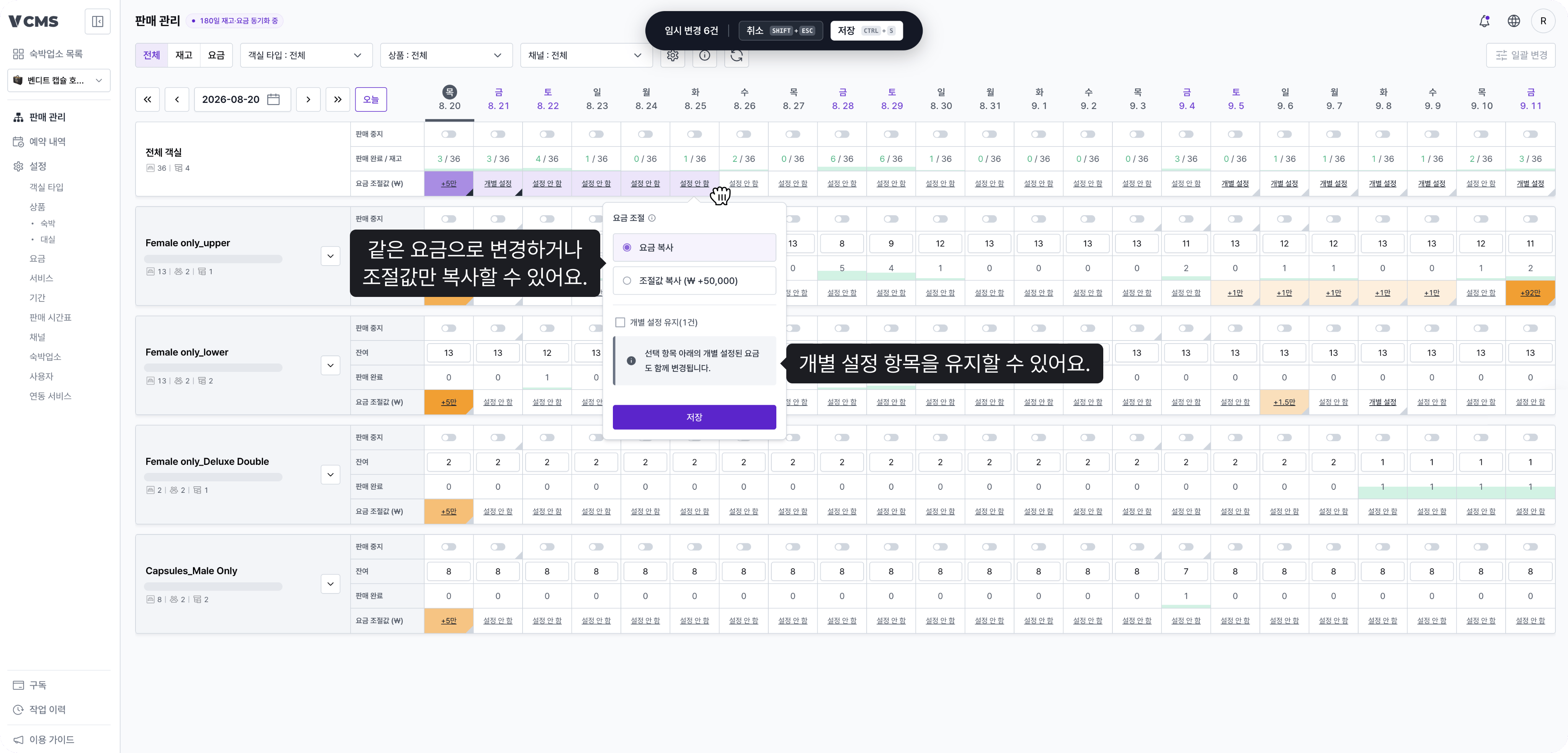
- Choose between “copy rate” and “copy adjustment”.
- Items on a fixed rate are excluded, both as source and as target.
- Copying does not apply to cells in a different currency.
When copying adjustments, watch for this
- Drag from a package on a fixed rate and there is no adjustment to copy, so nothing lands on the target.
- Adjust a rate in Distribution and then drag a locked cell, and the copy uses the adjustment as it stood when you locked it, even if a higher level applies its own adjustment.
Rate scale factor gives packages different swings
For owners selling bundles, or wanting a different swing per room typeSet a rate scale factor on a package and it is applied to the adjustment automatically when you change rates, giving the final sell rate. One adjustment produces a different swing per package, with no per-package work.
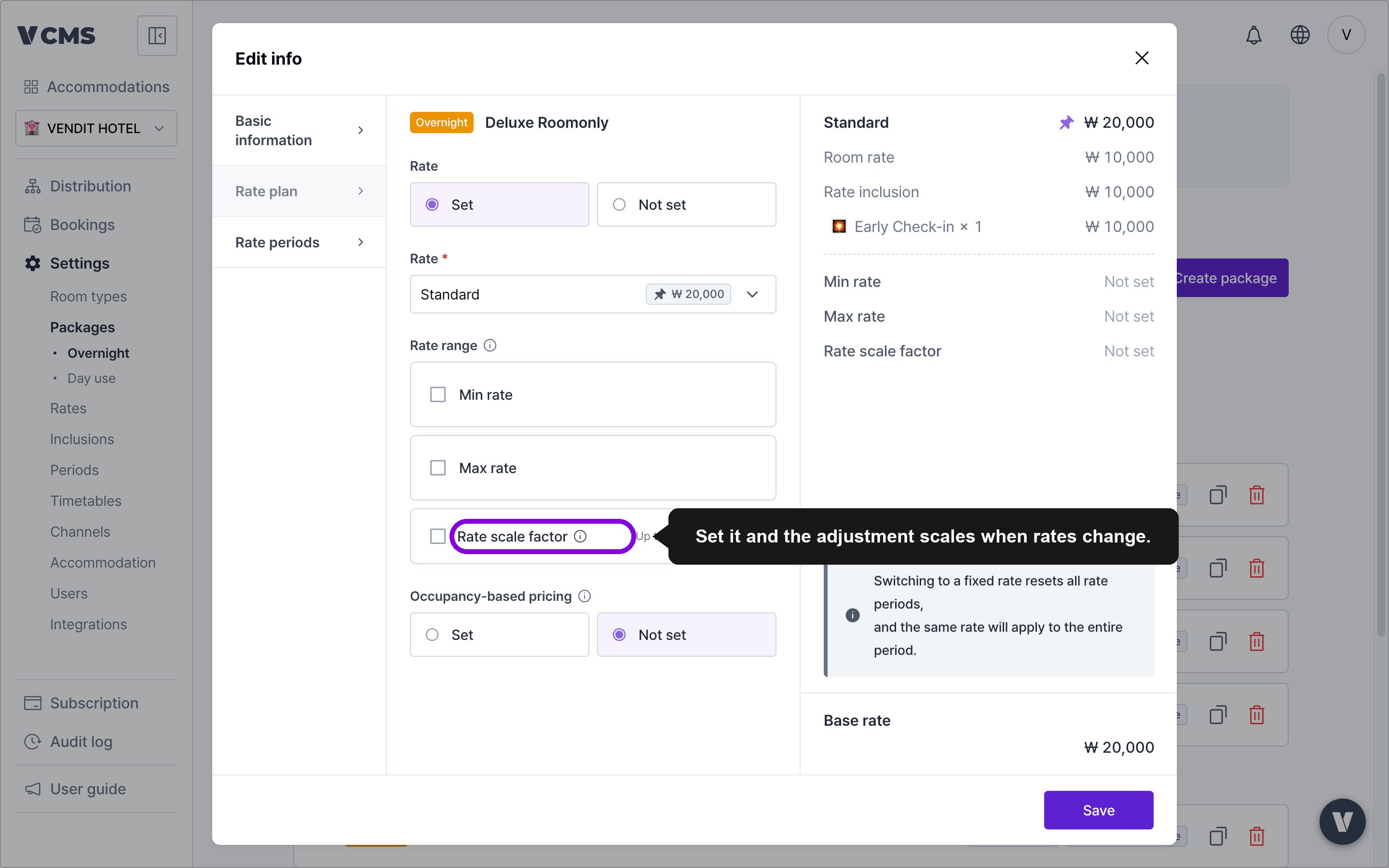
- Selling bundles: on a package that bundles 2 units as 1, set the rate scale factor to 2. Raise the rate by KRW 50,000 and the bundle goes up by KRW 100,000 with no extra step.
- High-value rooms: set a higher rate scale factor on a suite and the same adjustment swings it further than the other room types.
Drag to copy check-in and check-out times
Check-in and check-out times can be dragged to other dates in Distribution.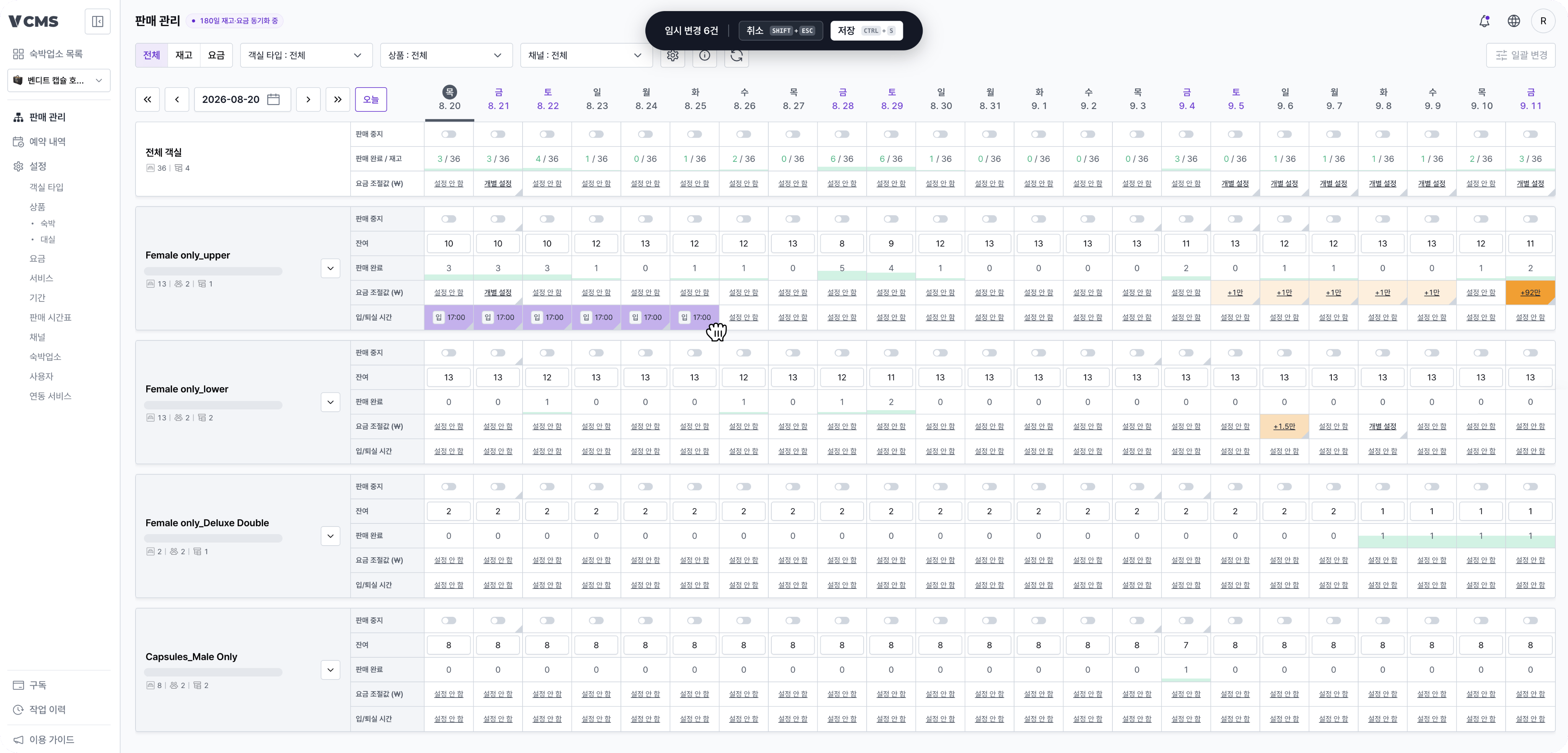
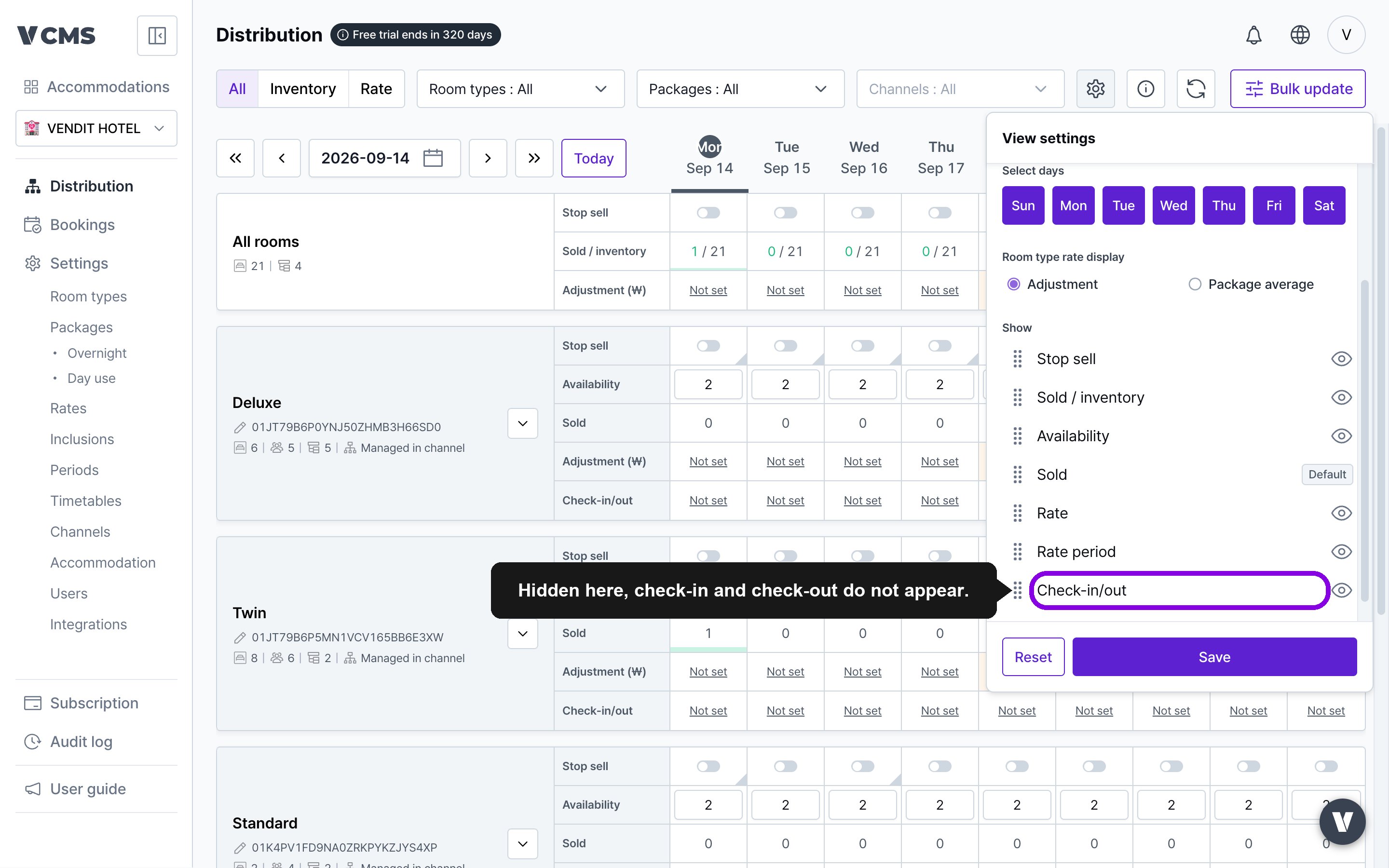
- If check-in and check-out times are not visible in Distribution, check view settings. Hidden there, they do not appear.
Payment detail for manual payments
For owners using manual paymentsUnder Subscription > Payment history, manually processed payments now carry payment detail too.
Improved
A clearer signal when units per booking is unavailable
When a package cannot use units per booking, that is now easier to notice.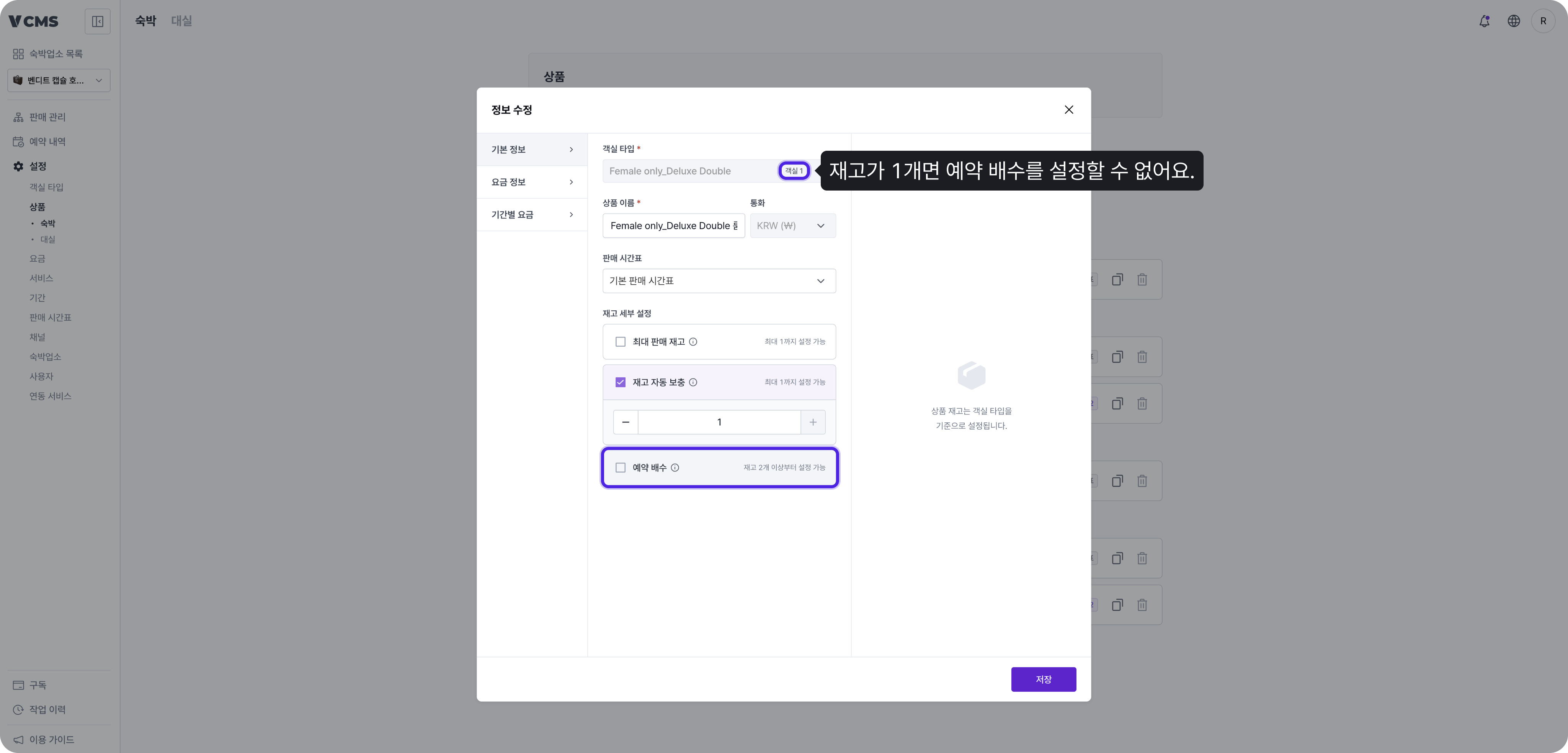
Fixed and locked rates behave more predictably
- A rate or inclusion with a fixed amount is excluded from every subsequent rate adjustment.
- Turn on rate lock and the item is excluded from every adjustment in Distribution, including adjustments, copies, and bulk updates, and so are the items below it.