

Filters
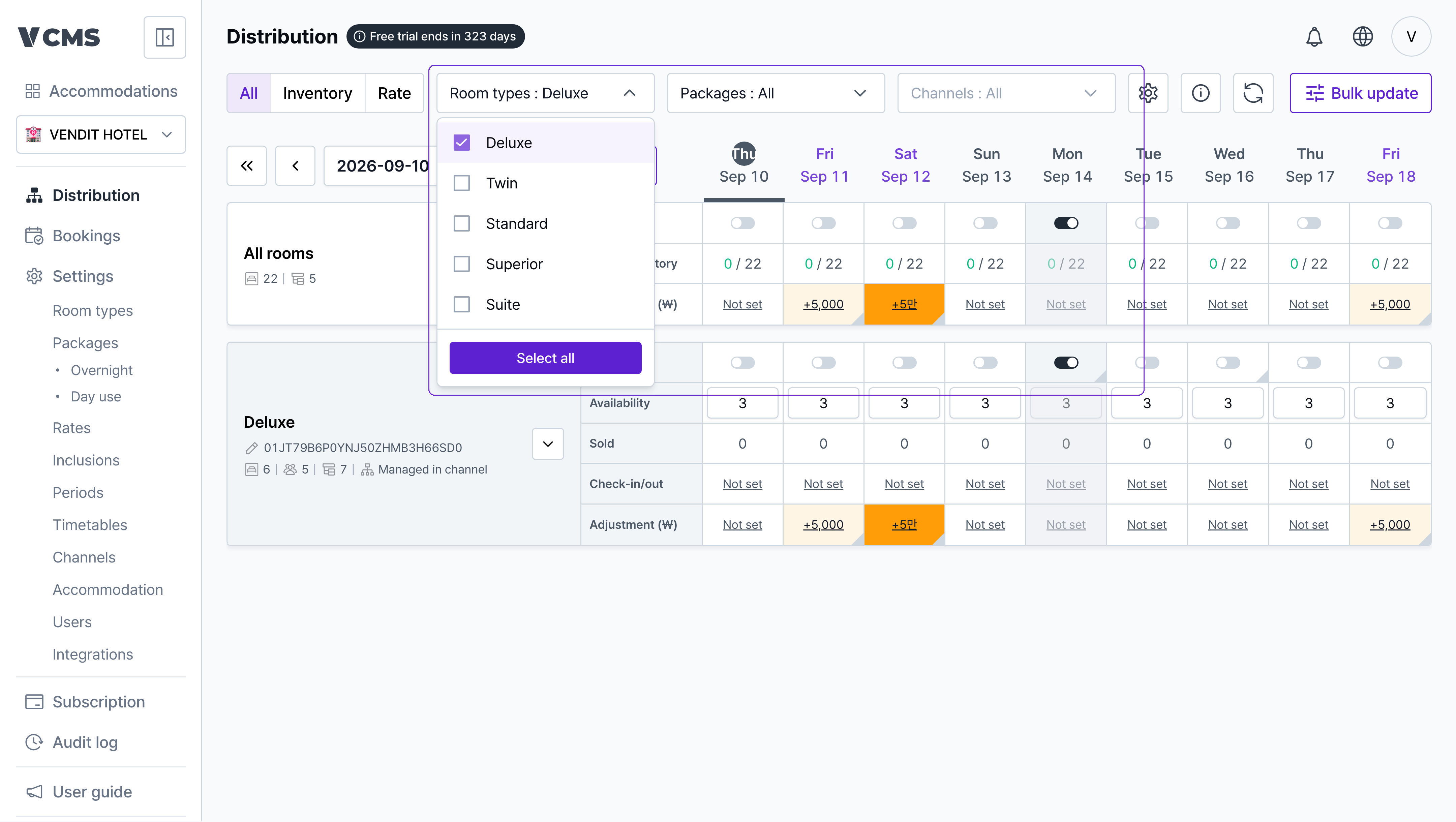
Show only the room types, packages, and channels you want to look at.
View settings
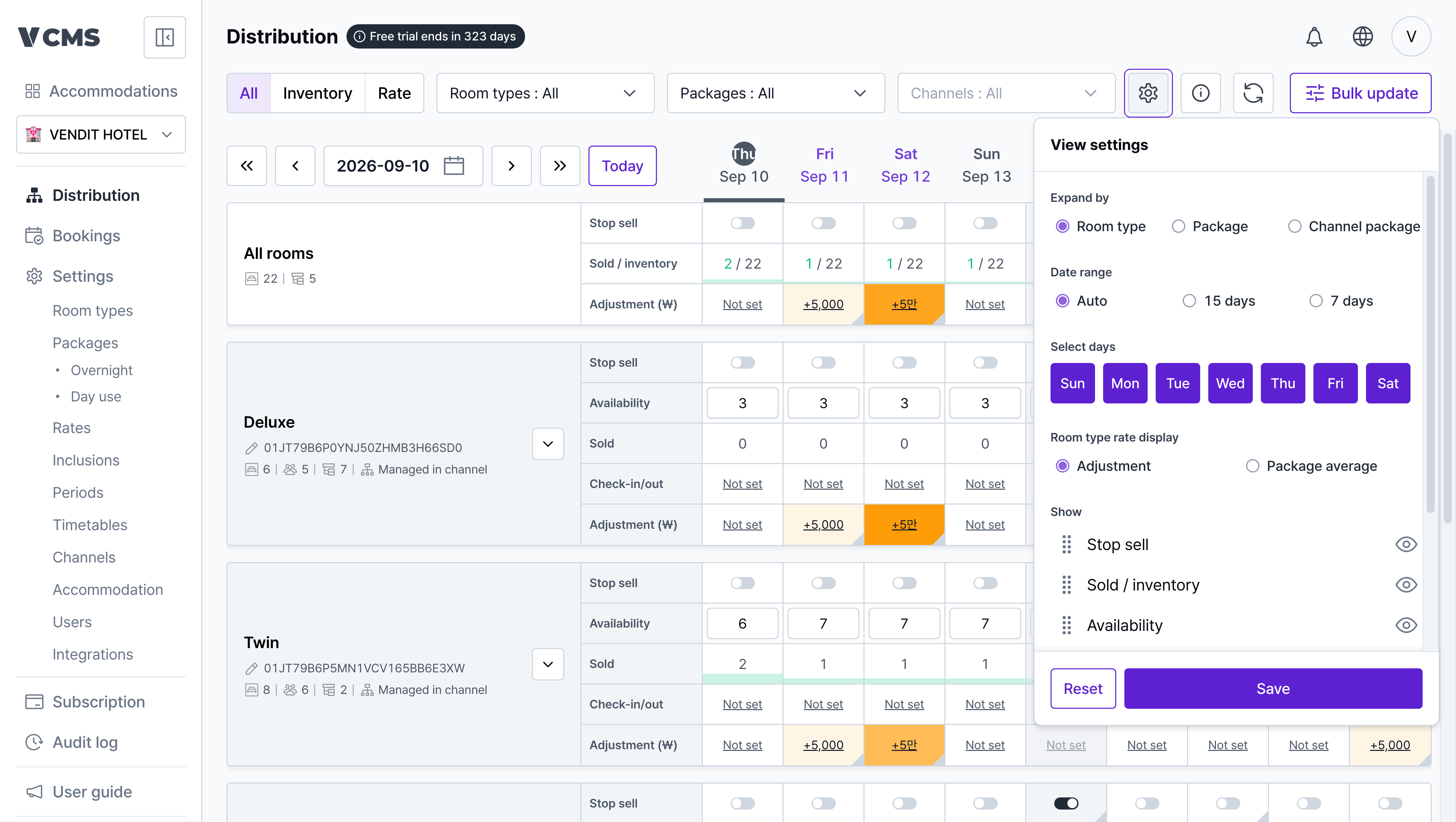
Use view settings to build the Distribution screen you want.
- Date range
- Auto: the number of days shown follows your monitor resolution.
- 15 days / 7 days: shows exactly that far ahead.
- Default expansion
- Choose which level is expanded when the screen opens.
- Days of the week
- Show only the days you care about.
- Show on screen
- Hide the rows you don’t need and keep the ones you do.