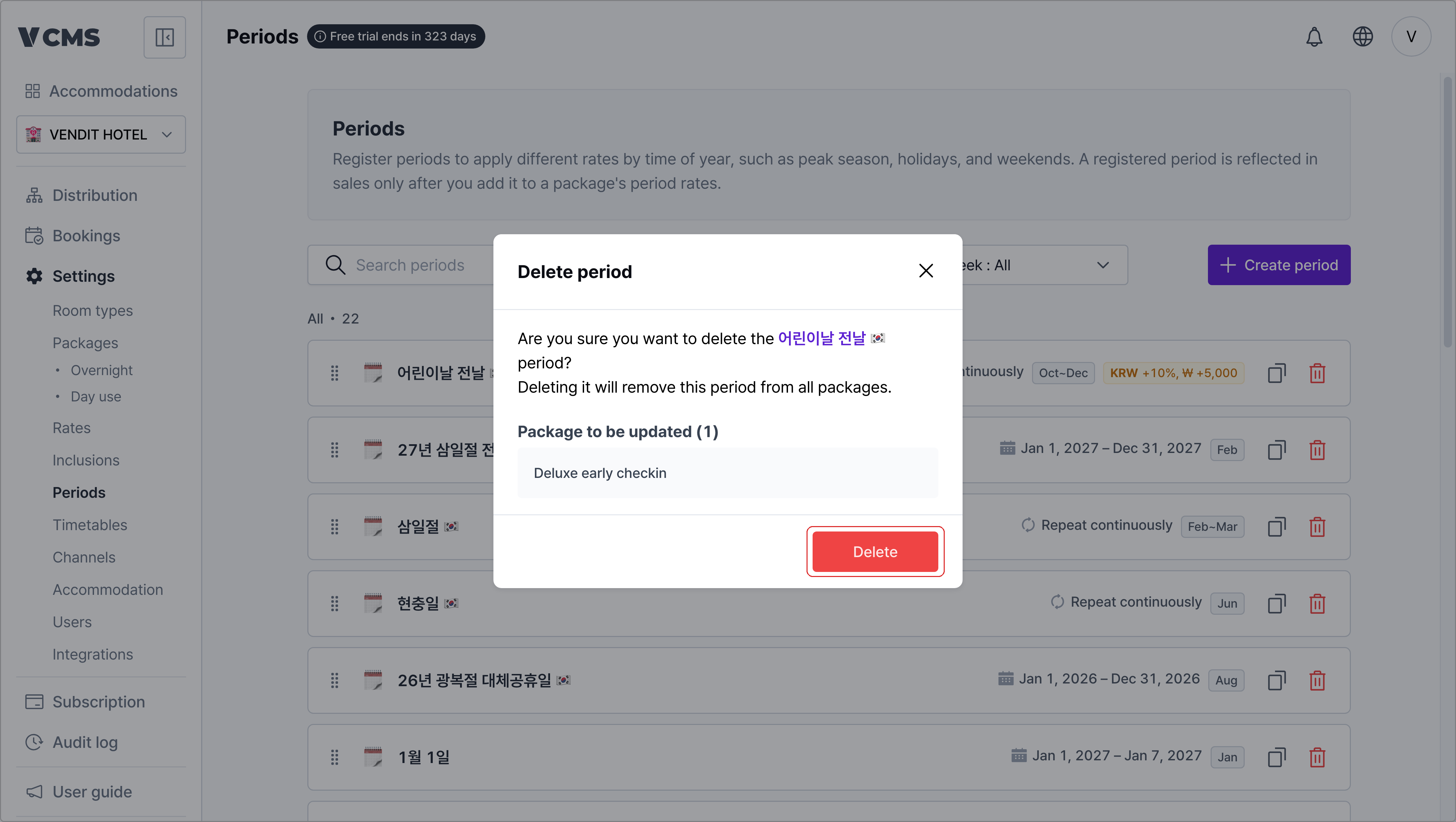
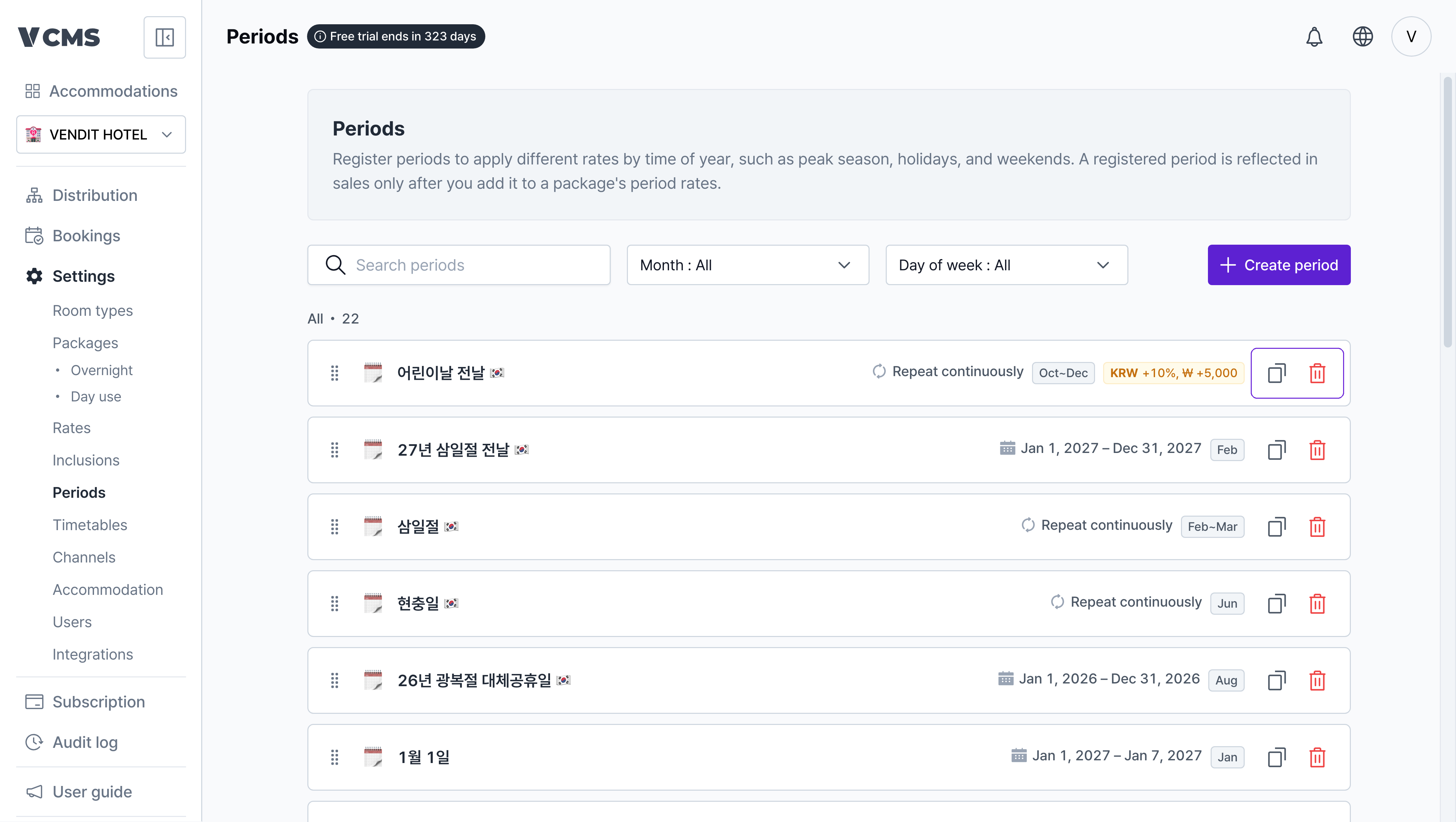
Period list
The periods that drive rate-by-period.
- Search by the month, weekday, or day you want.
- Reorder periods freely.
- When periods overlap, the one higher in the list (the higher priority) applies first. A package’s own period order can be brought in line with this priority through “Sort periods” on overnight packages.
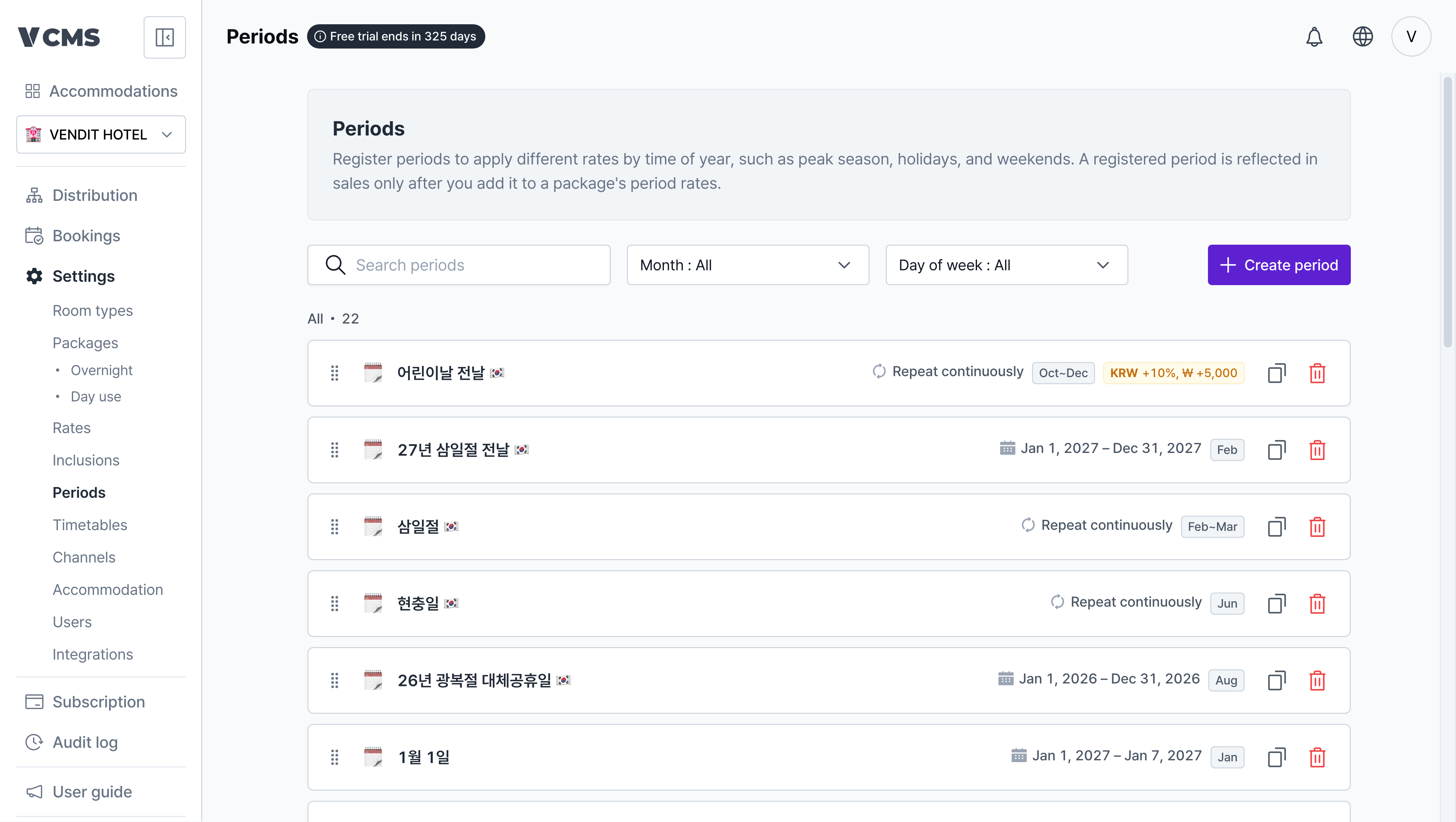
Creating a period
Add the period you want.
- Period name (required)
- End date
- Run the period indefinitely, or give it a start and end date to use it temporarily.
- Months
- Pick any months from January to December.
- Weekdays
- Pick any days from Sunday to Saturday.
- Days
- Pick any dates from the 1st to the 31st.
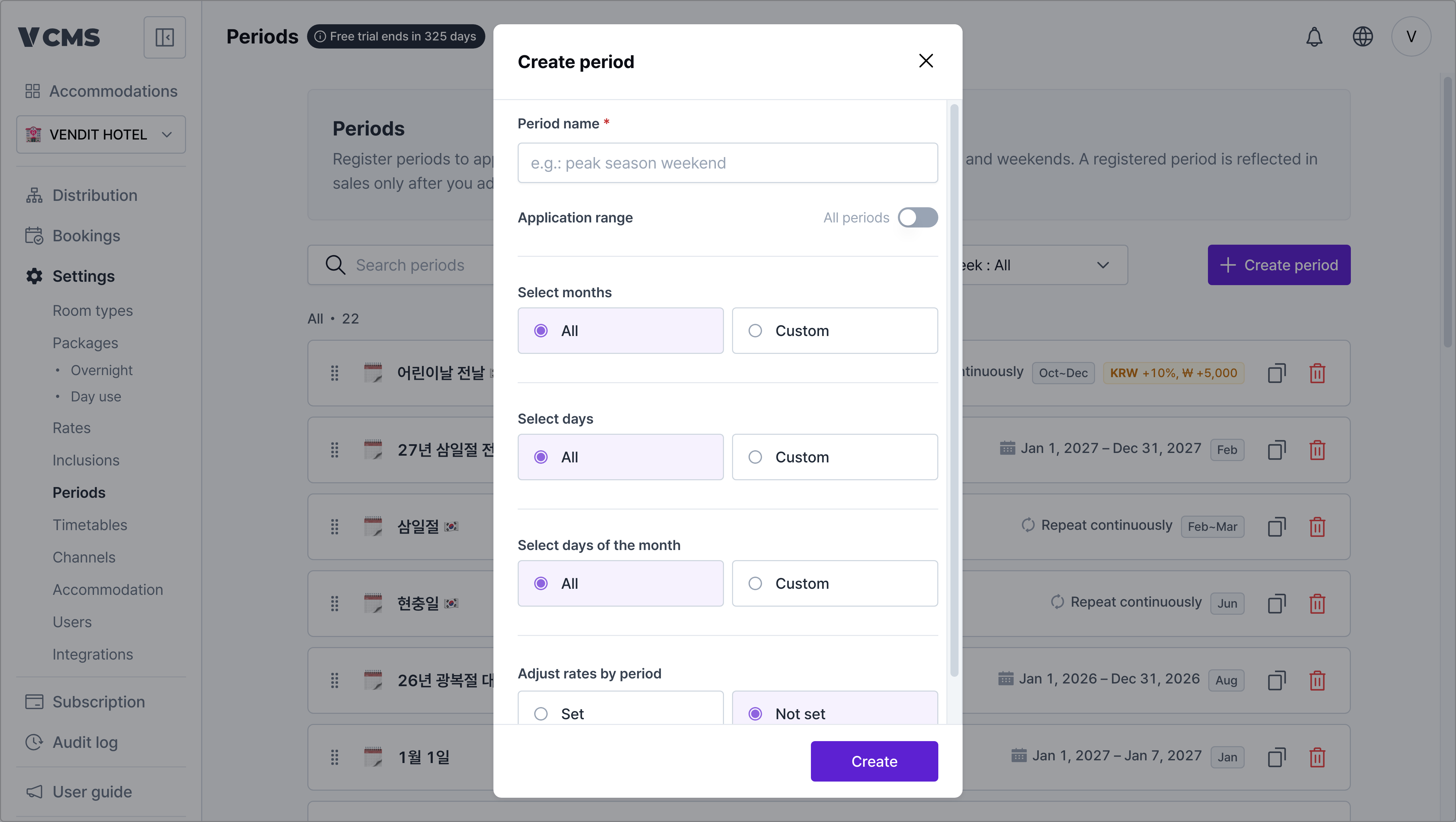
Period rate adjustment
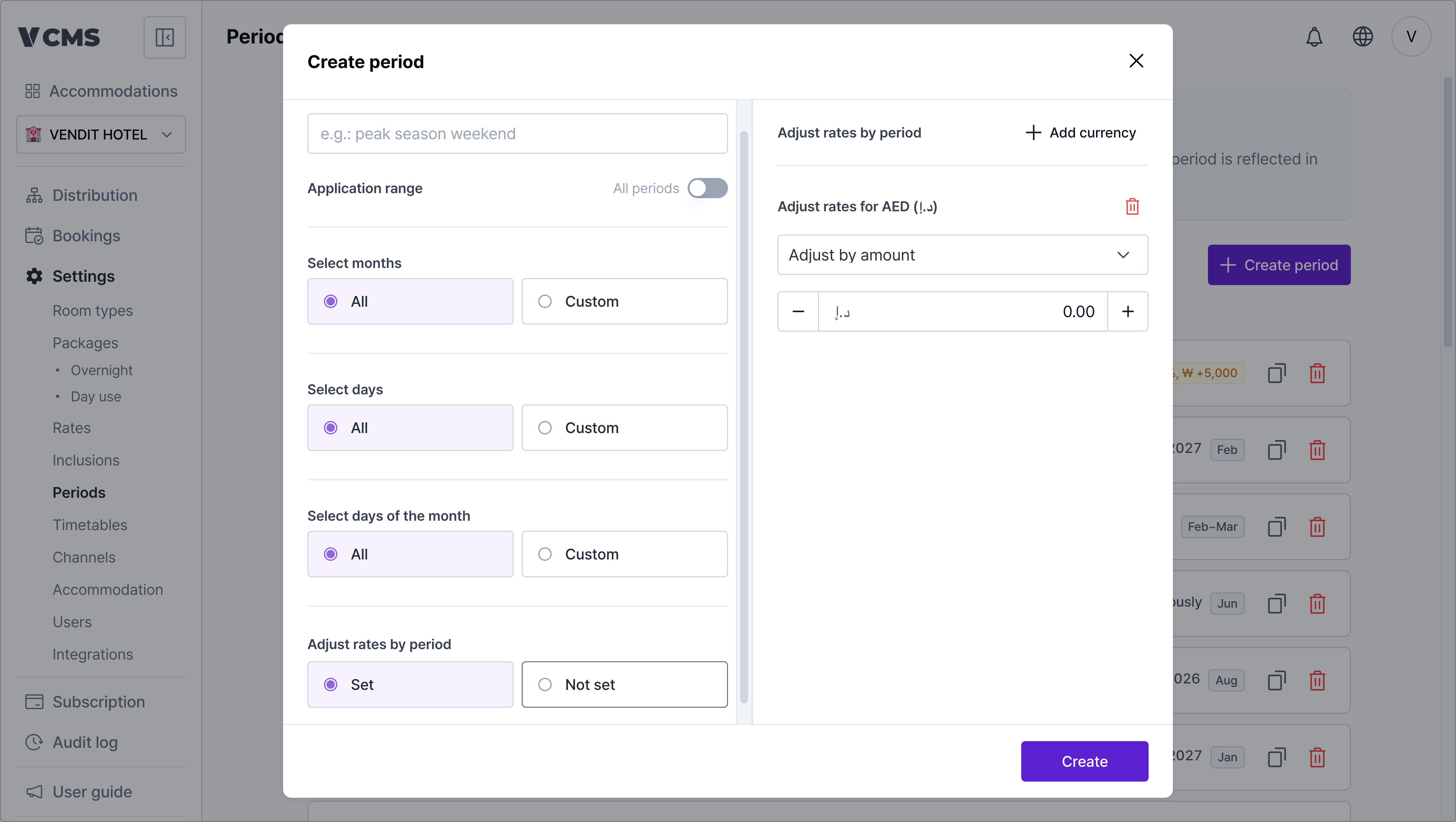
Adjust the rate across the whole period, by amount or by percentage.
- Turn period rate adjustment on and rates flex by period.
- Mark up or discount per currency.
- Adjustment methods
- By amount
- By percentage
- By percentage, then an extra amount on top
Deleting a period
A period you no longer use can be deleted.