

Room type list
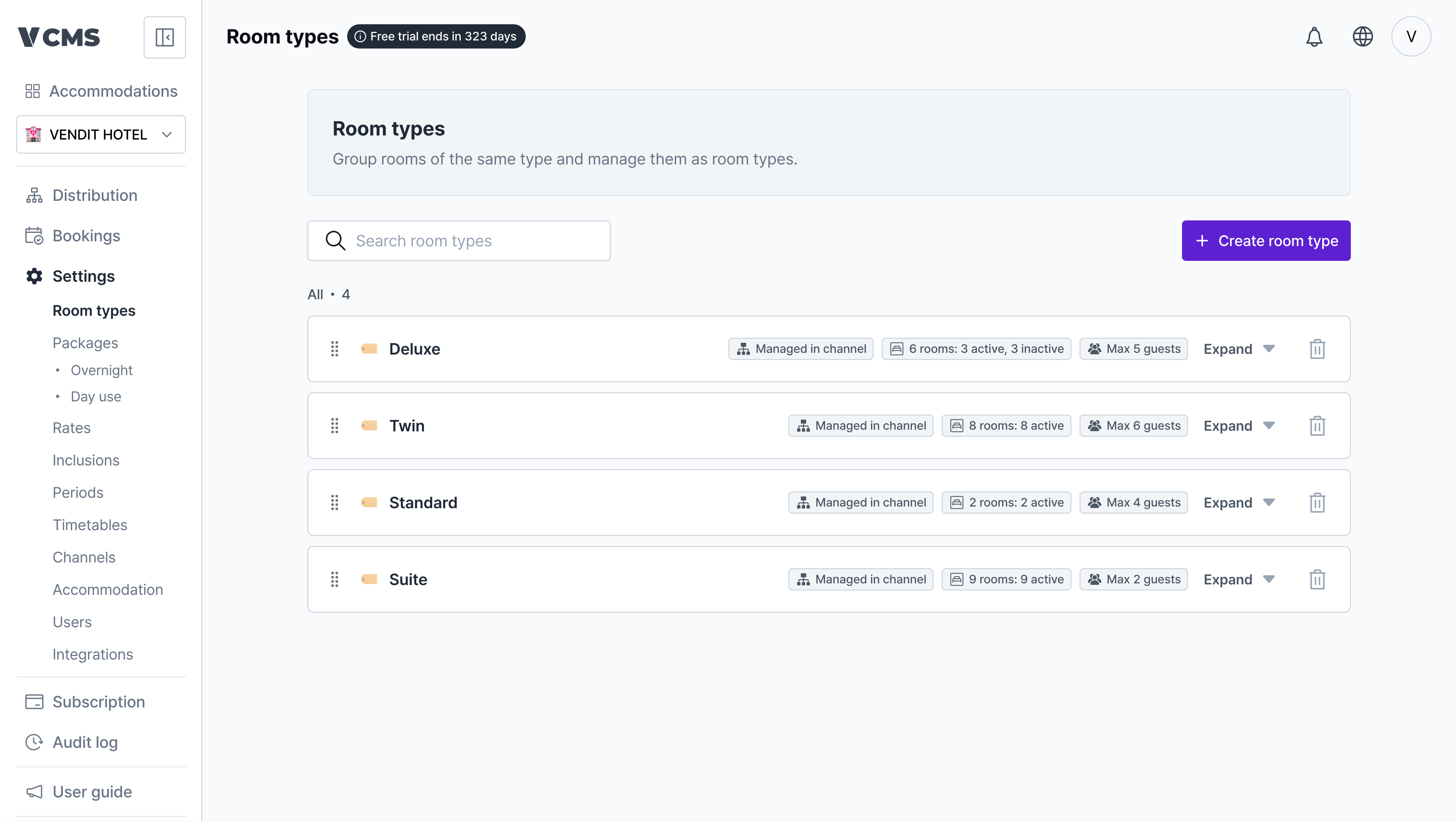
- See the number of rooms in operation, the number suspended, and the max occupancy for each room type.
- Reorder room types and the rooms under them freely.
Do suspended rooms still count toward sellable inventory?No. Distribution sells only the rooms in operation, with suspended rooms excluded from sellable inventory. A suspended room never sells, and changing a room’s operating status shows up in Distribution right away.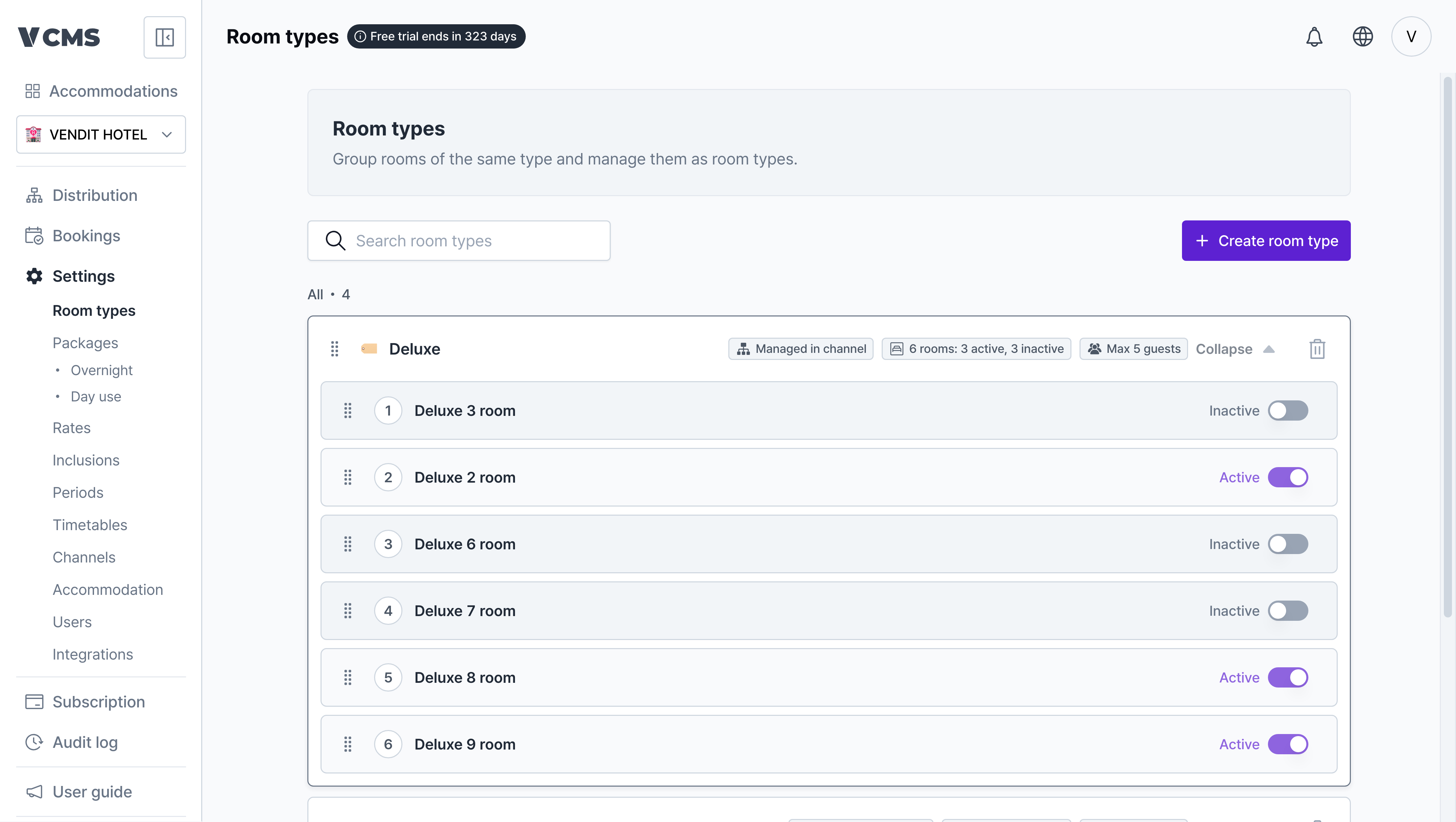
Creating a room type
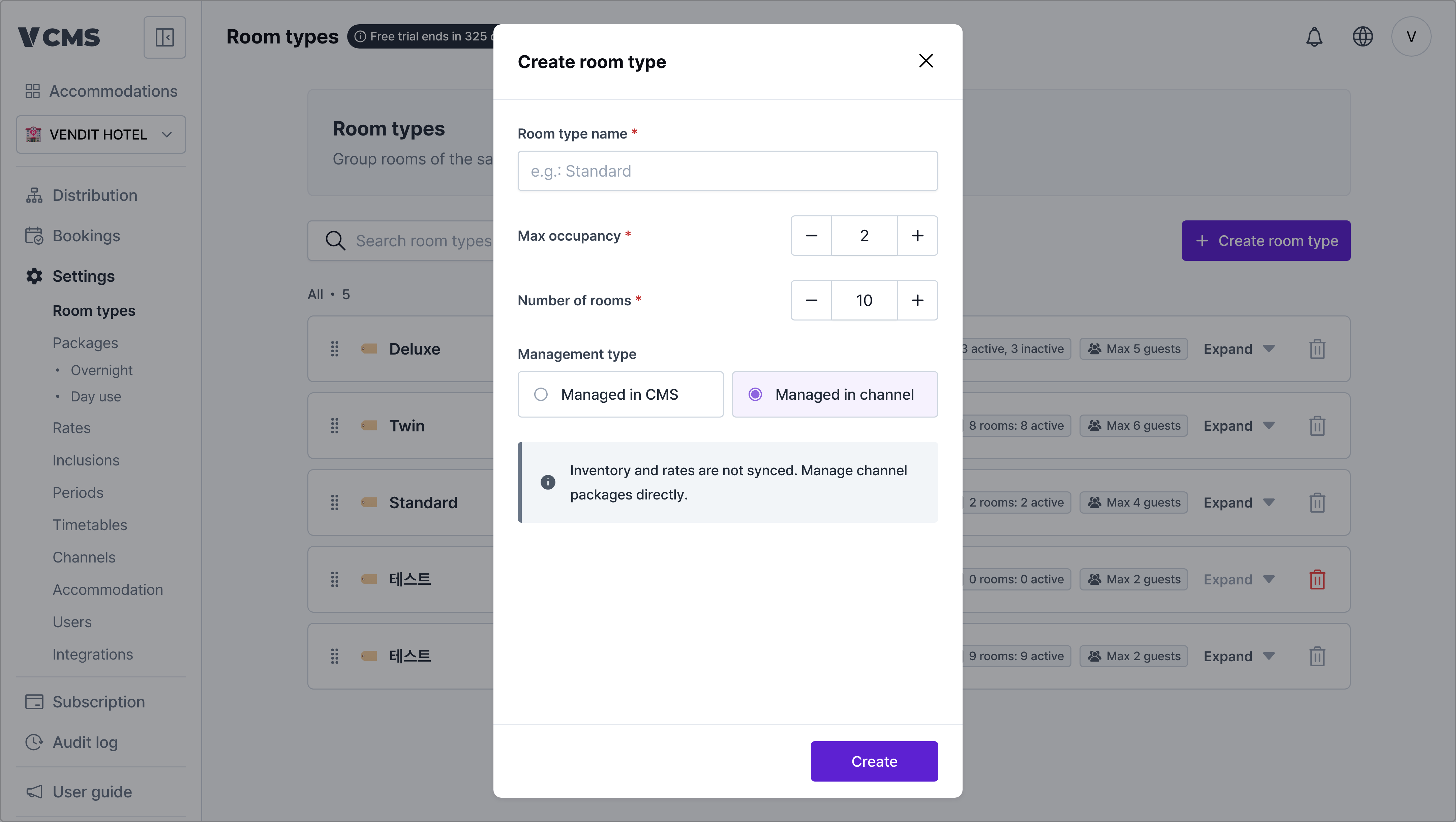
- Room type name: the name that distinguishes this type.
- Room details: the rooms in this type and how many there are.
- Max occupancy: the most guests who can stay in the room.
- Management type: how connected channel packages sync.
- CMS: bookings, inventory, and rates for every channel package connected to the room type sync with the CMS.
- Managed in channel: only bookings sync. Inventory and rates do not, and your property manages them directly.
Connected packages adjust themselves
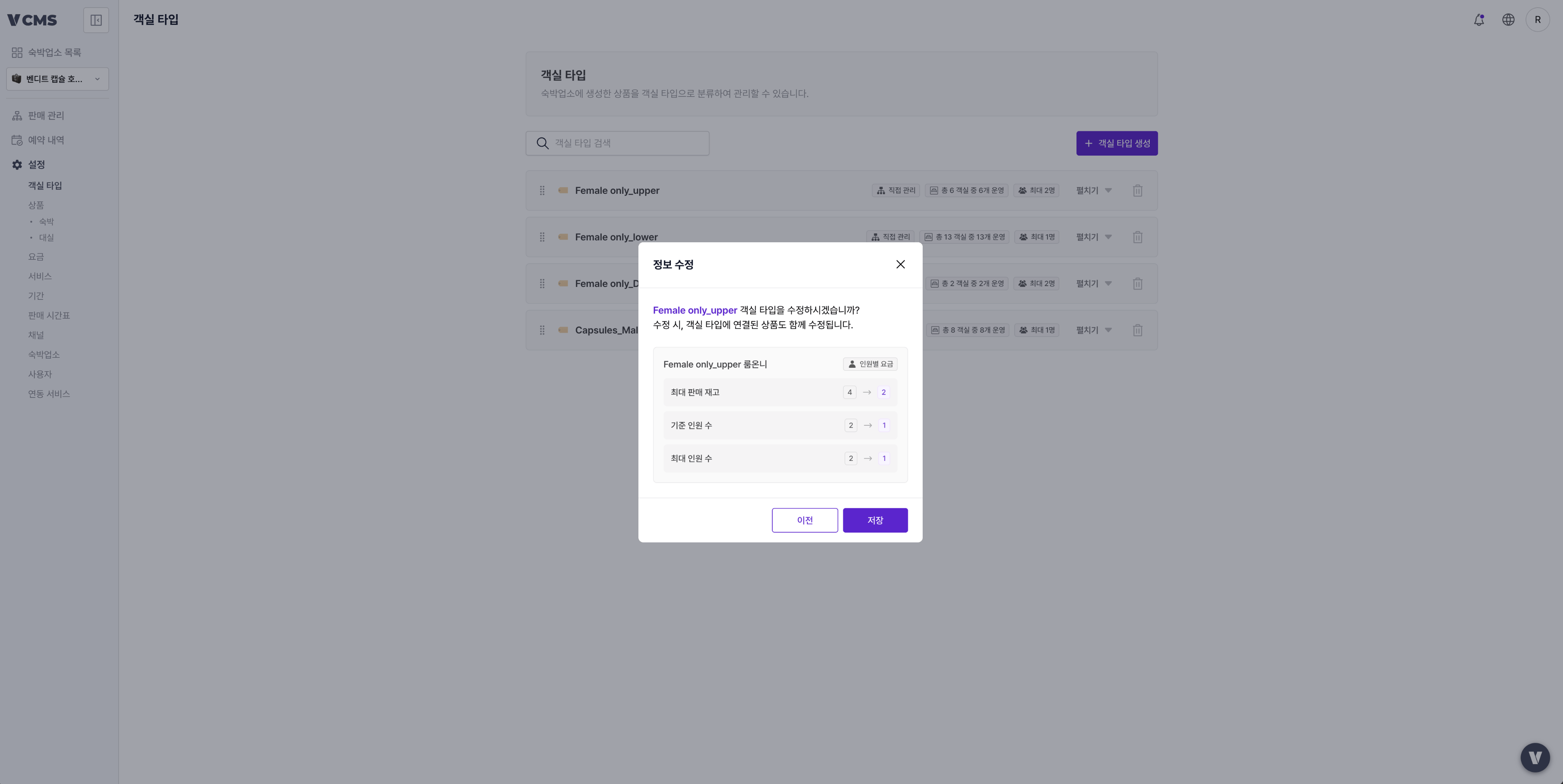
- Max inventory
- Auto top-up
- Units per booking
- Occupancy settings (base occupancy, max occupancy)
When a value has to move, a confirmation dialog tells you before anything changes. Read it, then go ahead.