

Channel list
Connected channels and channels available to connect, in one view.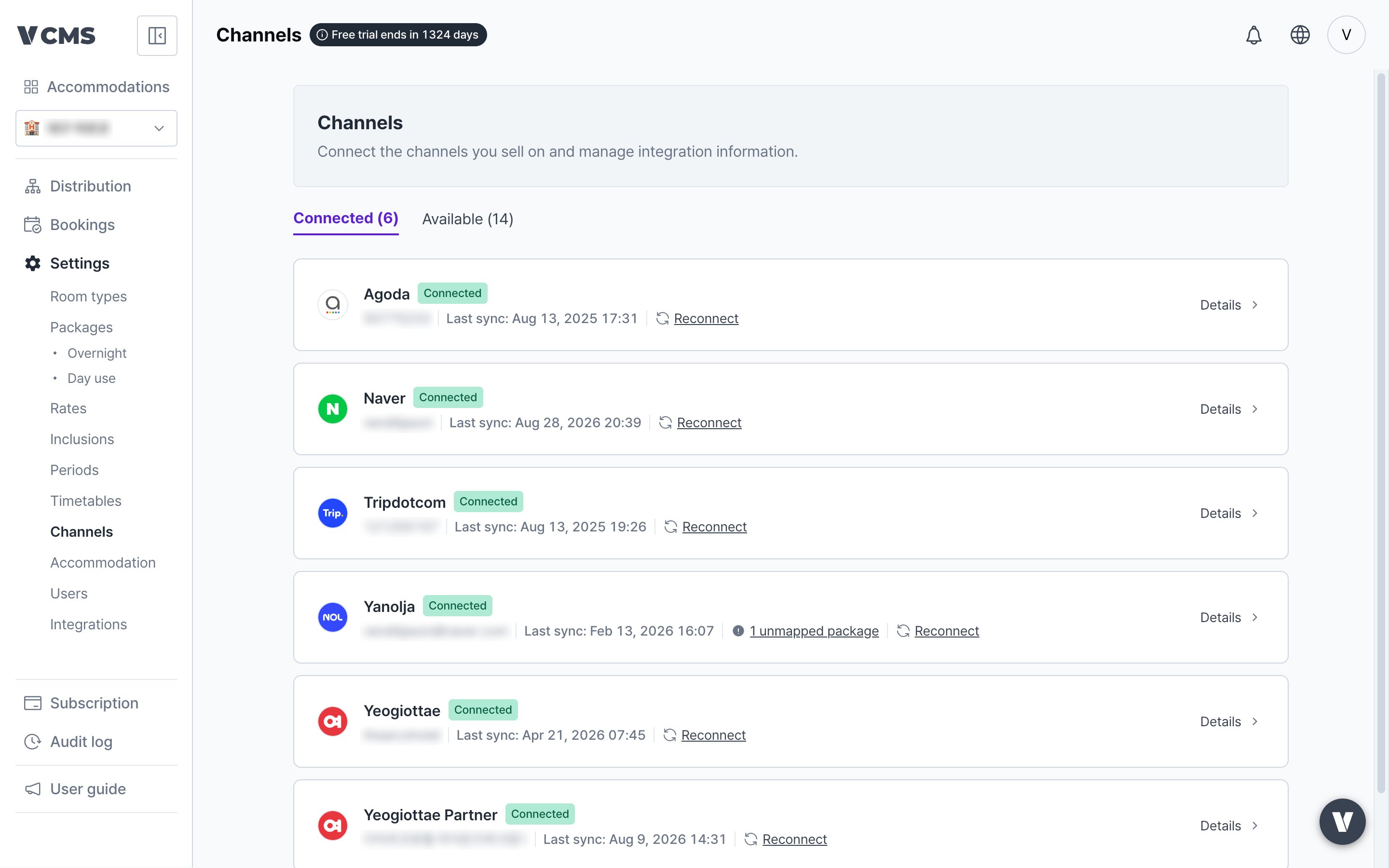
Check which sales channels are connected
- Unconnected channel packages: shown when a channel has new packages, or packages that are not linked yet. Link them to VCMS packages so inventory and rate management run cleanly.
Connecting a channel
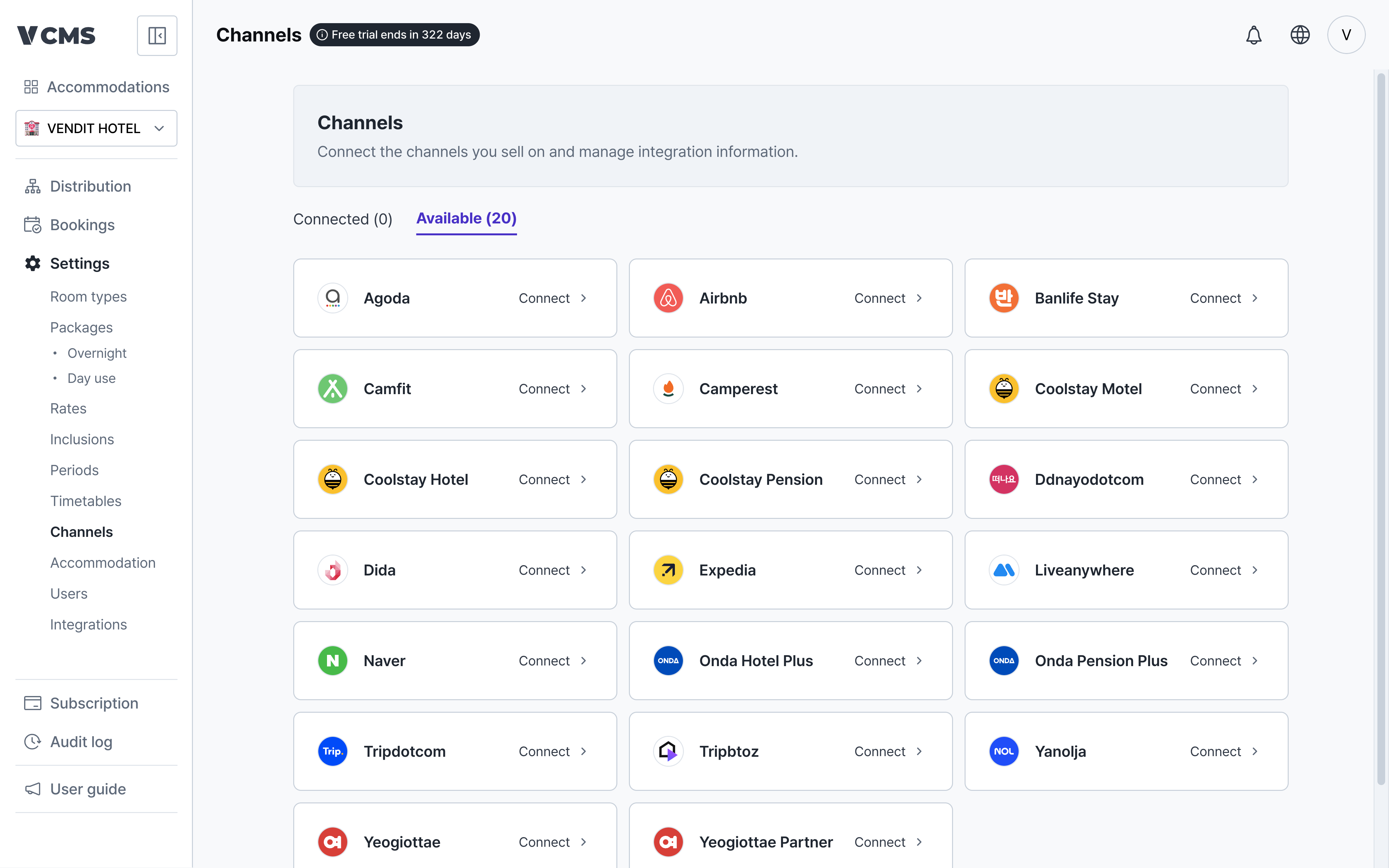
Click a channel under “Available channels” to connect it.1
Pick the channel
2
Enter the channel account details
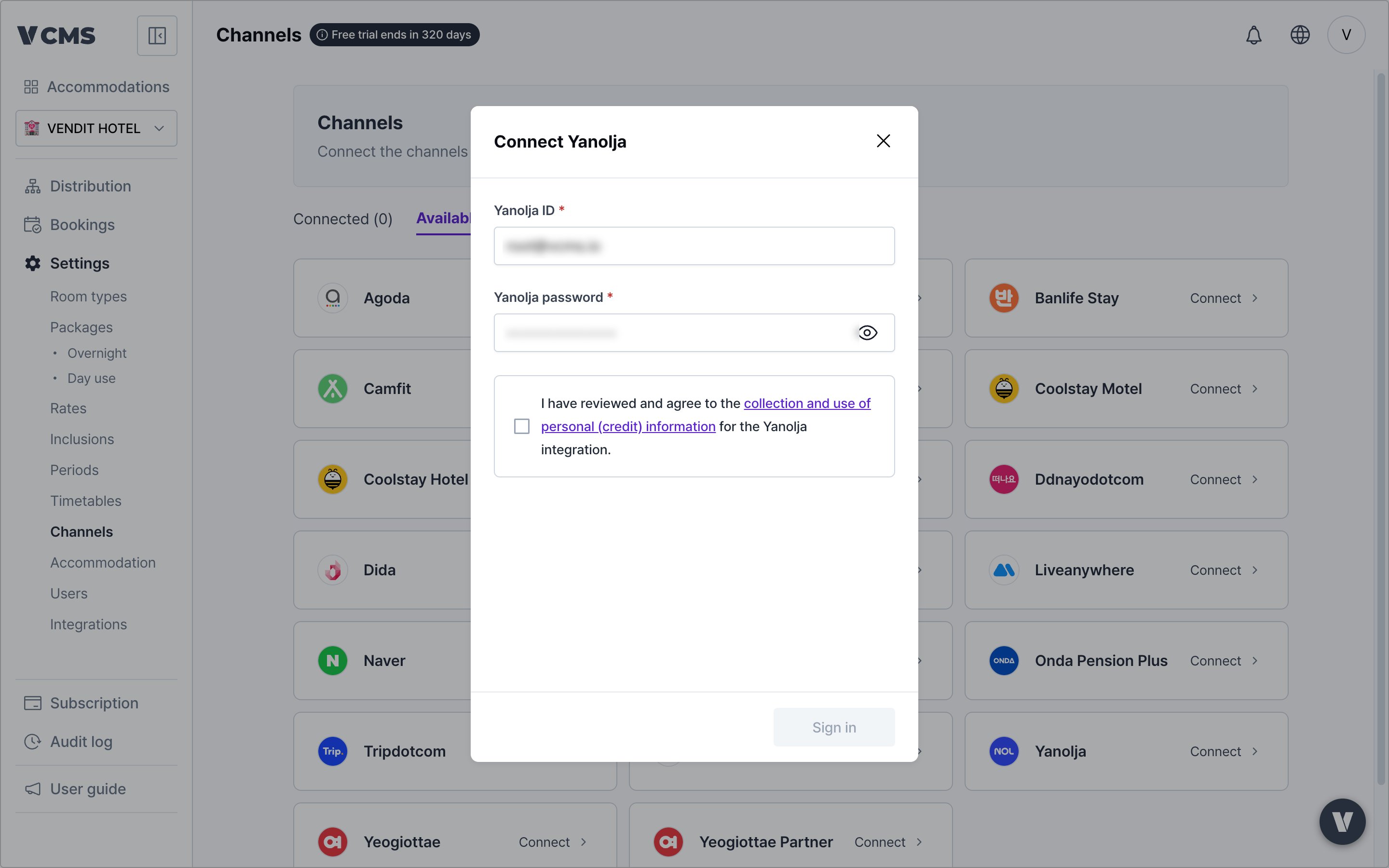
Agoda and Tripdotcom need a property code and connectivity setup first.
Expedia and Airbnb need a separate Chrome extension installed.
3
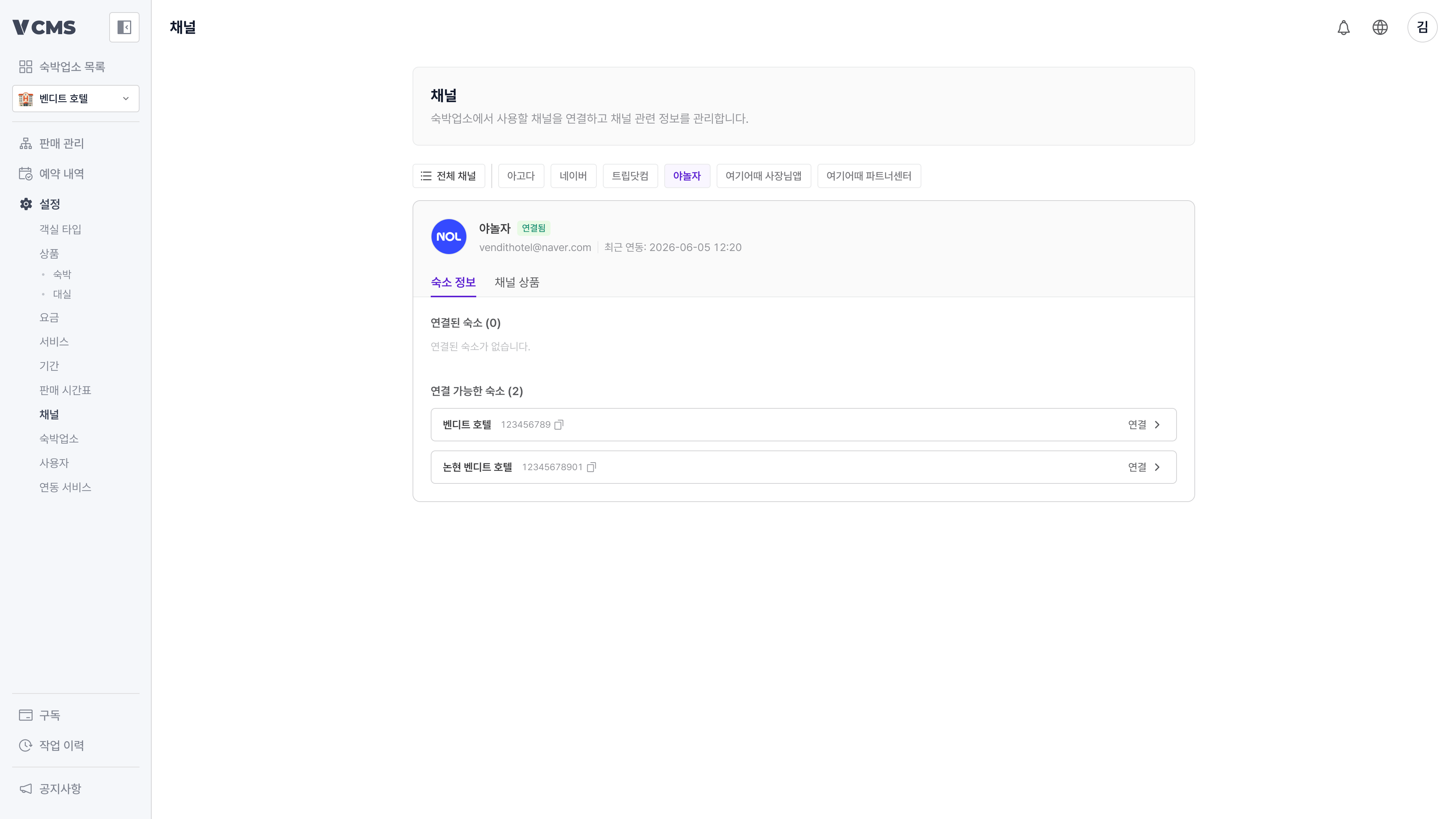
Pick the property to connect
4
Connect the property and its channel packages
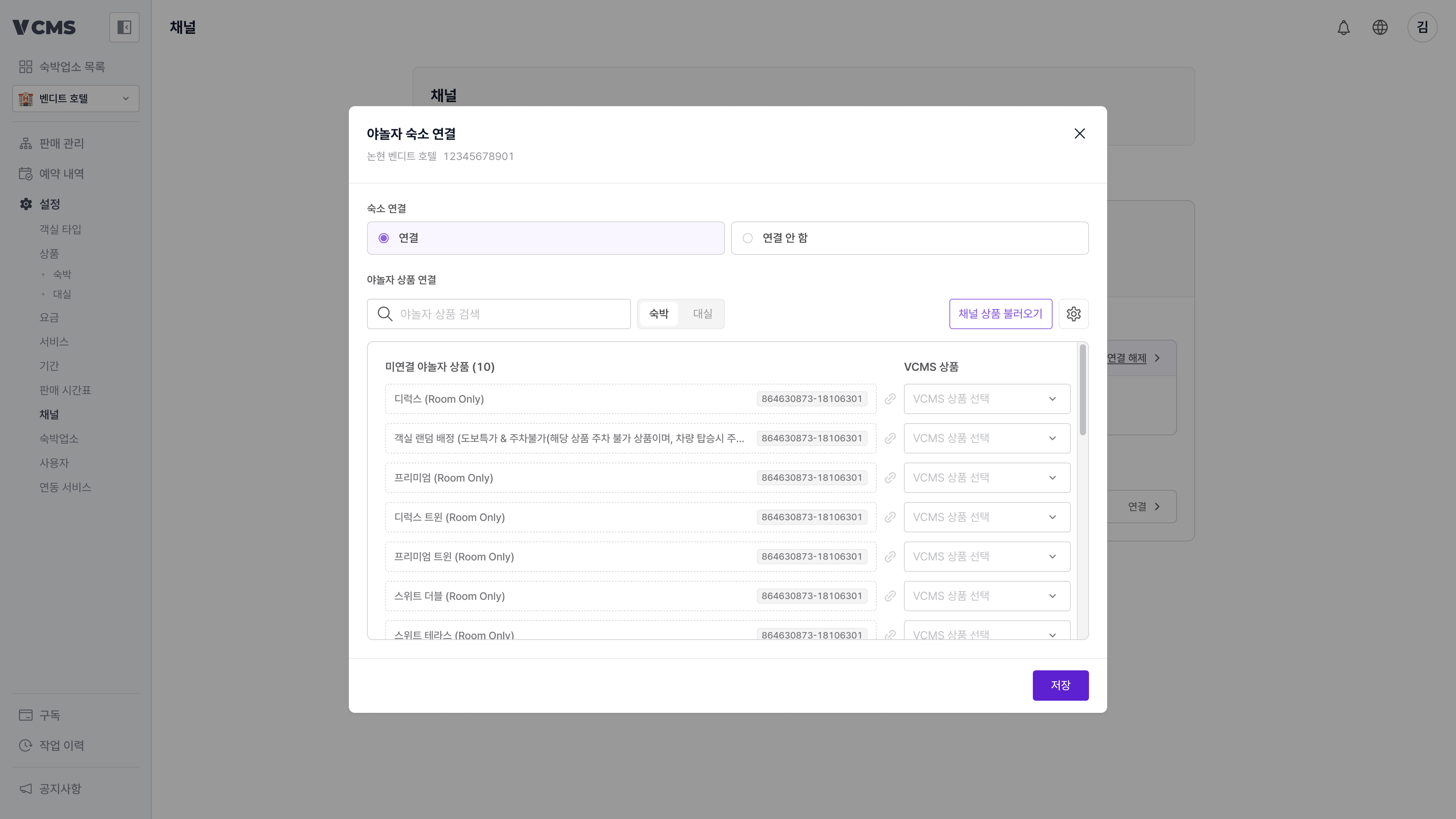
Connected channel details
Click a connected channel to see its account details and the last sync time.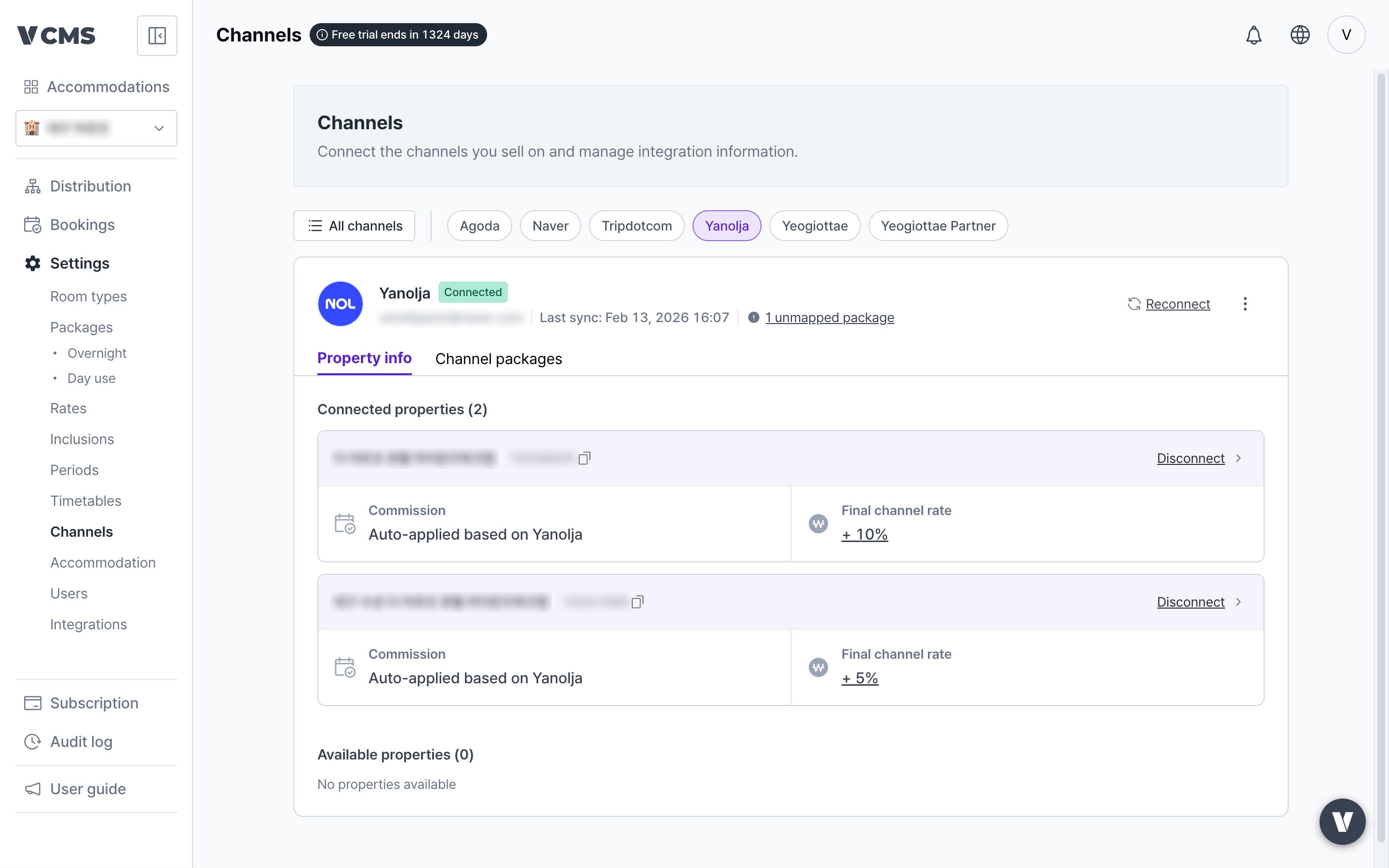
Property connection state
- Sets whether the channel property is connected.
- While it is not connected, bookings, inventory, and rates stop syncing for that property.
- Property ID: the property’s unique number, used internally by Vendit.
Channel commission
For sales channels that carry no sell rate and net rate of their own, set a commission and VCMS works out the booking’s sell rate and net rate.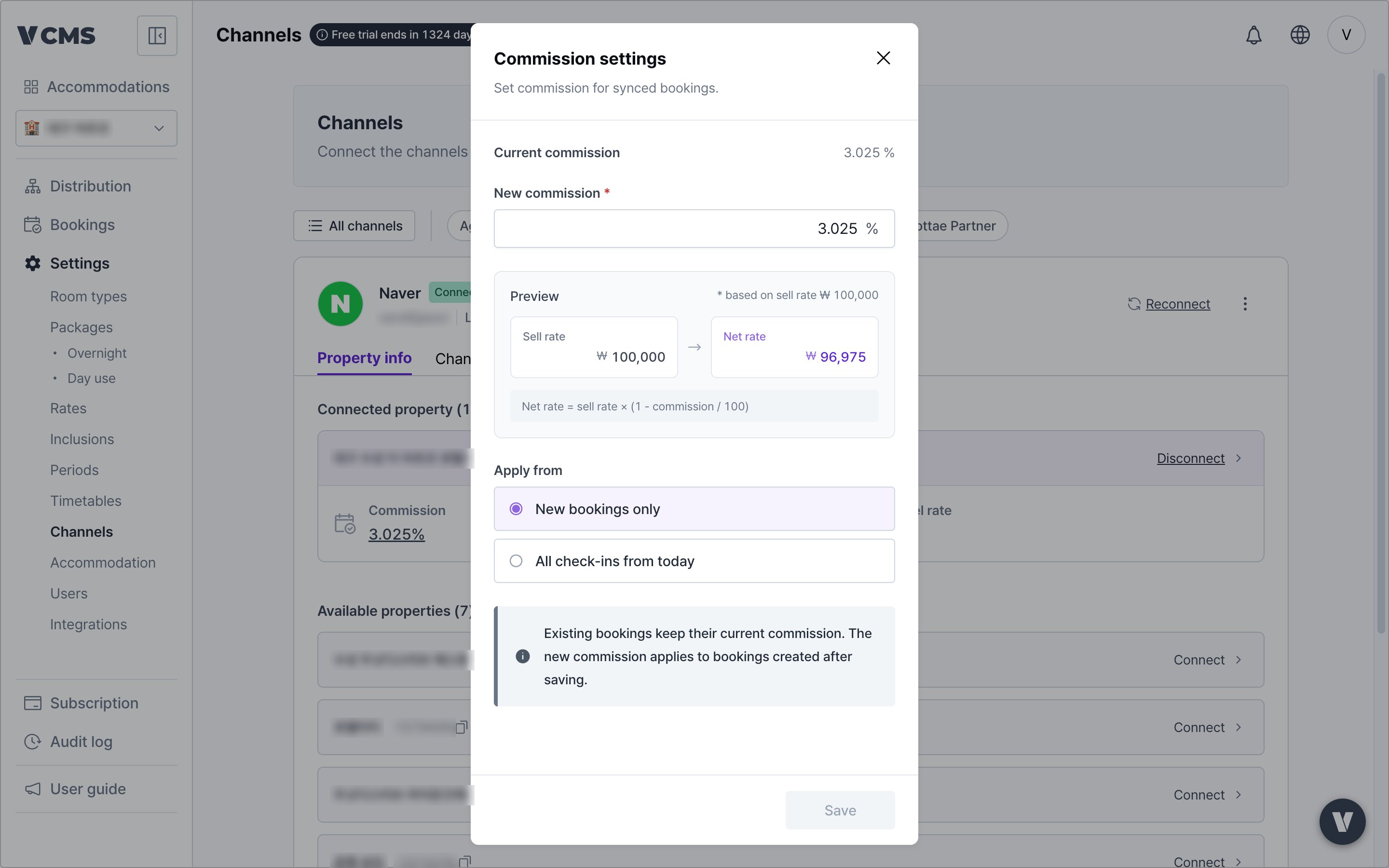
Commission applies either from the moment you set it, or against today’s check-in date. You choose.
Final channel rate
Adjusts the rate that leaves the Distribution screen for each channel.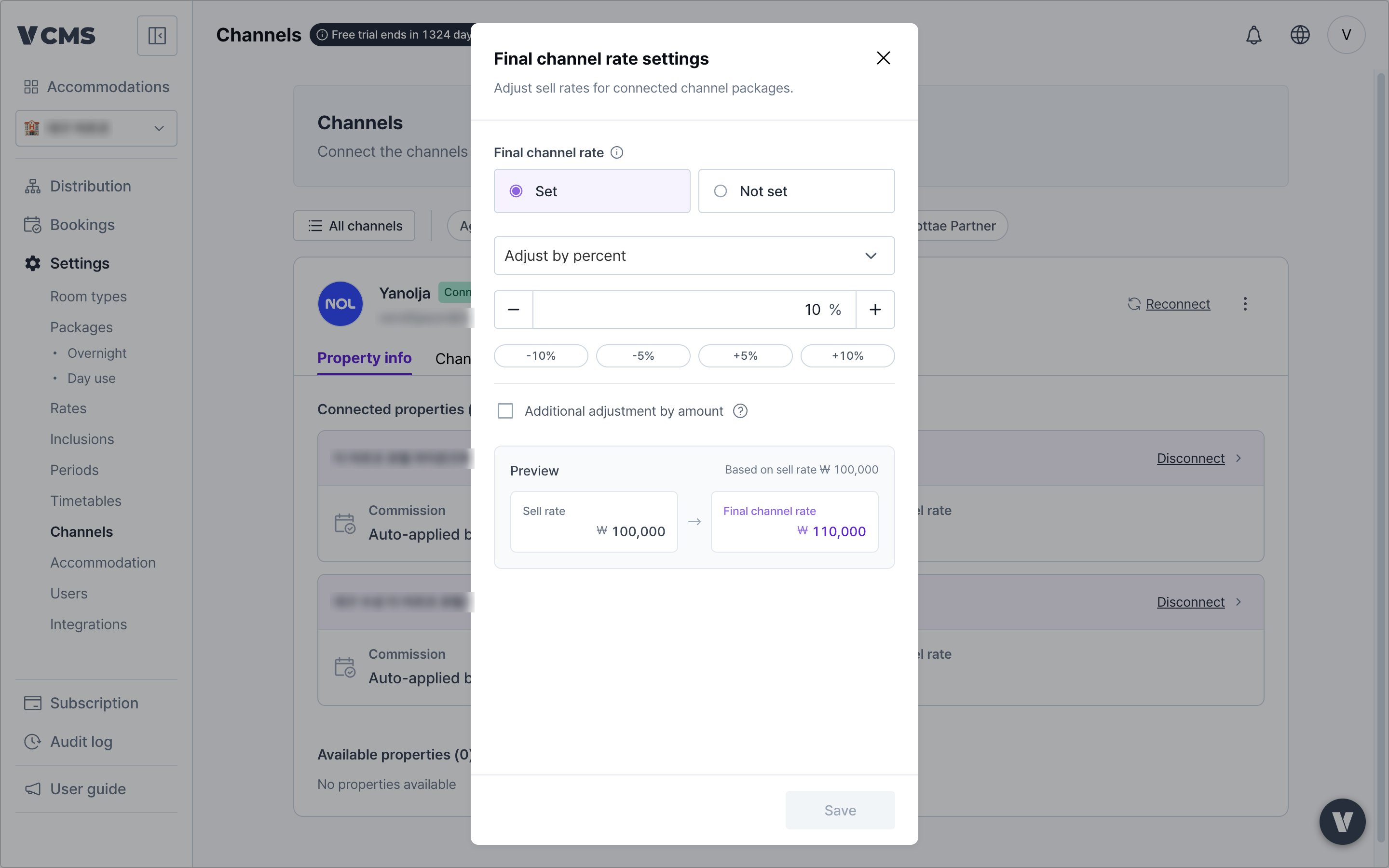
When is the final channel rate useful?When you want the offer to look equally attractive across channels. Say Agoda lets you run promotions freely while Yanolja and Yeogiottae make the promotion you want hard to set up. The final channel rate is how you land the same price on every sales channel.
Managing channel packages
Link a channel’s packages to VCMS, or unlink them.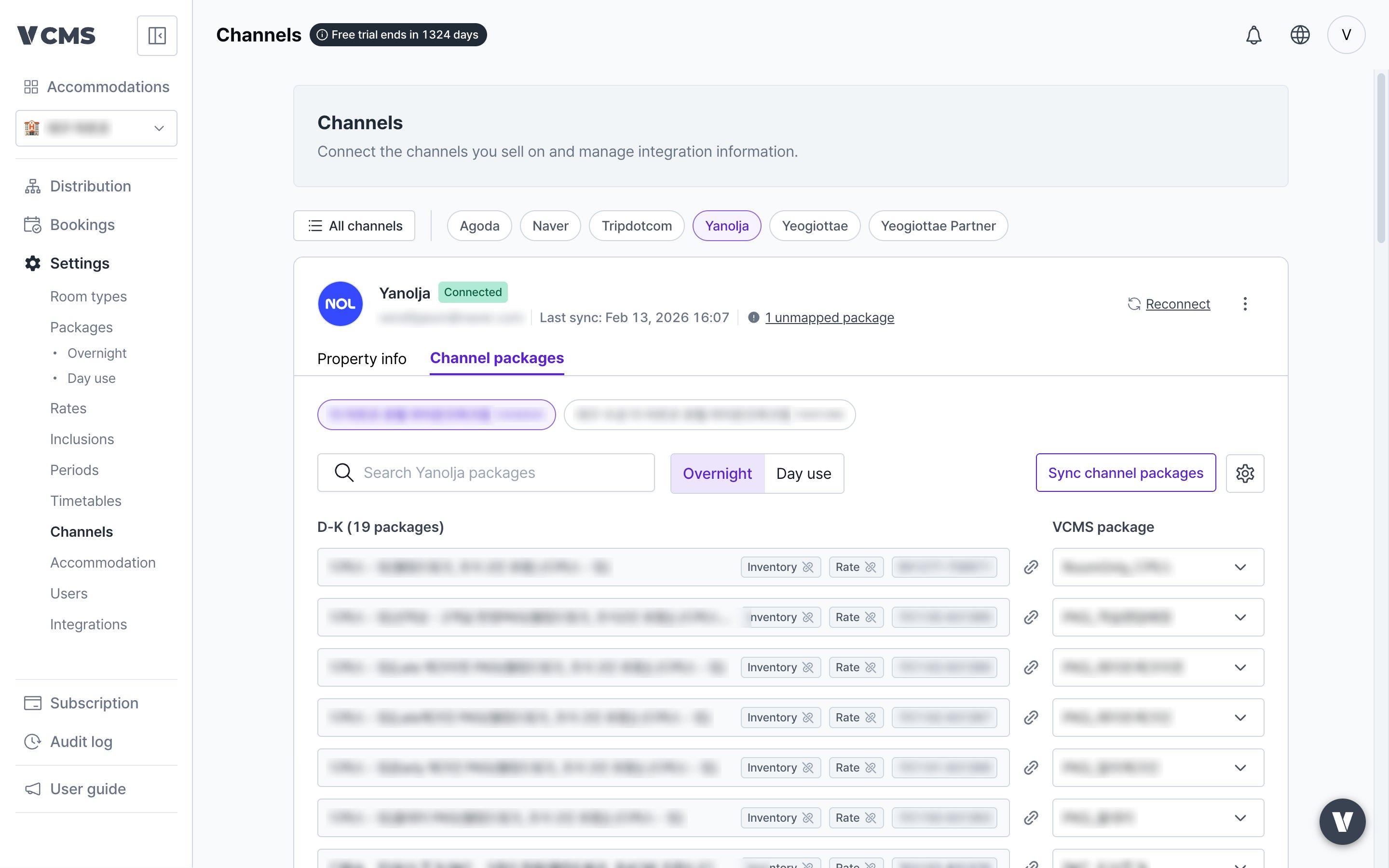
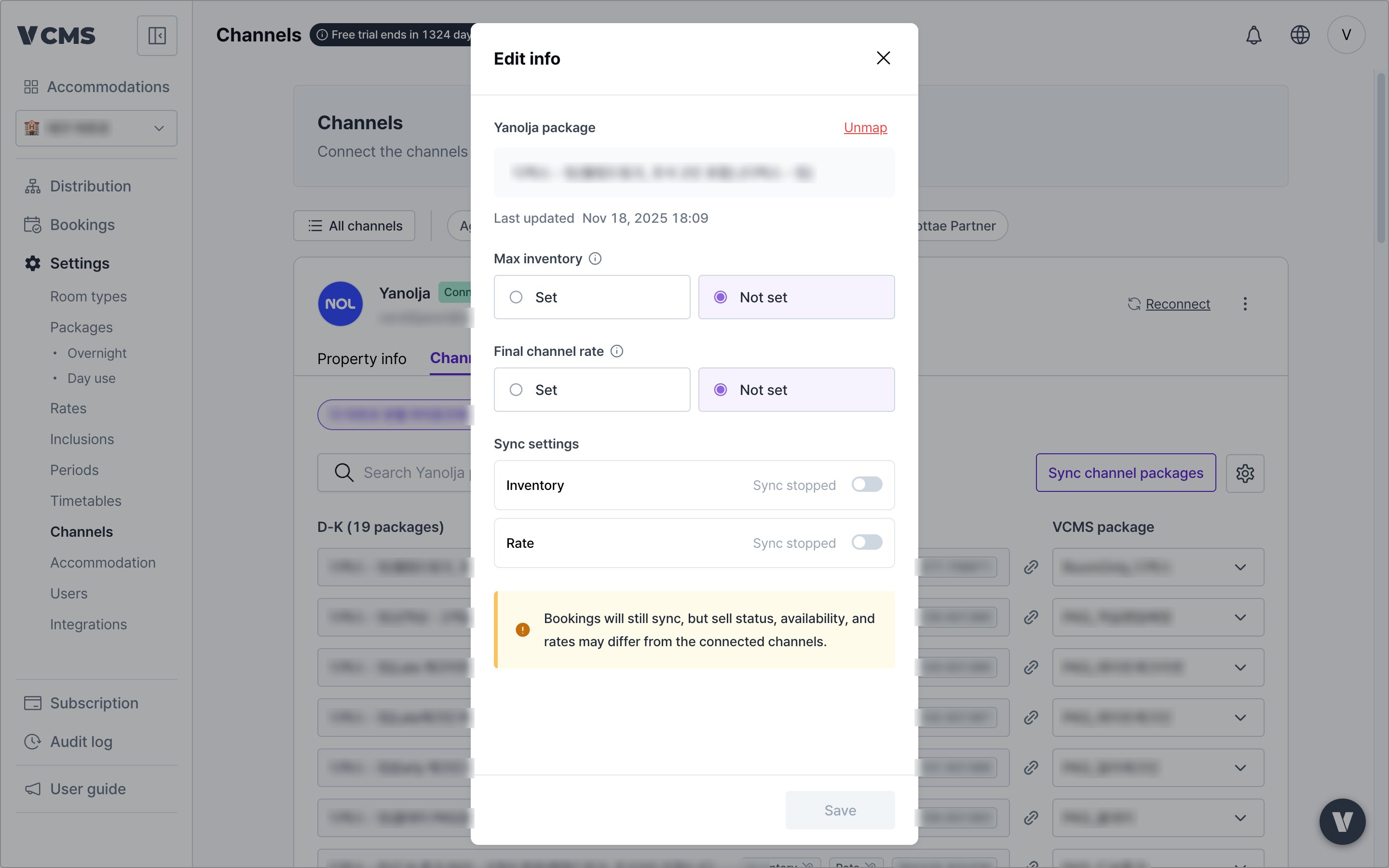
Channel package settings
- Max inventory: for a channel package with a fixed quantity, cap it individually.
- Final channel rate: adjusts the rate for one channel package only, on top of what Distribution applied.
- Sync settings: turn inventory and rate sync on or off for a single channel package.
- Inventory management: whether the channel package syncs inventory.
- Rate management: whether the channel package syncs rates.
- Unmap the channel package: its inventory and rates stop being adjusted, and it becomes a package that is not connected to VCMS.
Hiding channel packages you don’t sell
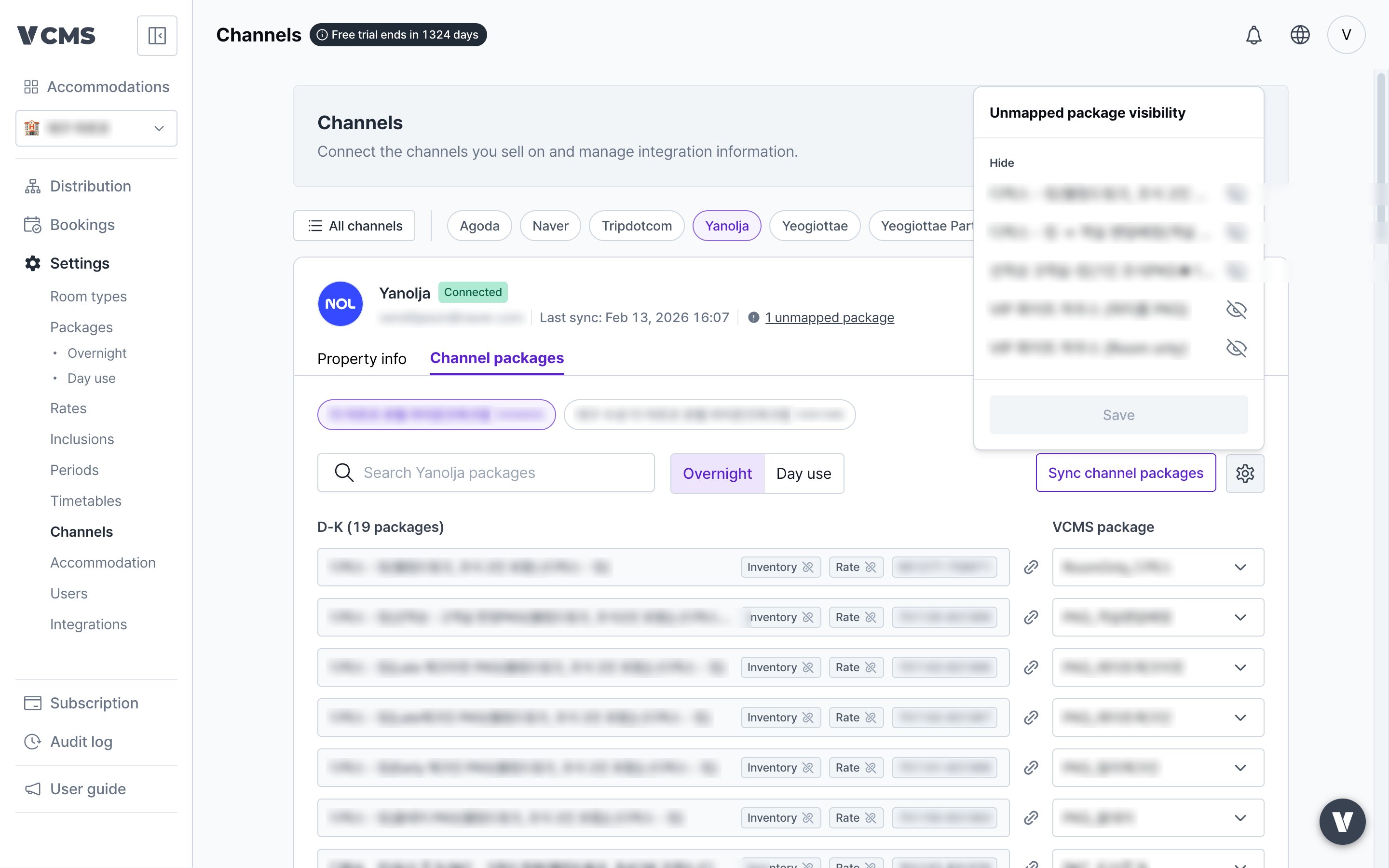
Channel packages you don’t sell can be hidden from the screen through the unconnected package display setting.
Disconnecting a channel
To disconnect a channel, contact the Vendit customer experience center at 1644-5442.