

Connecting VCMS and VCLOUD needs separate setup on the VCLOUD side.To set it up, contact Vendit customer support at 1644-5442.
Connecting VCLOUD
Integration admin manual
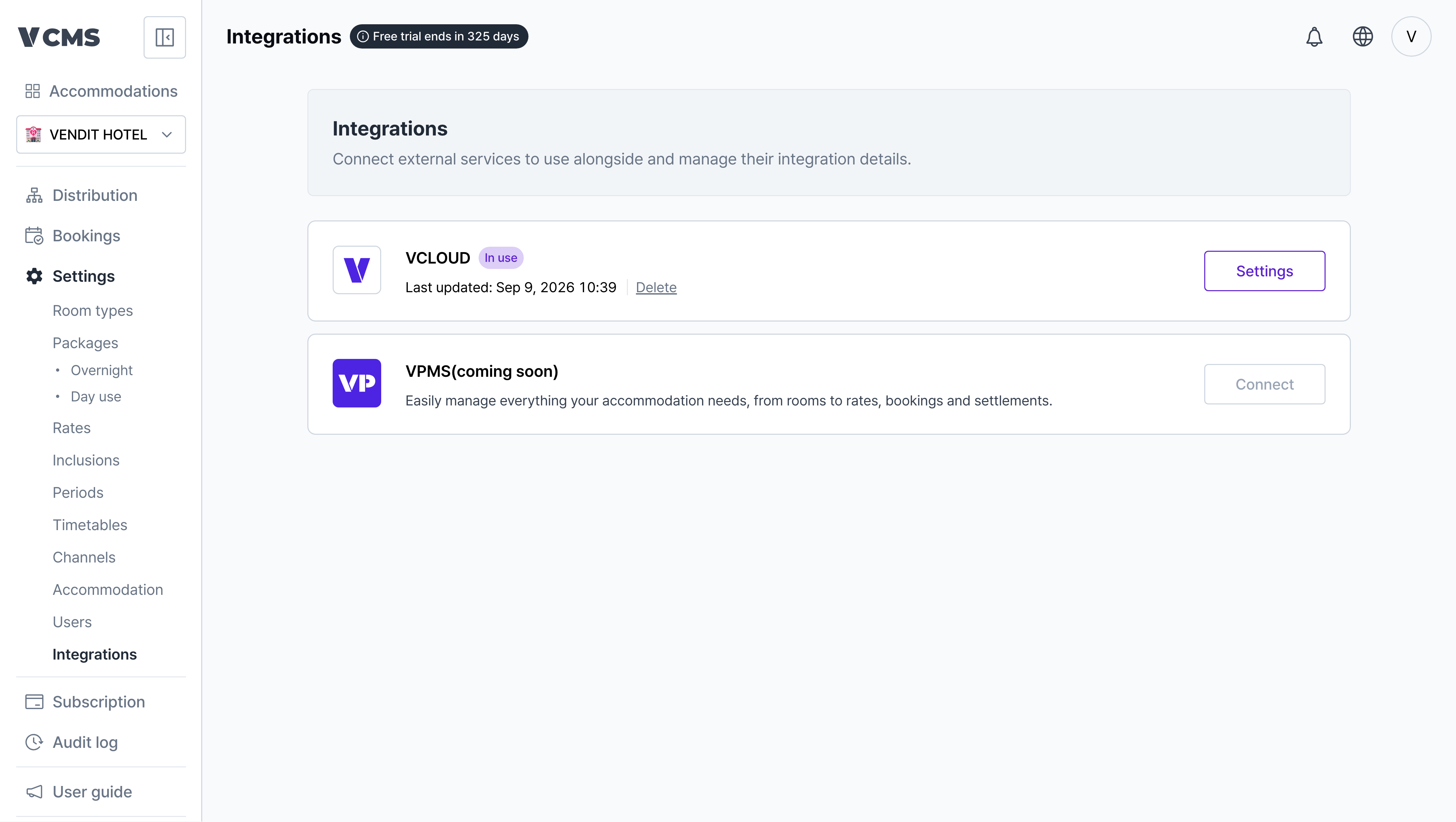
Go to Settings > Integrations.
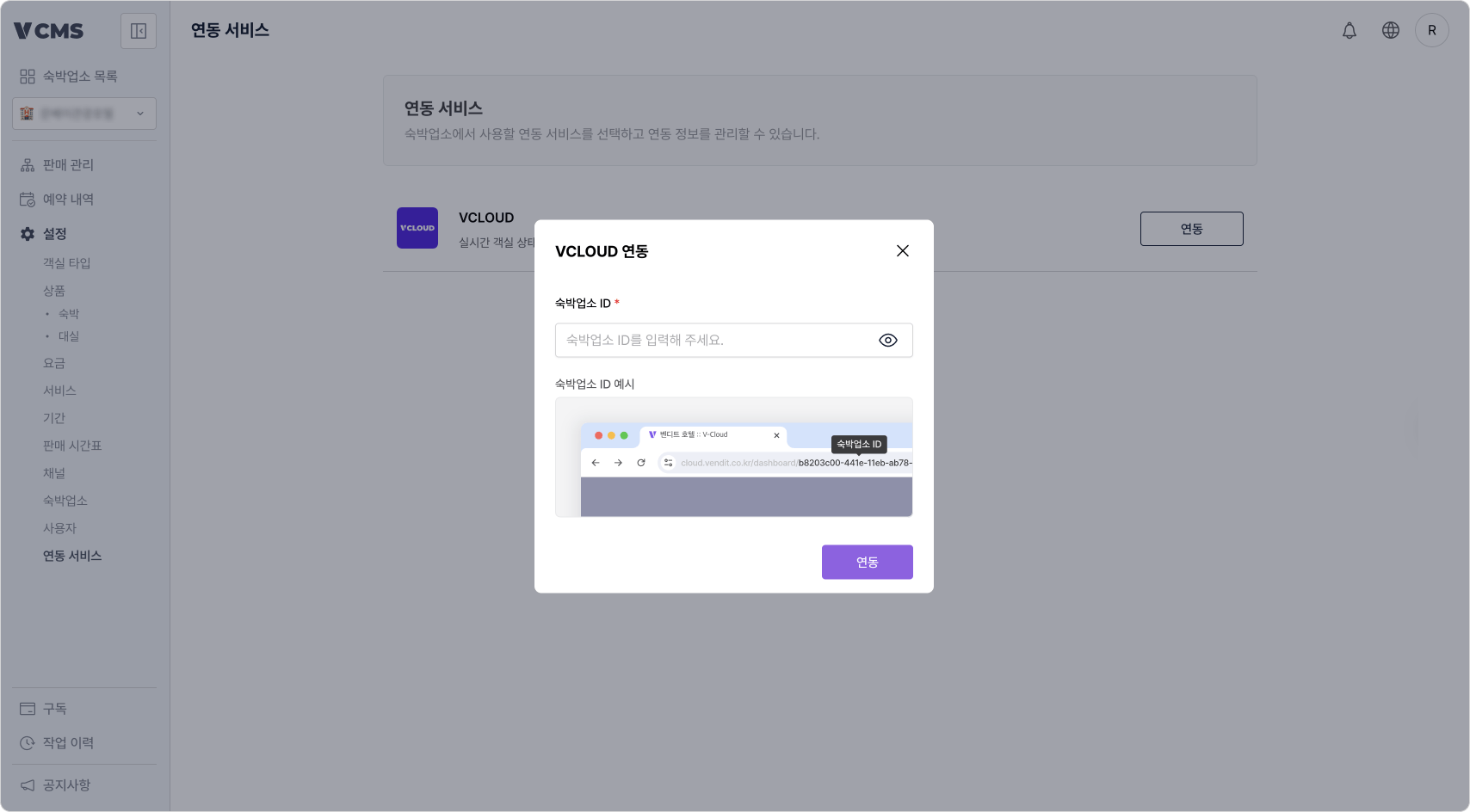
Enter the accommodation ID VCLOUD uses.
- The accommodation ID is in the VCLOUD URL.
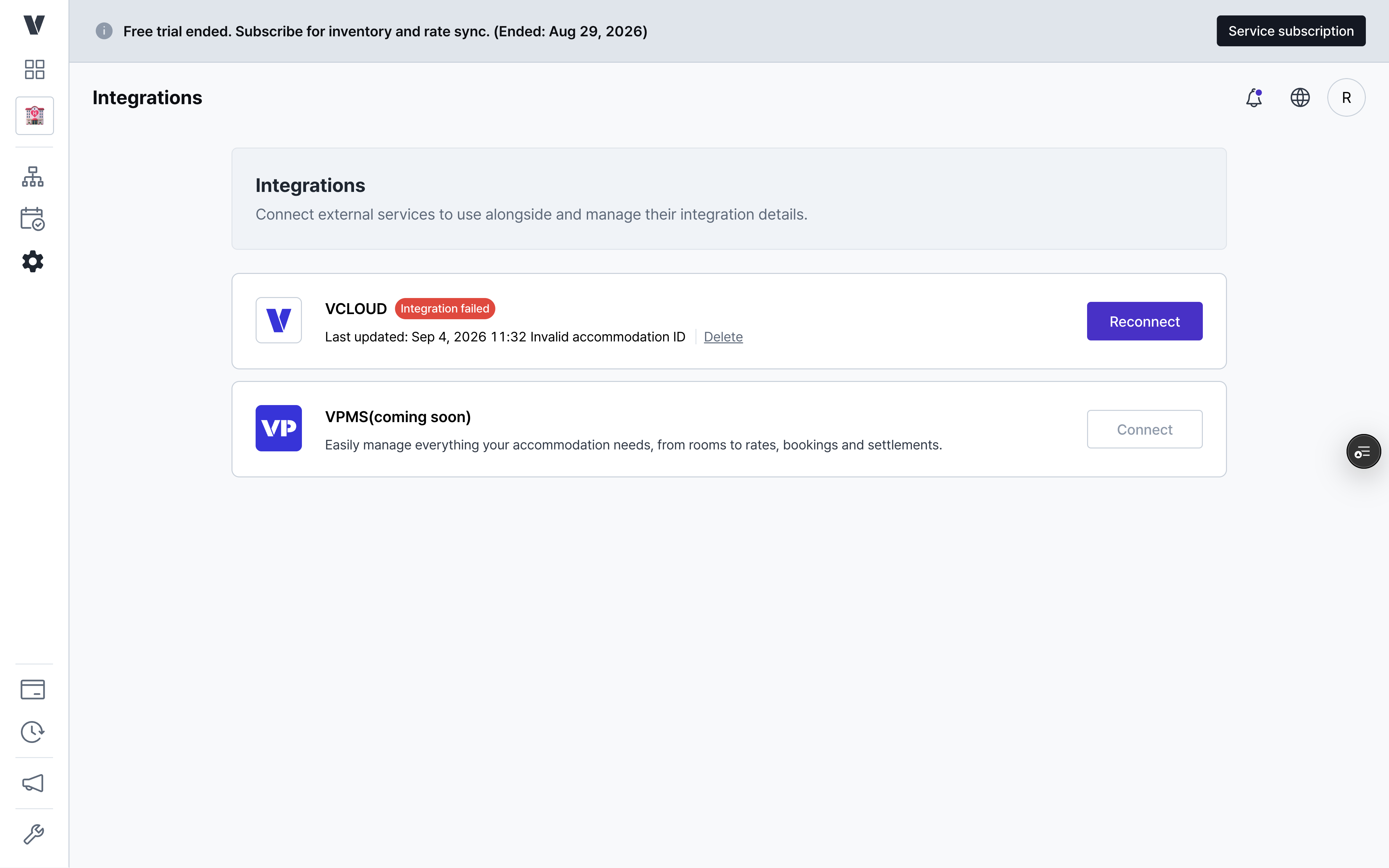
When the VCLOUD connection fails
Disconnecting VCLOUD
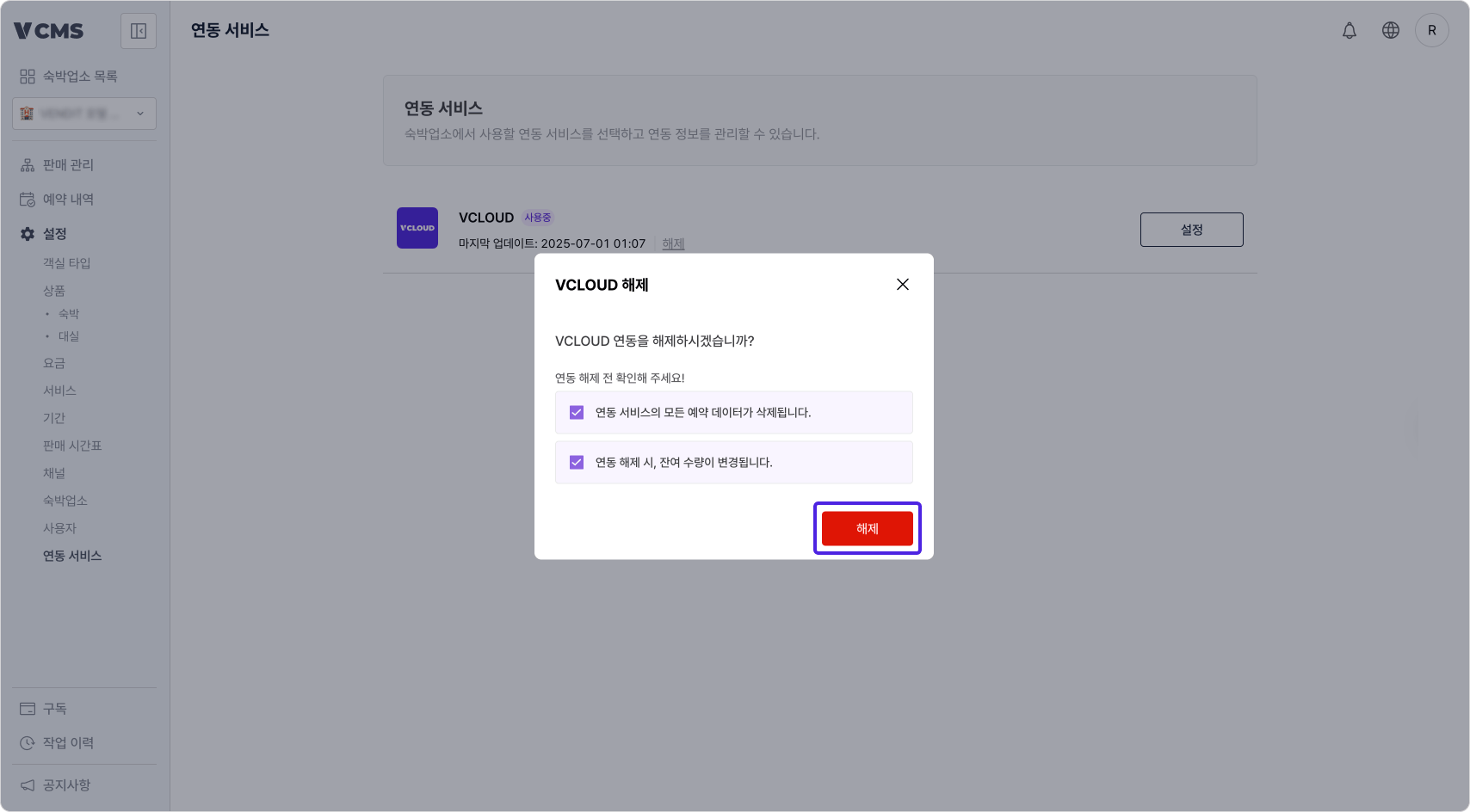
Every booking record from the integration is deleted and channel package availability changes.
- This cannot be undone. Be careful.