

User list
Check the role, phone number, email, and join date of everyone attached to the accommodation.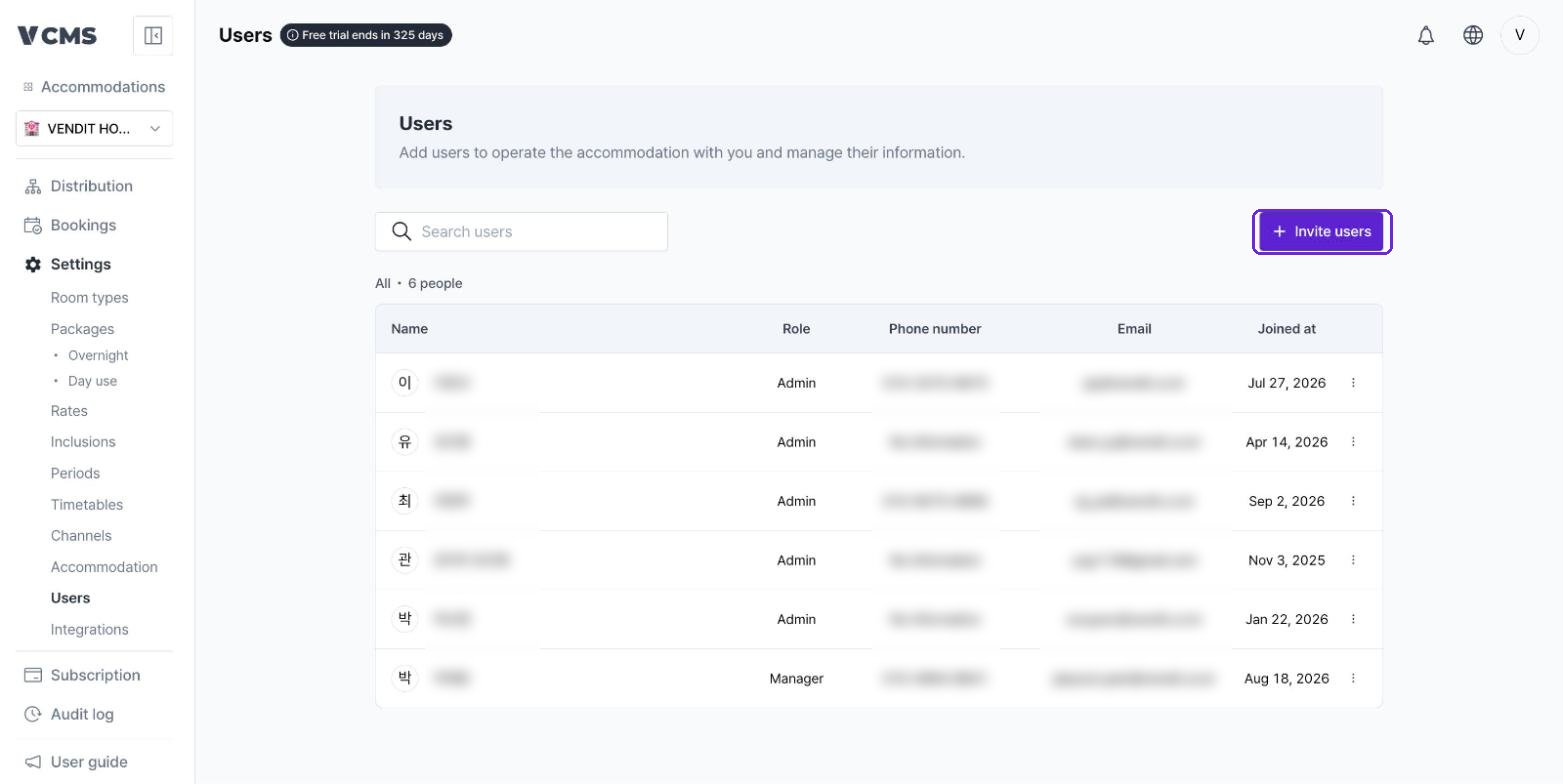
Inviting users
Adding people to invite
Use [Invite users] to bring in an Admin, Manager, or Staff member. Choose the invitation method, enter the person’s phone number or email, pick a role, then add them to the pending list.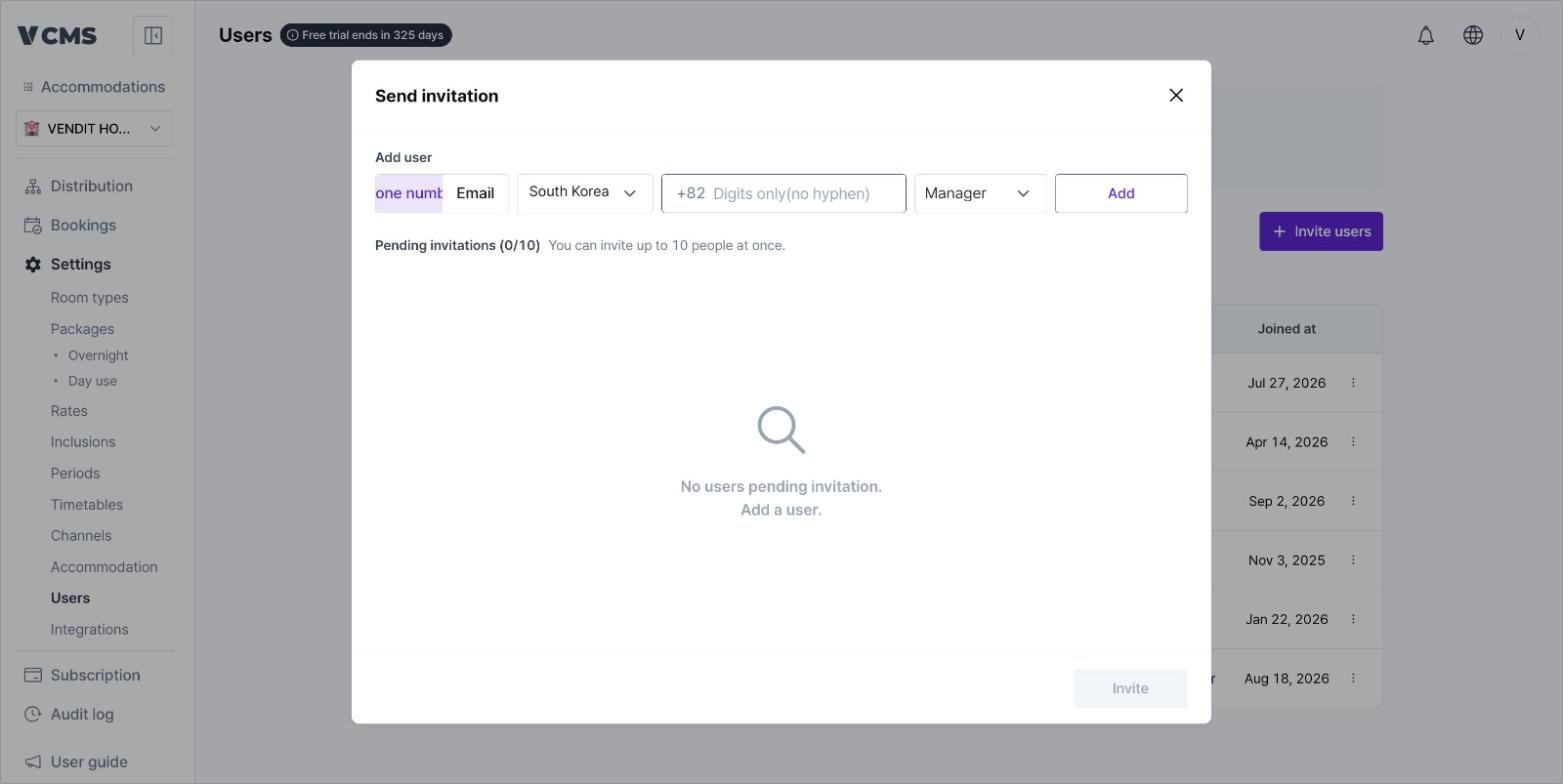
You can invite up to 10 people at a time.
Permissions and language
You can restrict a user to read-only access, and choose the language they see, at the point of invitation.Accepting an invitation
- Invite someone who already has a pending invitation and the SMS or email is simply sent again.
- The person accepts by opening the link in the invitation message or email.
- Once accepted, the accommodation appears in their list of accommodations.
- Cancel the request before it is accepted and that person gets no access.
Changing a user’s role
Select the option button on the right to edit a user’s details or remove them.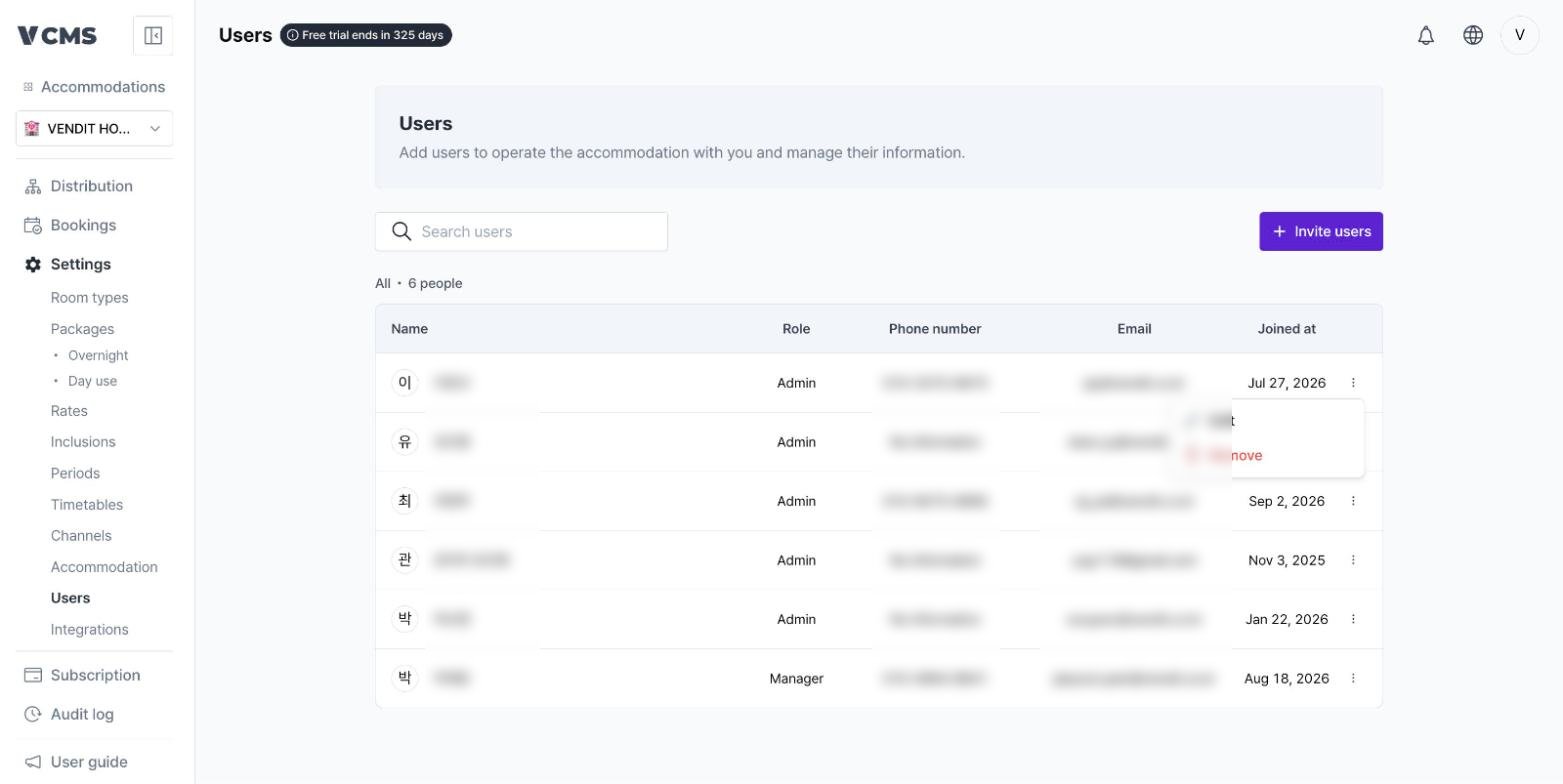
Setting the role
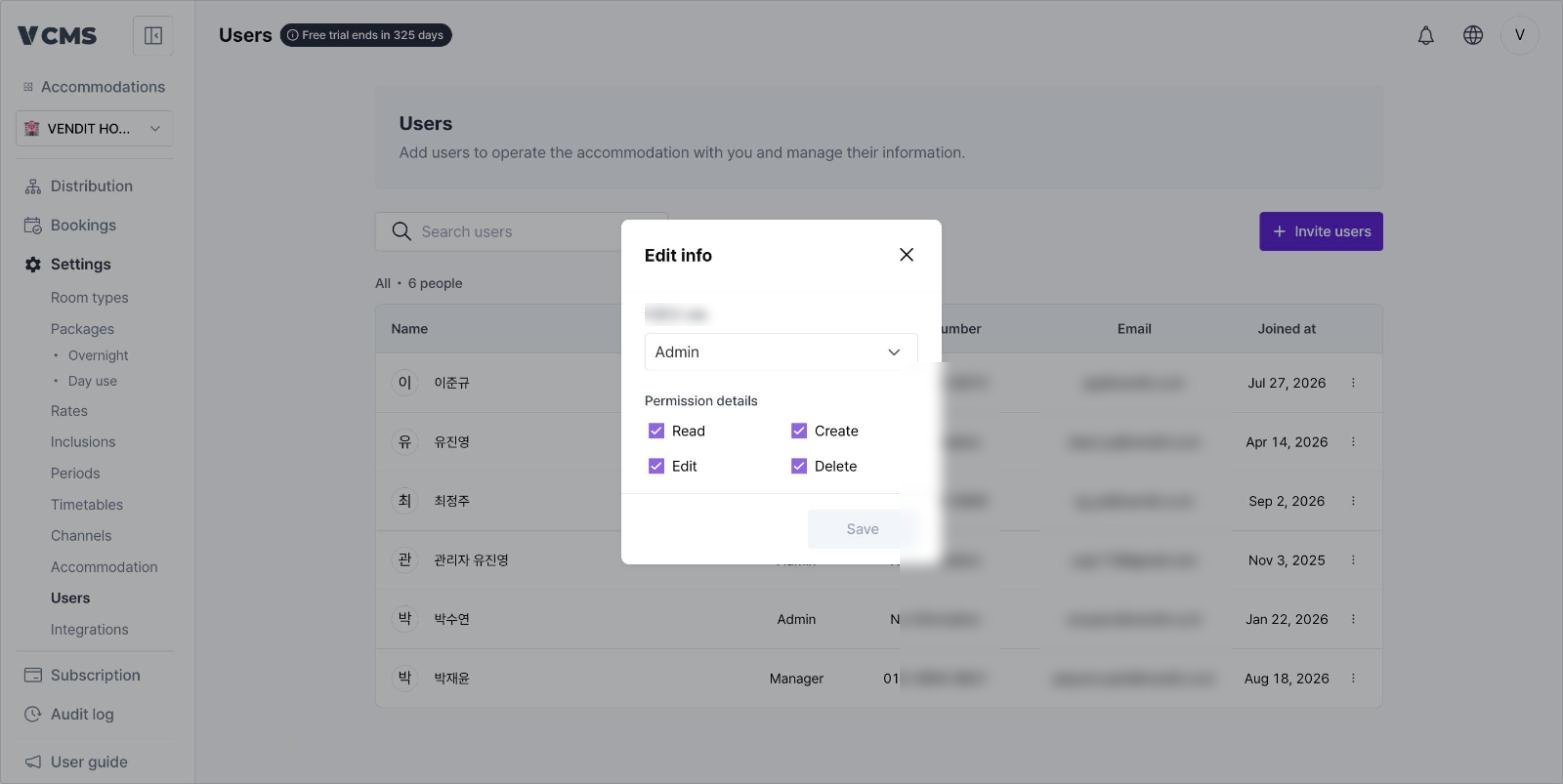
- Edit info lets you change the role: Admin, Manager, or Staff.
- Detailed permissions (Read, Create, Edit, Delete) can be set individually.
- Clear every detailed permission and the user can do nothing but sign in to VCMS.
Removing a user
Remove
- You can remove users whose role is the same as yours or lower.
- A removed user has no access to the accommodation until you invite them again.