

Highlights
”Copy a rate adjustment across dates with one drag."
"Distribution is much faster and smoother.”
New
Drag to copy rate adjustments in Distribution
For properties that often adjust rates across many dates, such as peak season and weekends
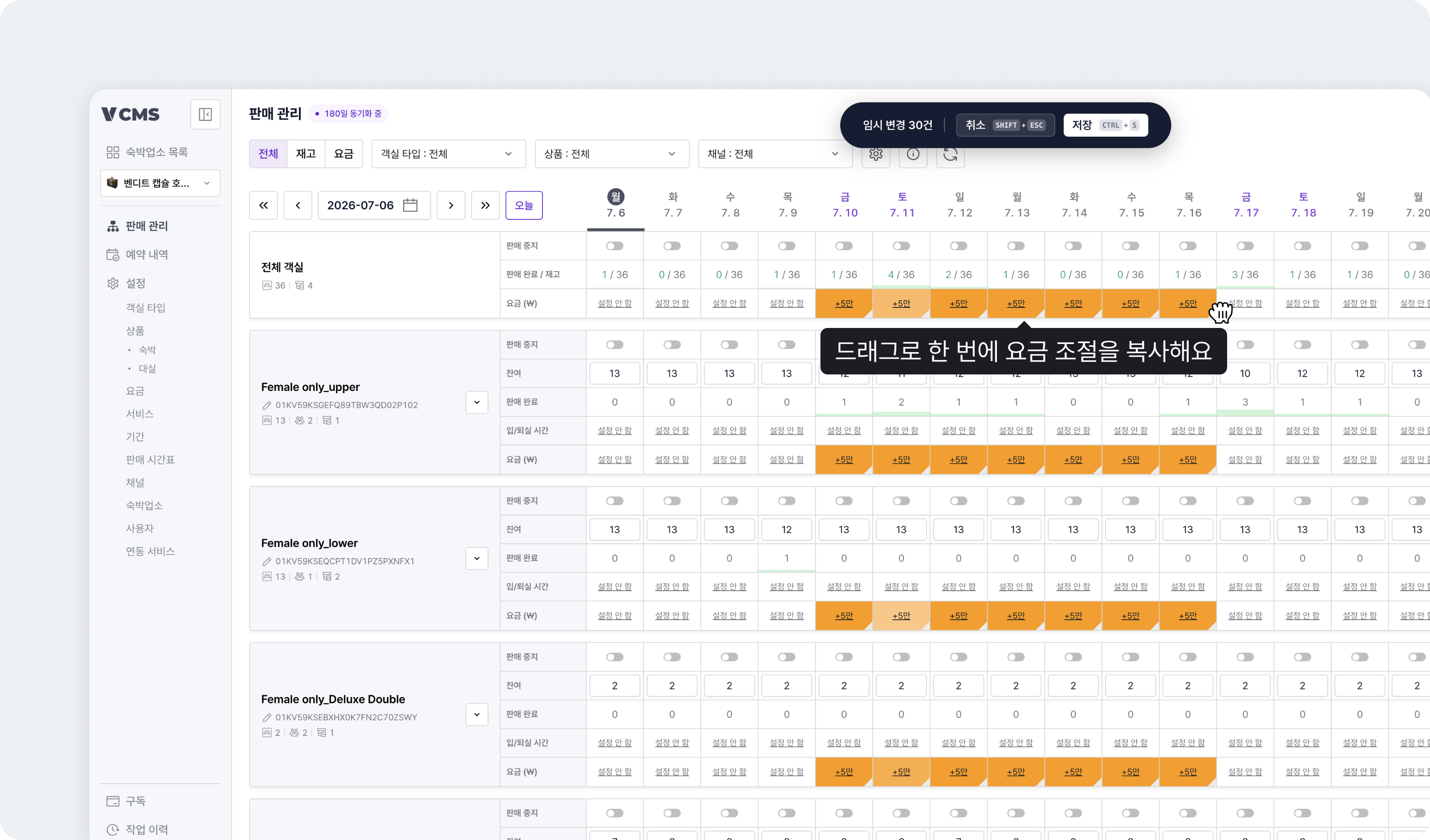
- Rate adjustment copying also works at the ‘All rooms’ and ‘Room type’ levels. Copy at the higher level and it reaches the packages below.
Show only Friday and Saturday (weekends) in View settings and one drag changes just the weekend dates on screen. It makes peak-season weekend rates quick to set.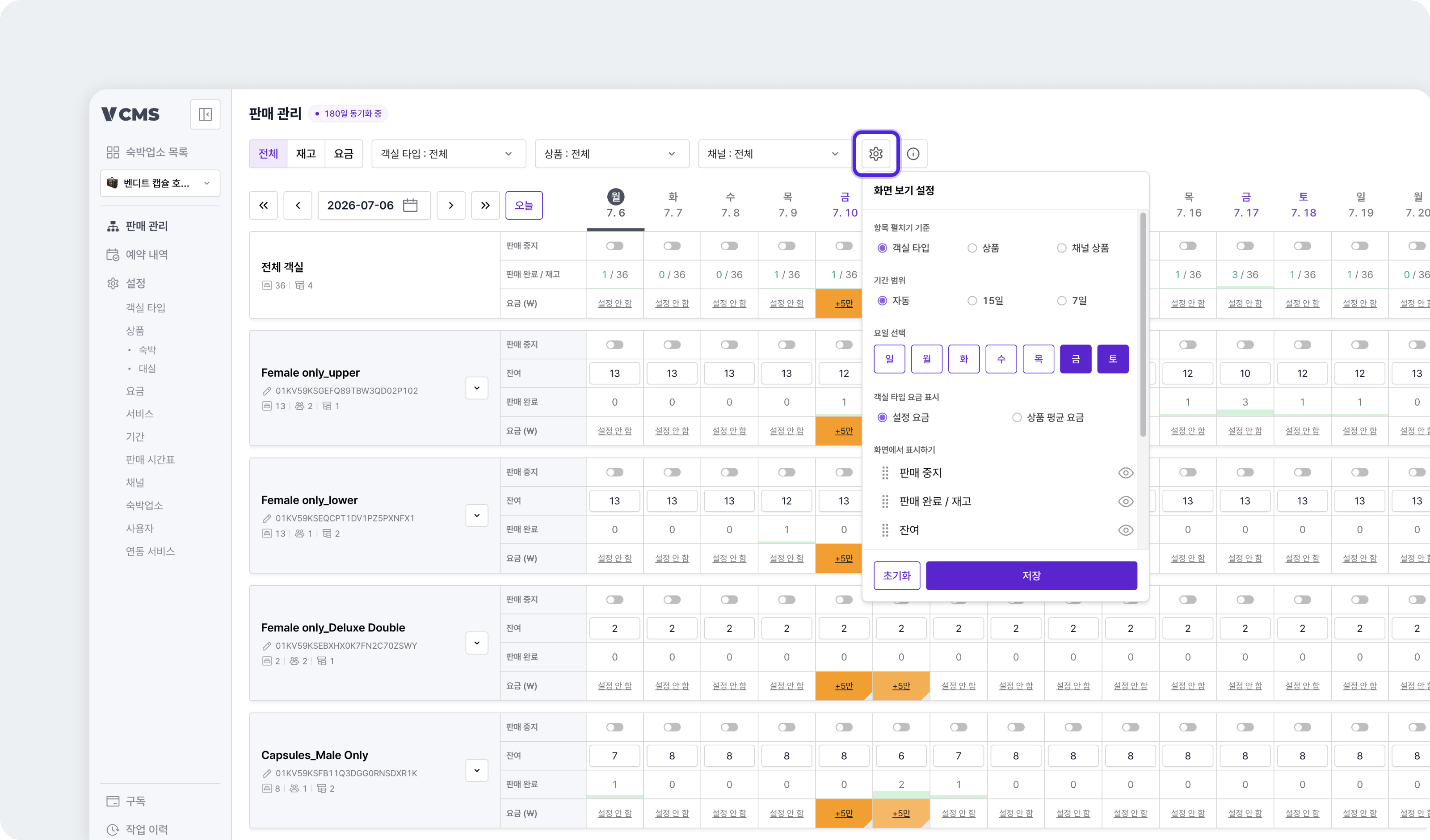
Improvements
Distribution is faster and smoother
At accommodations with a great many packages and channel packages, moving between dates and expanding to the channel package level is much faster. Changing cell states, such as drag-copying a Stop sell across All rooms, is smoother too. More detail- Only what is on screen is loaded, so speed holds up however many packages and channel packages you have.
- Cell states such as rate adjustment and sell status are managed separately, so the screen stays stable when many cells change at once.