Highlights
”The Rate list is easier to scan at a glance."
"See holidays in other countries in Distribution.”

New features

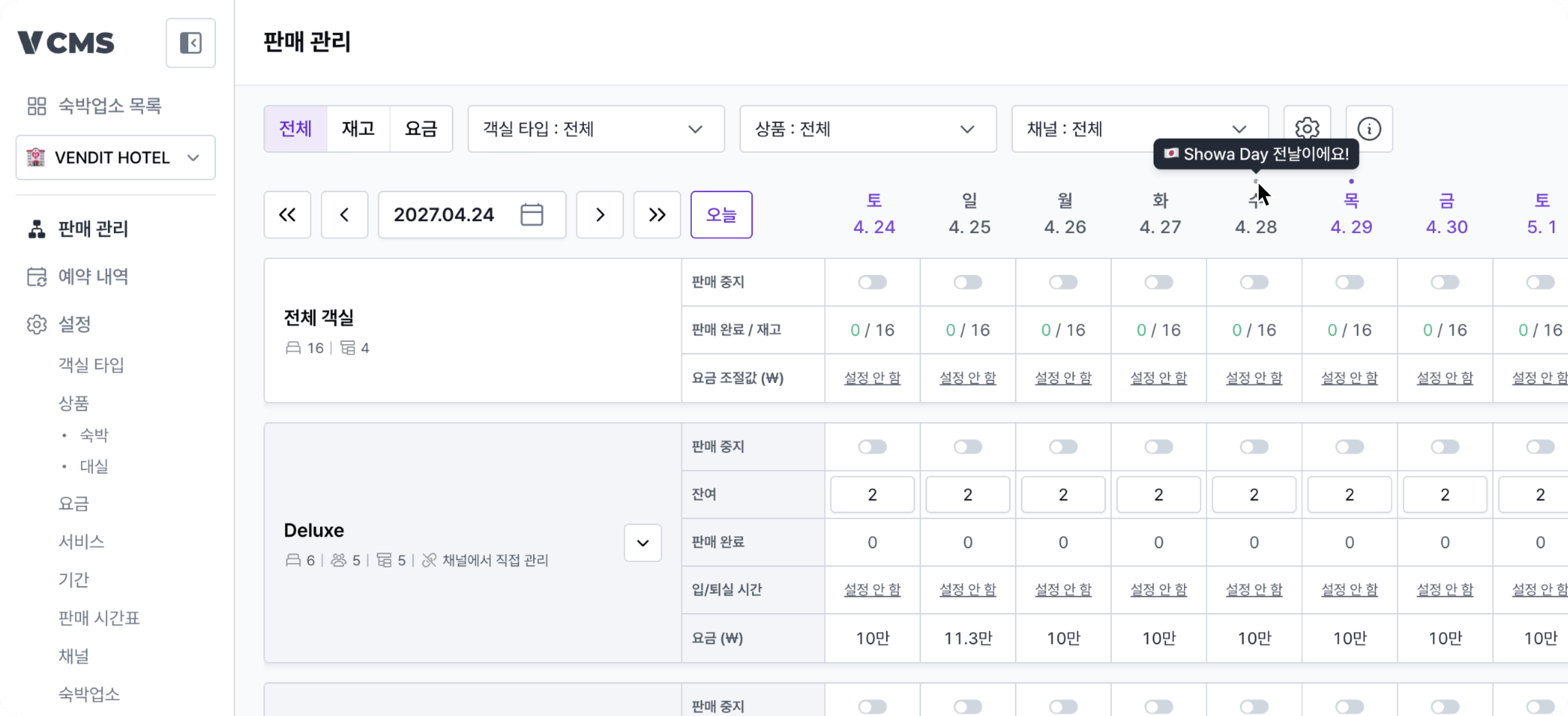
See holidays in other countries in Distribution

For properties that take bookings from overseas guests
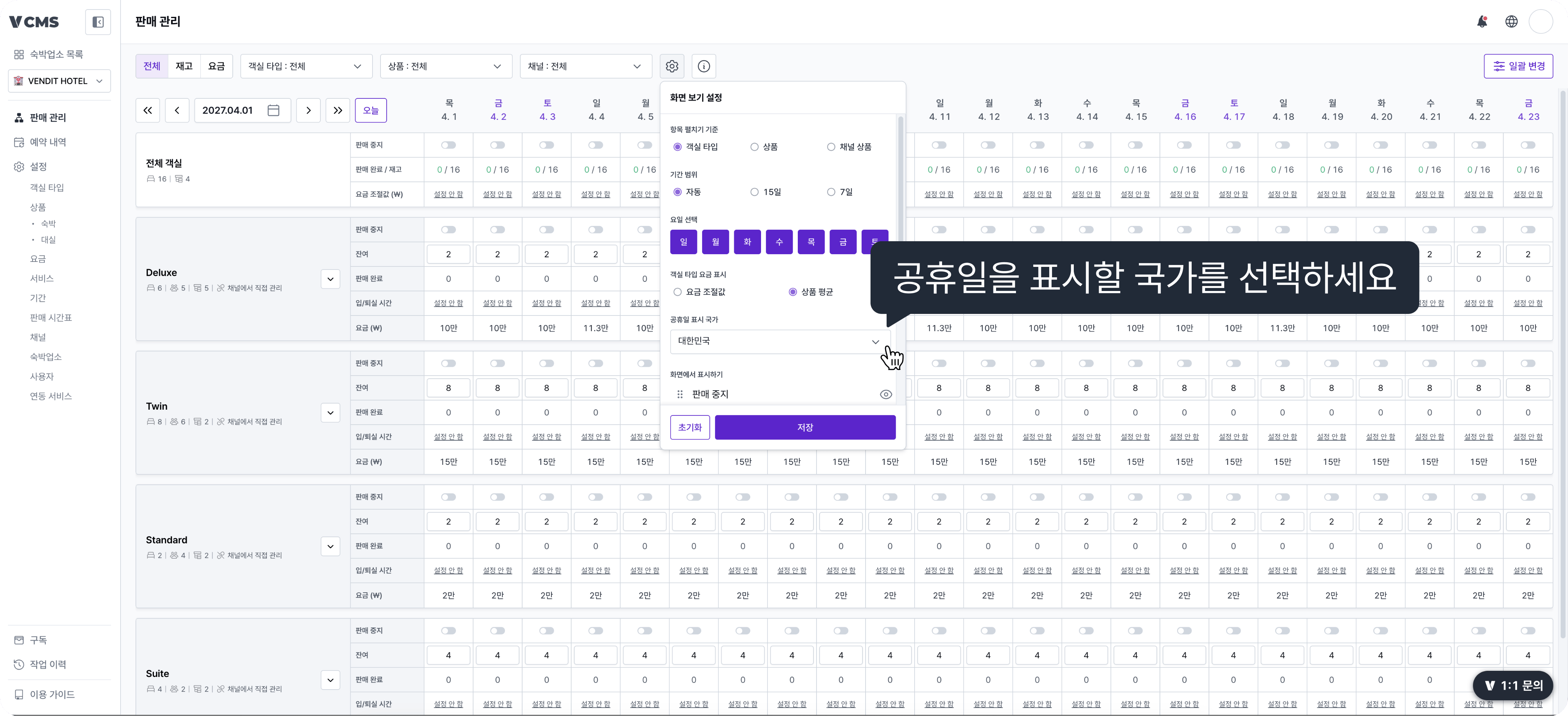
Holiday option
Holiday tooltip
Select the countries you want to see in View settings, and their holidays appear on the Distribution calendar too. Check the holidays in your main guest countries ahead of time and prepare your Inventory and Rates.

Improvements

The Rate list is easier to scan at a glance

For properties that create and manage many Rates
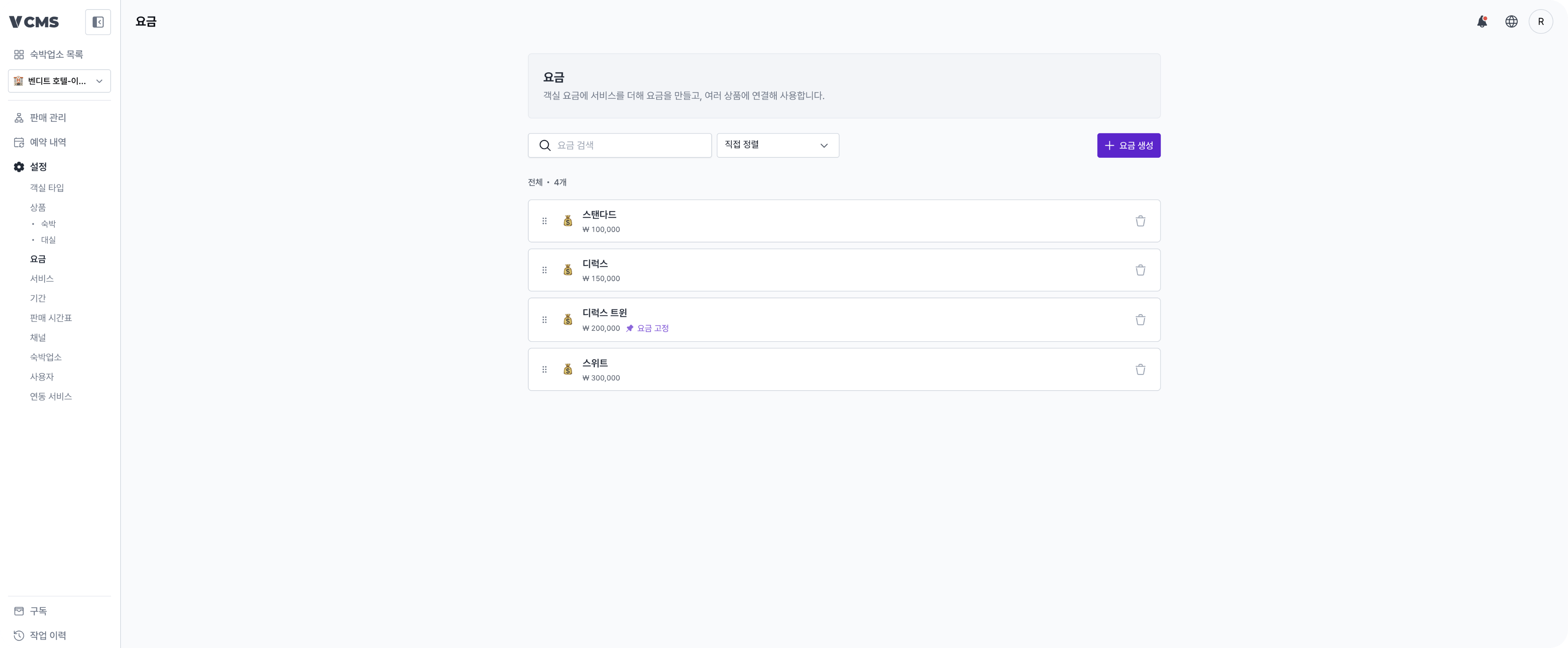
Rate list
The Settings > Rates screen now has the same layout as other settings pages, such as Periods and Packages. Each Rate used to open as a large card. Now each row shows the Rate name and the total Amount, and a badge shows the number of Inclusions. Even with many Rates, you can scan the list quickly.

Know right away when the screen is updated
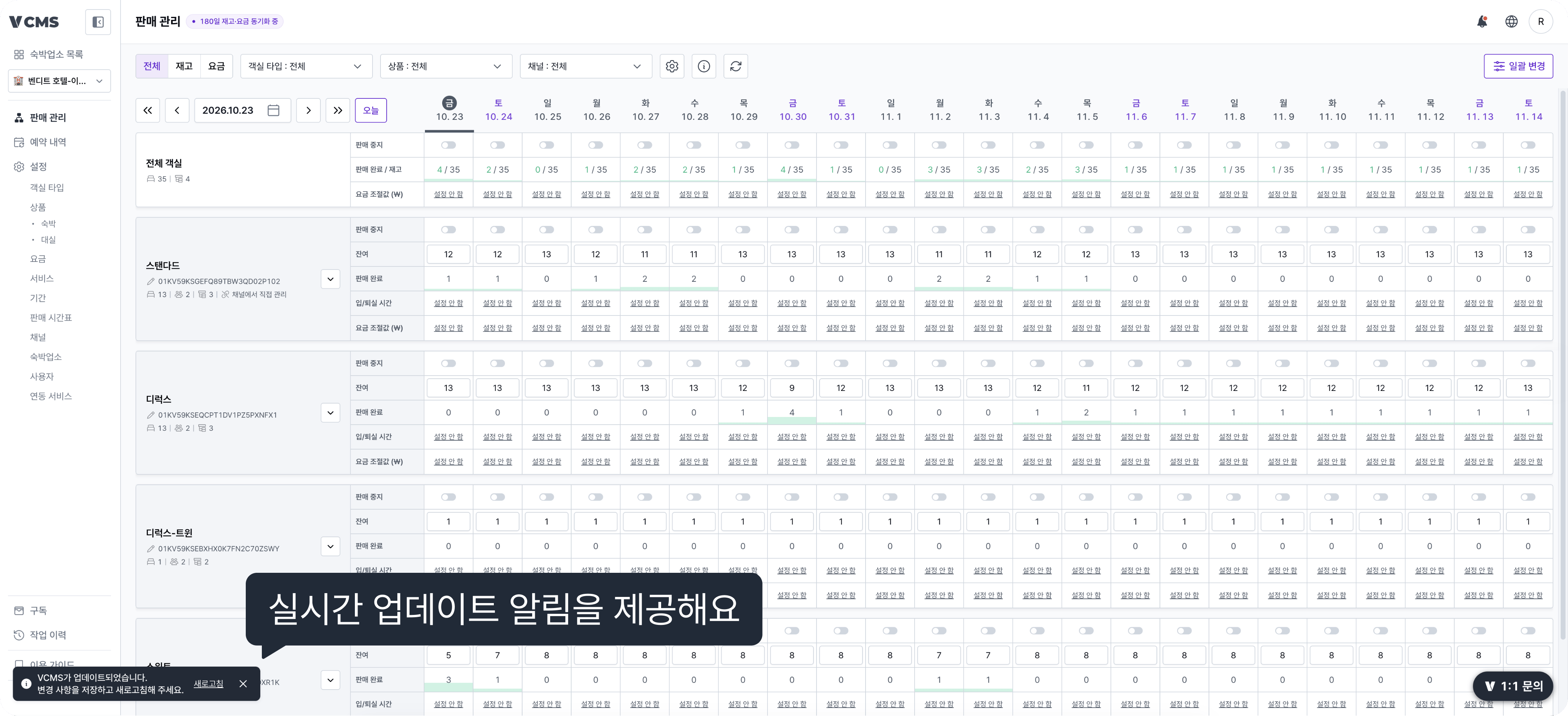
Update notification
When VCMS is updated, a message appears at the bottom left of the screen. Save the changes you are working on, then click ‘Refresh’ to keep working on the latest screen.