

Highlights
”See rates adjusted by the rate range right on the rate adjustment screen.”
Improvements
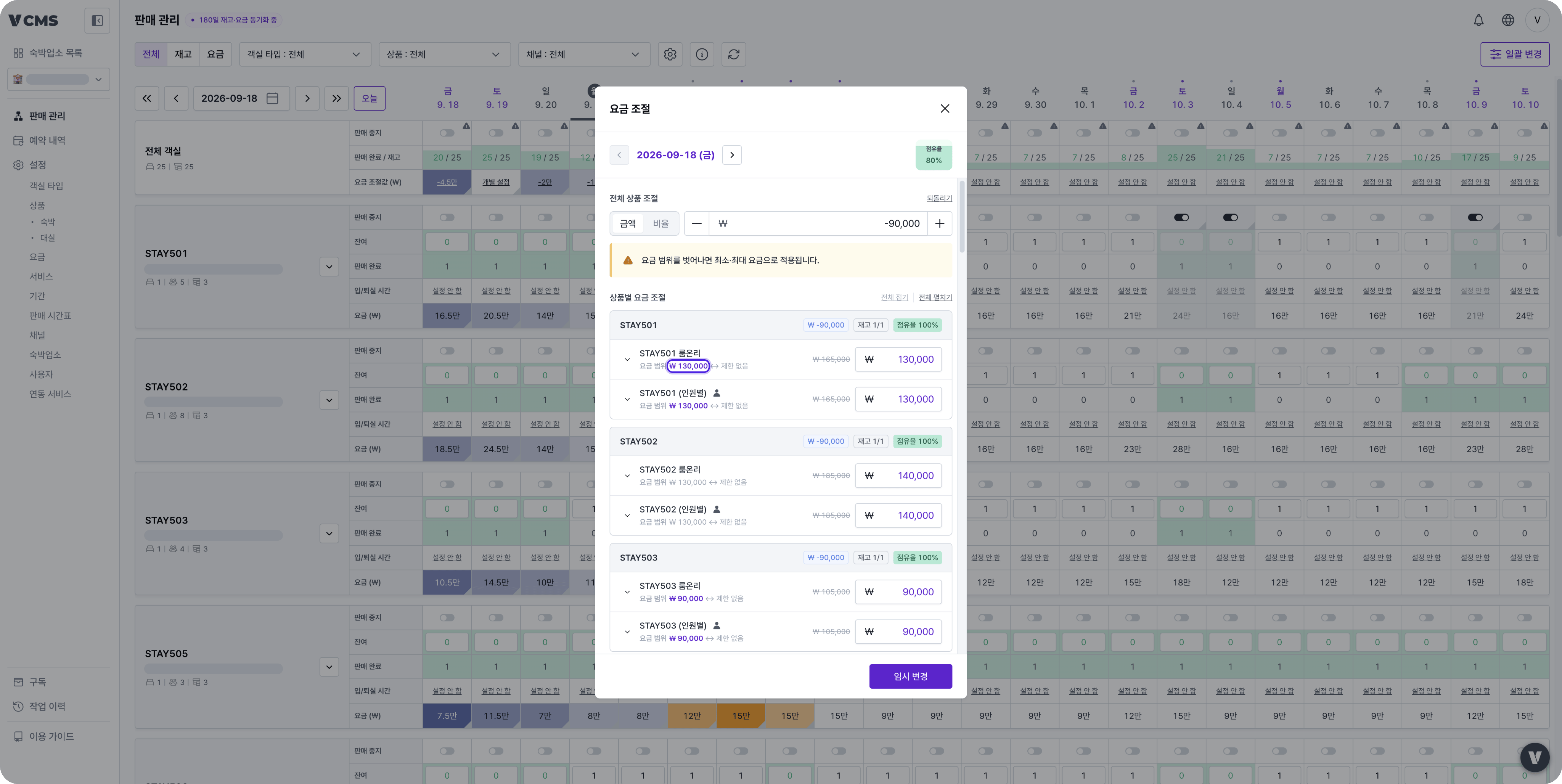
See rates adjusted by the rate range right away
For properties that set a minimum and maximum rate range on their packagesOn the Distribution rate adjustment screen, you can now see right on the screen when an amount is adjusted because of the rate range. If the adjustment you enter takes a rate outside the package’s rate range, the minimum or maximum rate applies instead.
- The notice “If a rate falls outside the rate range, the minimum or maximum rate is applied.” appears.
- Minimum and maximum amounts set by the rate range are highlighted, so you can tell at a glance which items were adjusted.
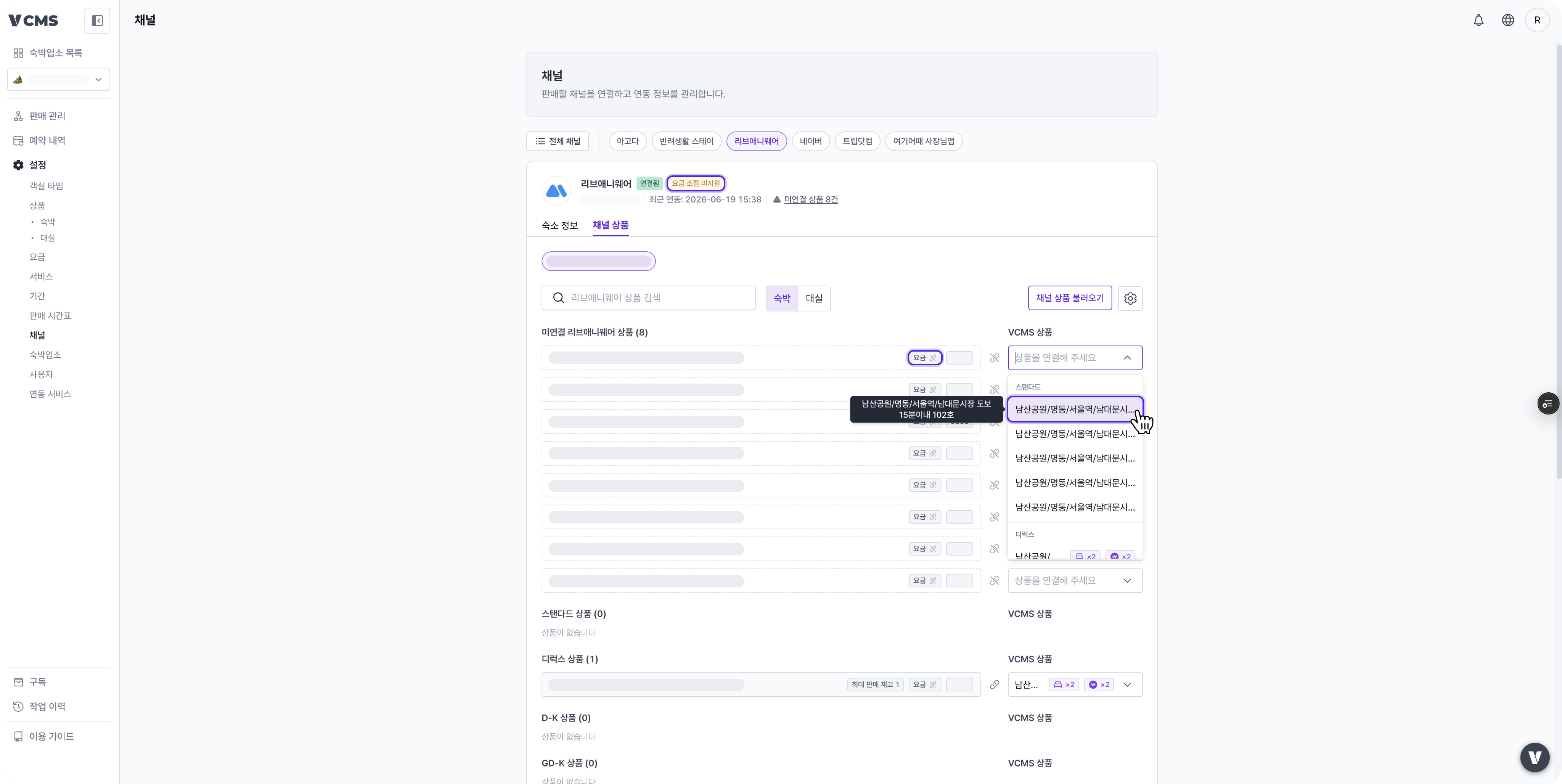
See the sync status of unmapped channel packages
For properties that map and manage channel packagesIn Channels > Channel packages, Inventory and Rate sync badges now appear on unmapped packages too. In the package selection menu, a tooltip shows the details.
Filter the audit log by tag, role and policy
The category filter in the audit log now includes Tag, Role and Policy. Narrow the log down by the criteria you want.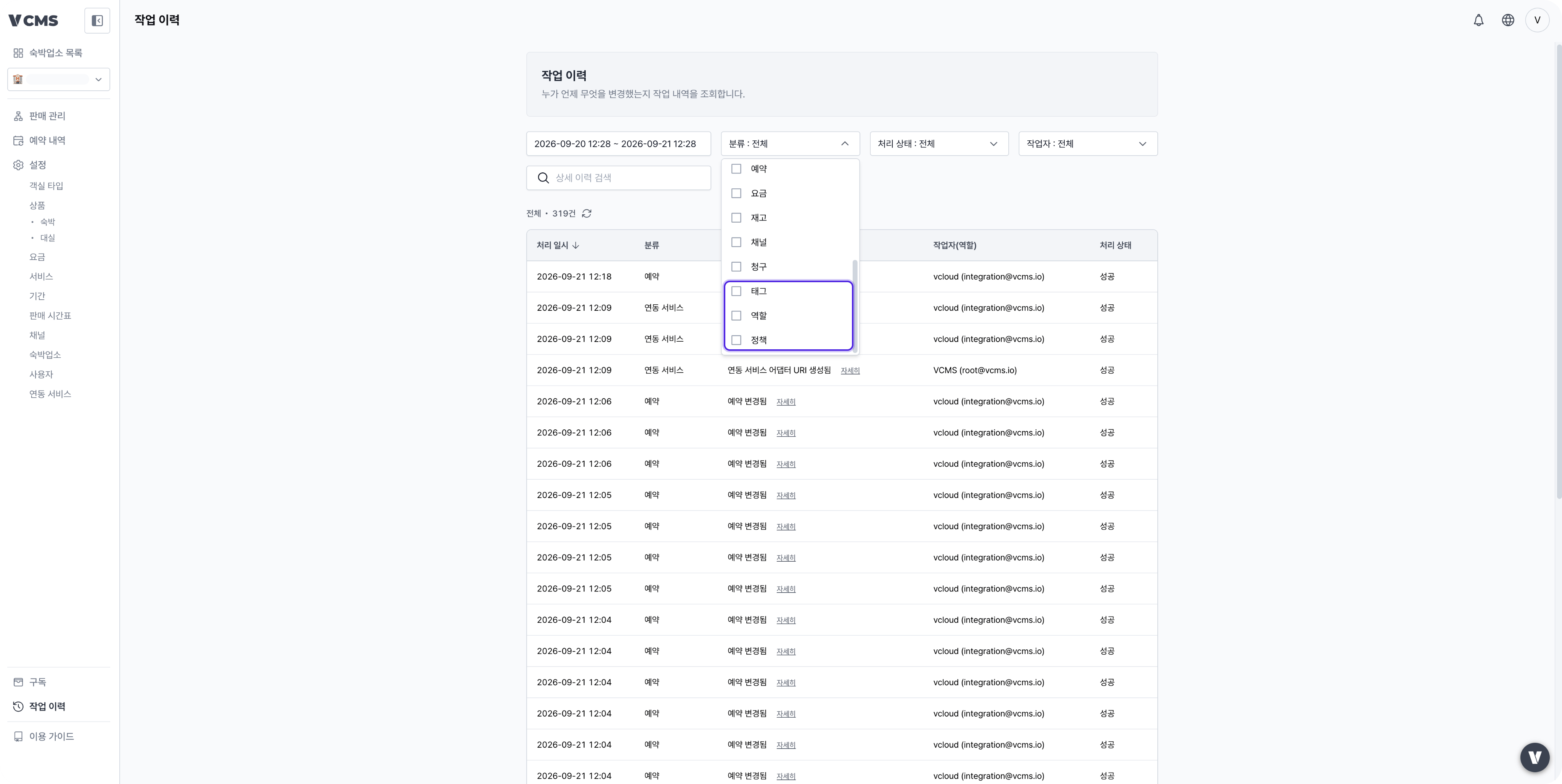
New icons
All icons across VCMS have been replaced with a new set that is easier to see and more consistent.
Bug fixes
- Fixed the show/hide icon in password fields showing the opposite state.