

1
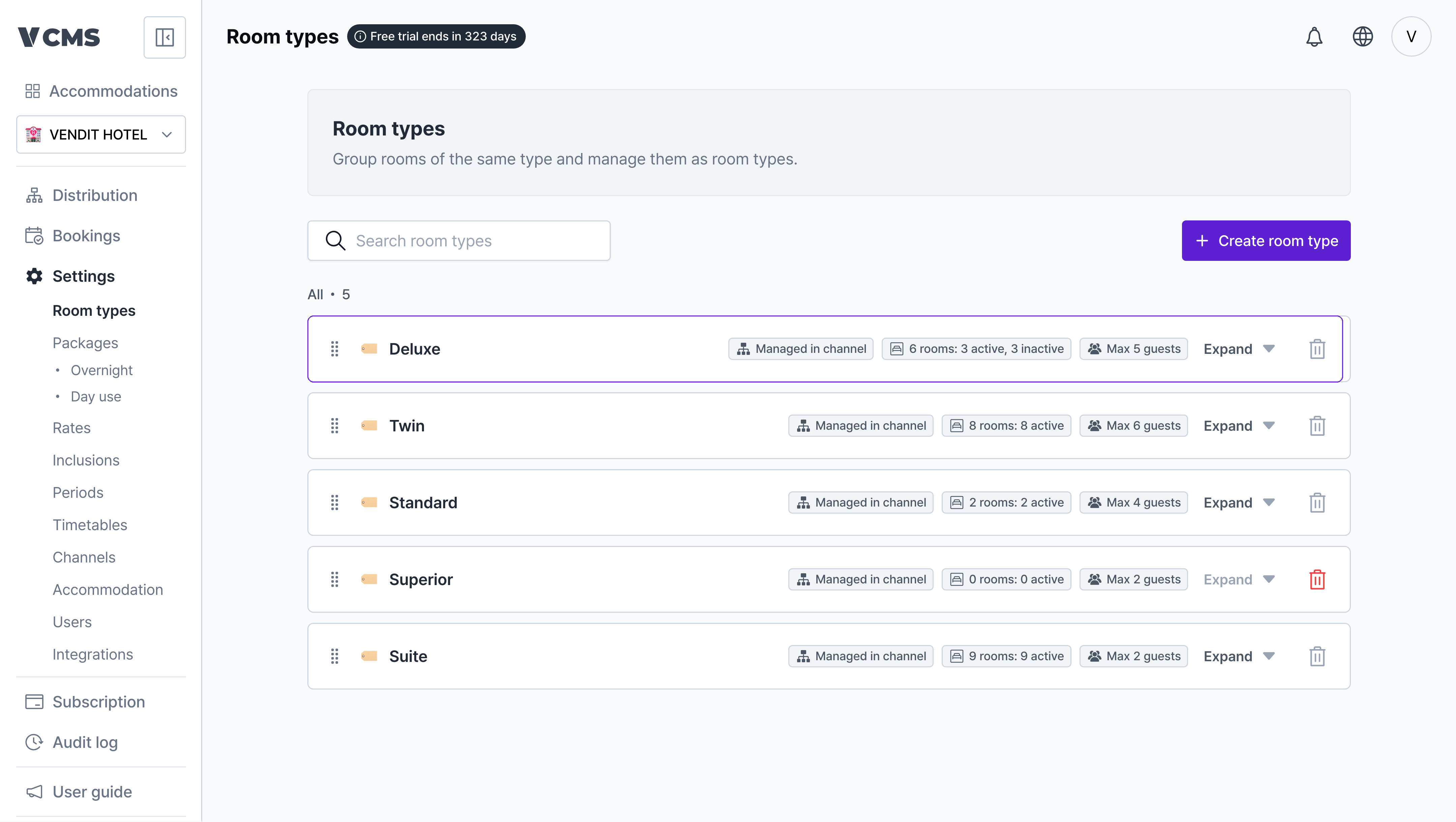
[Settings] - [Room types], then pick the room type you want to change.
2
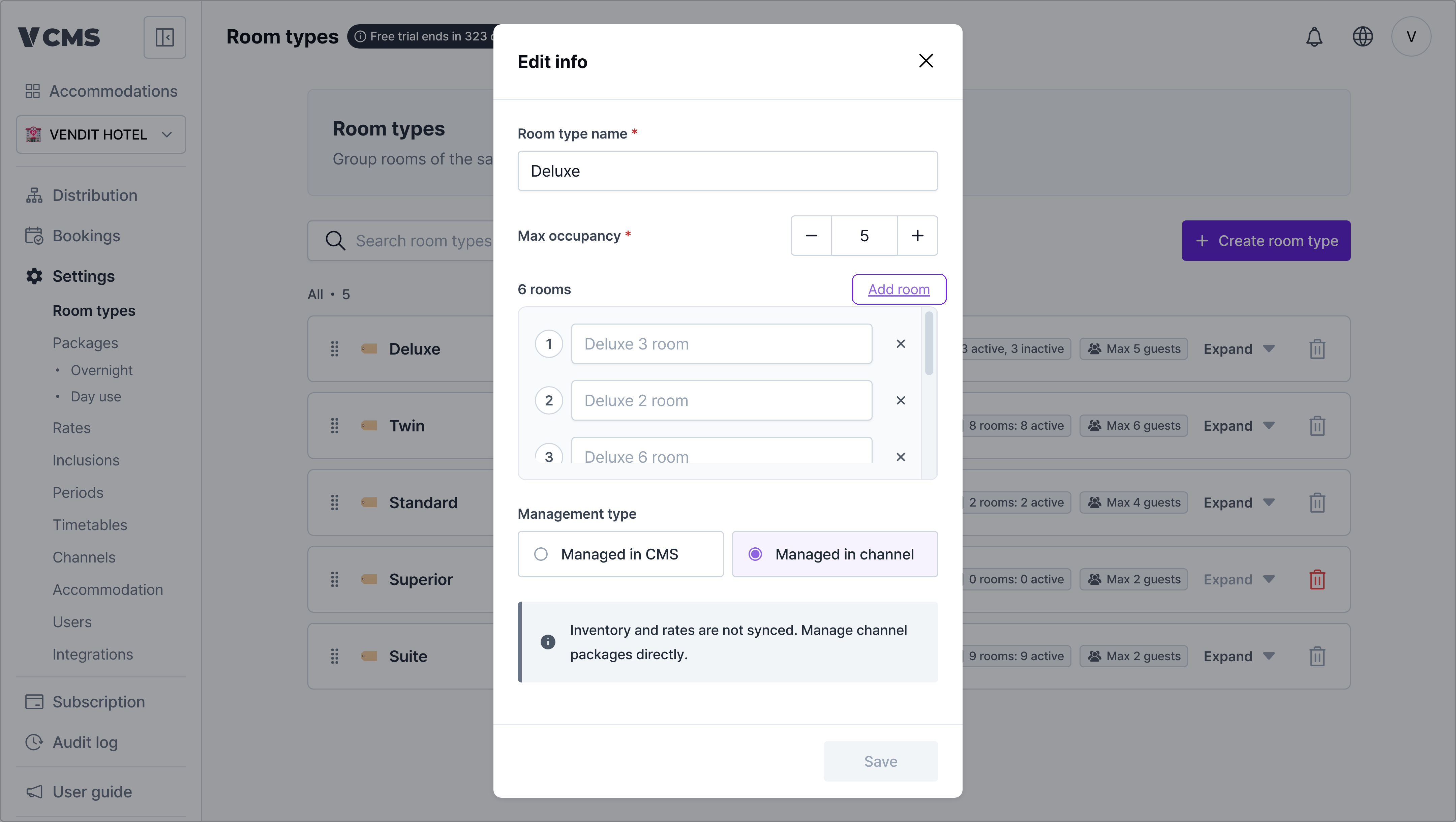
Press + Add to add a room.
-
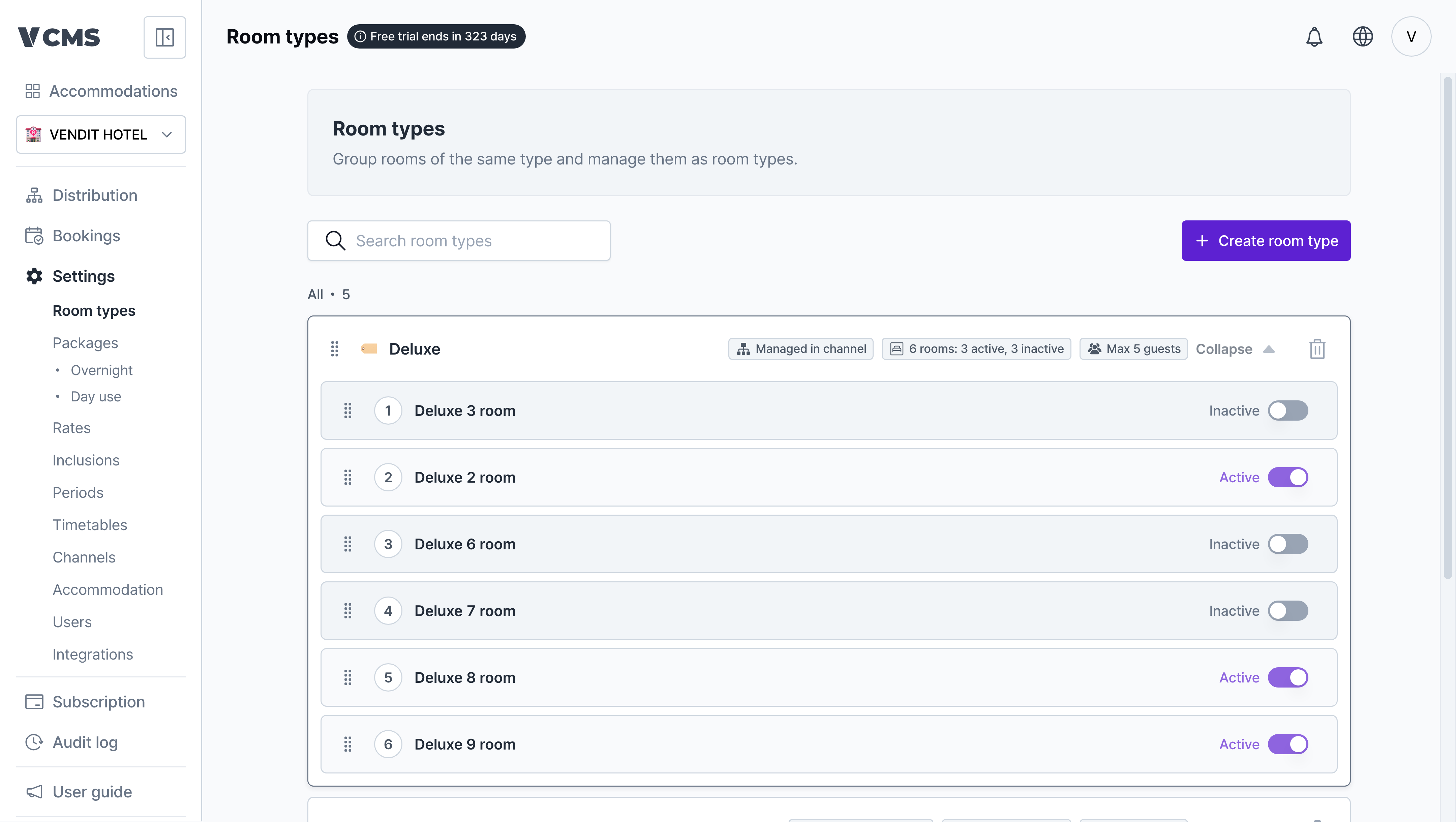
To take a room out of service for a while, set its status to suspended.
[Settings] - [Room types], then pick the room type you want to change.
Press + Add to add a room.