

1
Press create timetable, then set its name and times.
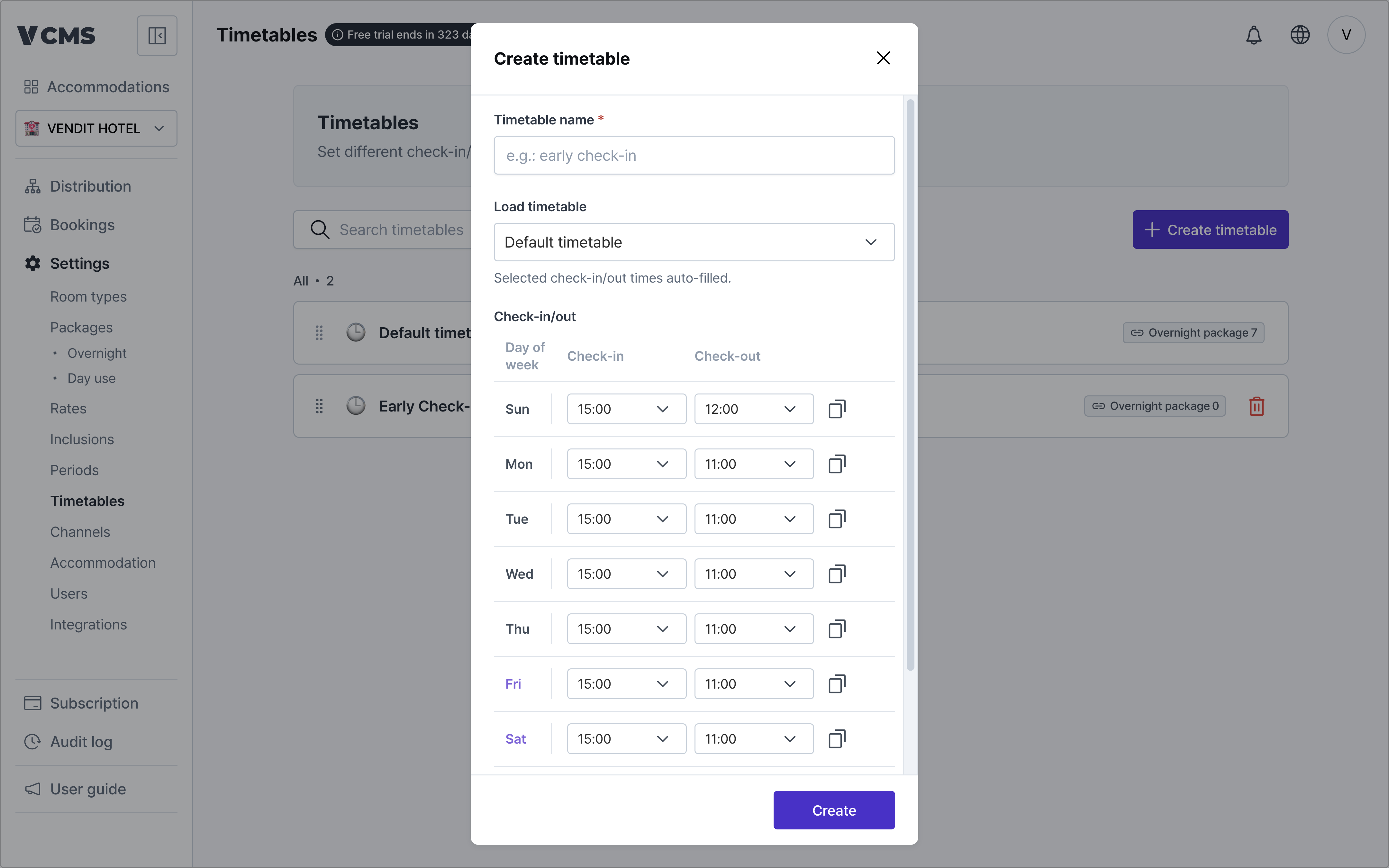
- Import an existing timetable
- Pull in the accommodation’s default timetable, or one you built earlier.
-
Time increments
- Check-in and check-out times can be set in 30-minute or 60-minute increments.
-
Where a sales channel does not support 30-minute increments, the time is rounded up.
- For example,
- Check-in set to 15:30
- On a channel that supports 60-minute increments only, it is rounded up to 16:00.
- For example,
-
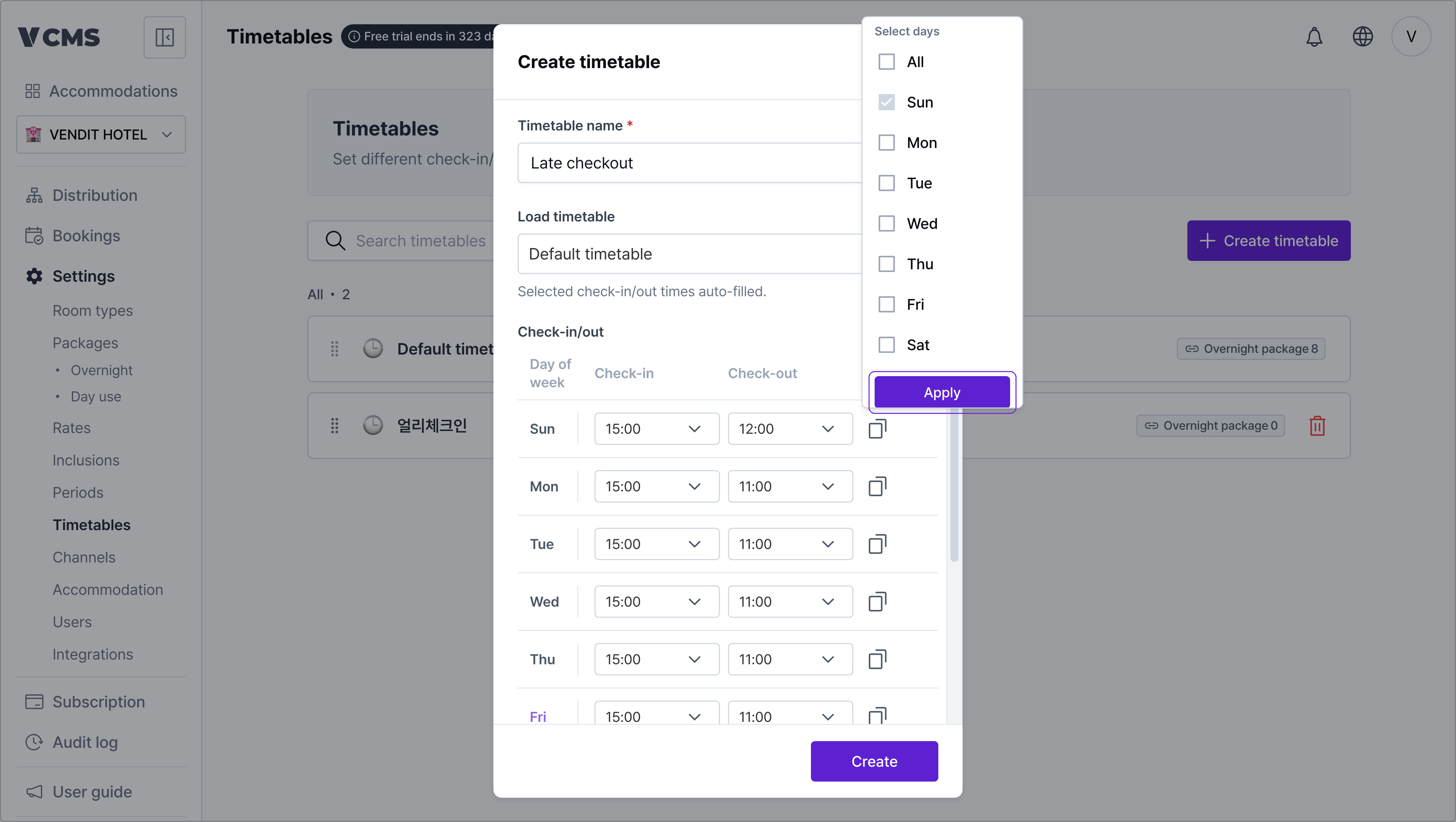
Check-in and check-out times
- Set them separately for each day, Sunday through Saturday.
-
Apply to selected days
- Copy one time and apply it to the days you select.
2
Connect it to a package and the timetable applies.
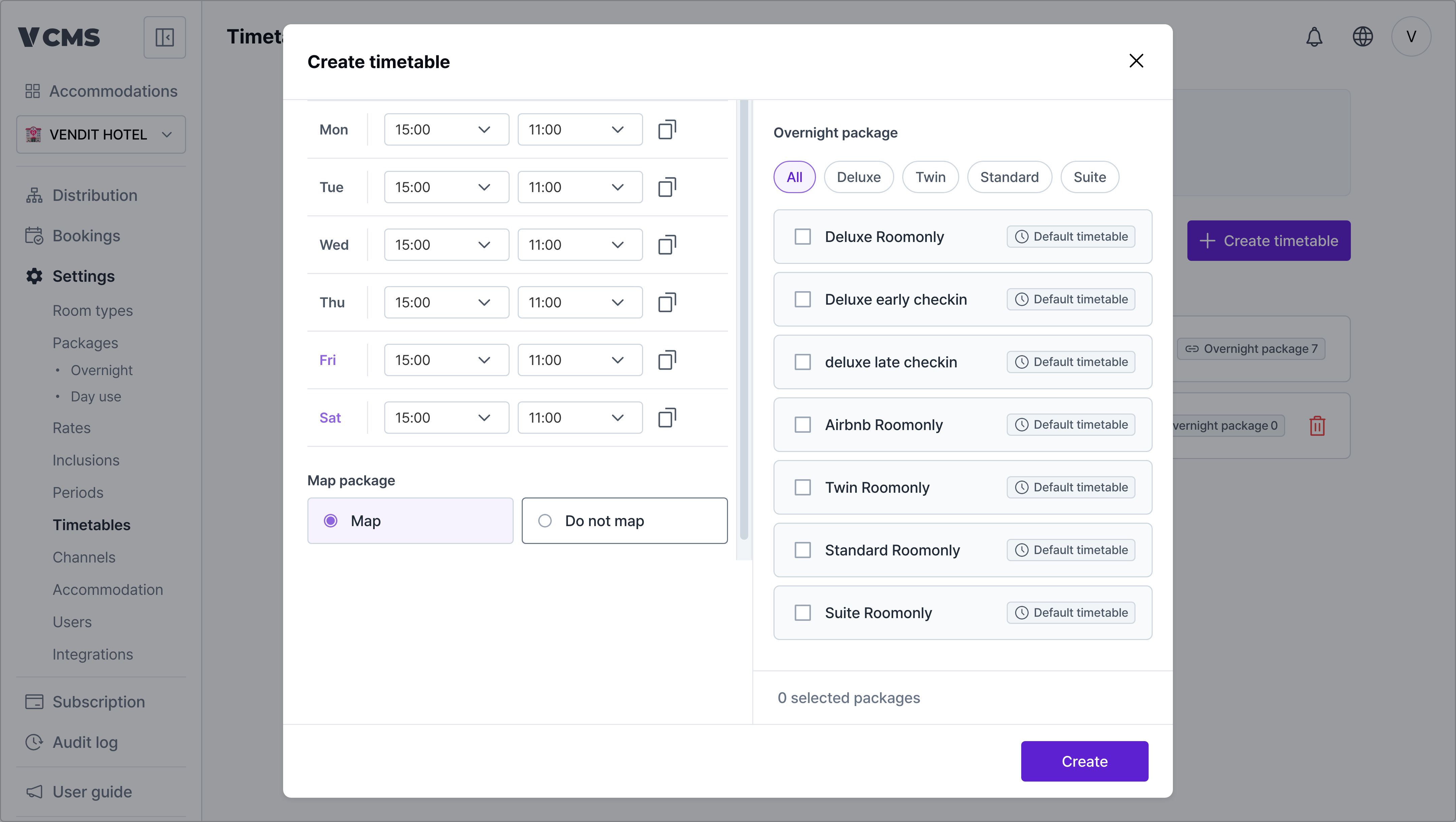
Check-in and check-out times only reach the channels (OTAs) that accept them when inventory and rates sync.
Channels that can change check-in and check-out times
- Yeogiottae owner app (motels)
- Coolstay (motels, hotels, pensions)
- Yanolja (motels, hotels, guest houses)
Channels that cannot
- Yeogiottae Partner Center
- Ddnayodotcom
- Naver
- Airbnb
- Onda (hotels, pensions)
- Agoda
- Tripdotcom
- Yanolja (pensions)