

1
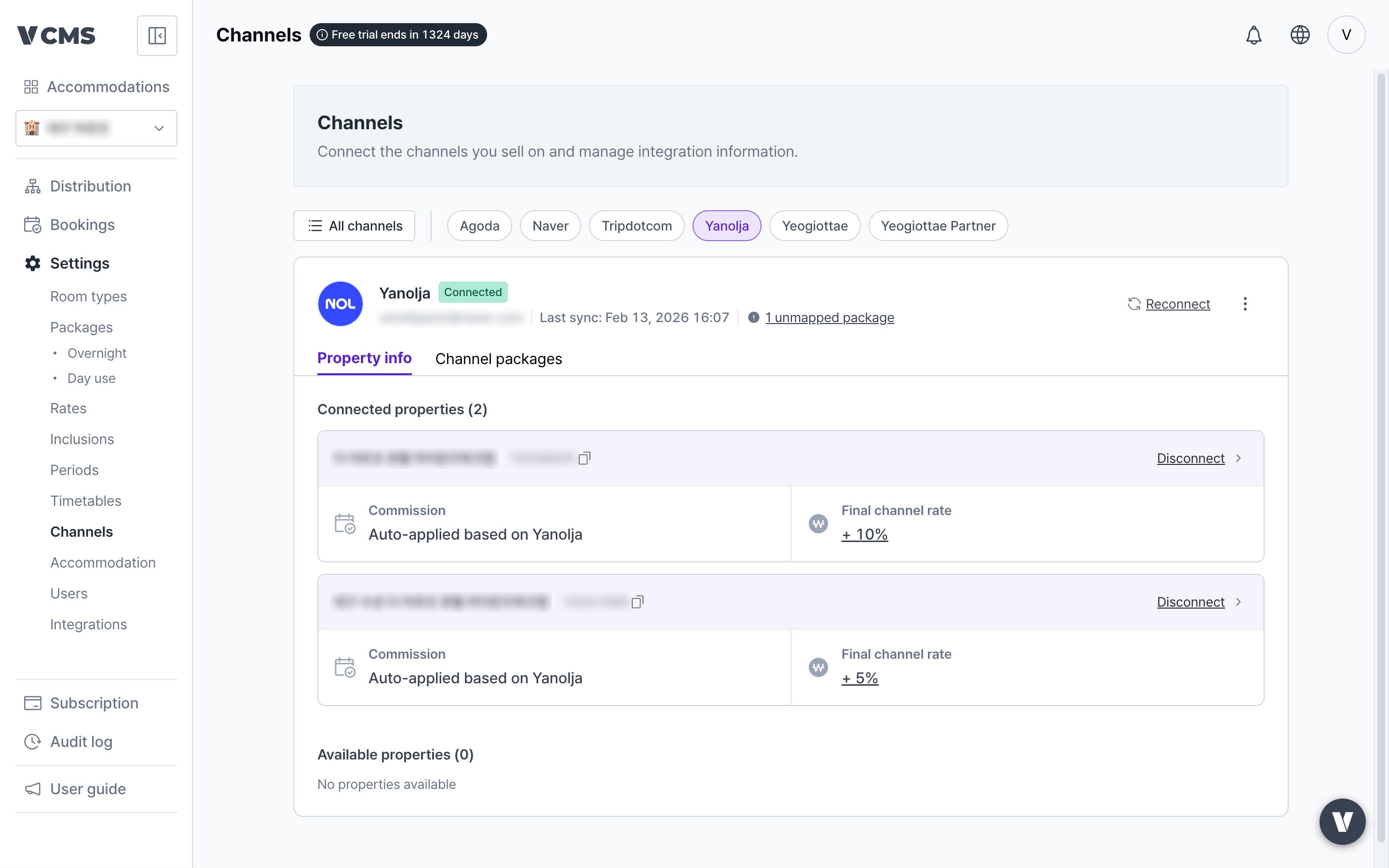
In [Settings] - [Channels] - [Property details], press the final channel rate button for the property you are connecting.
2
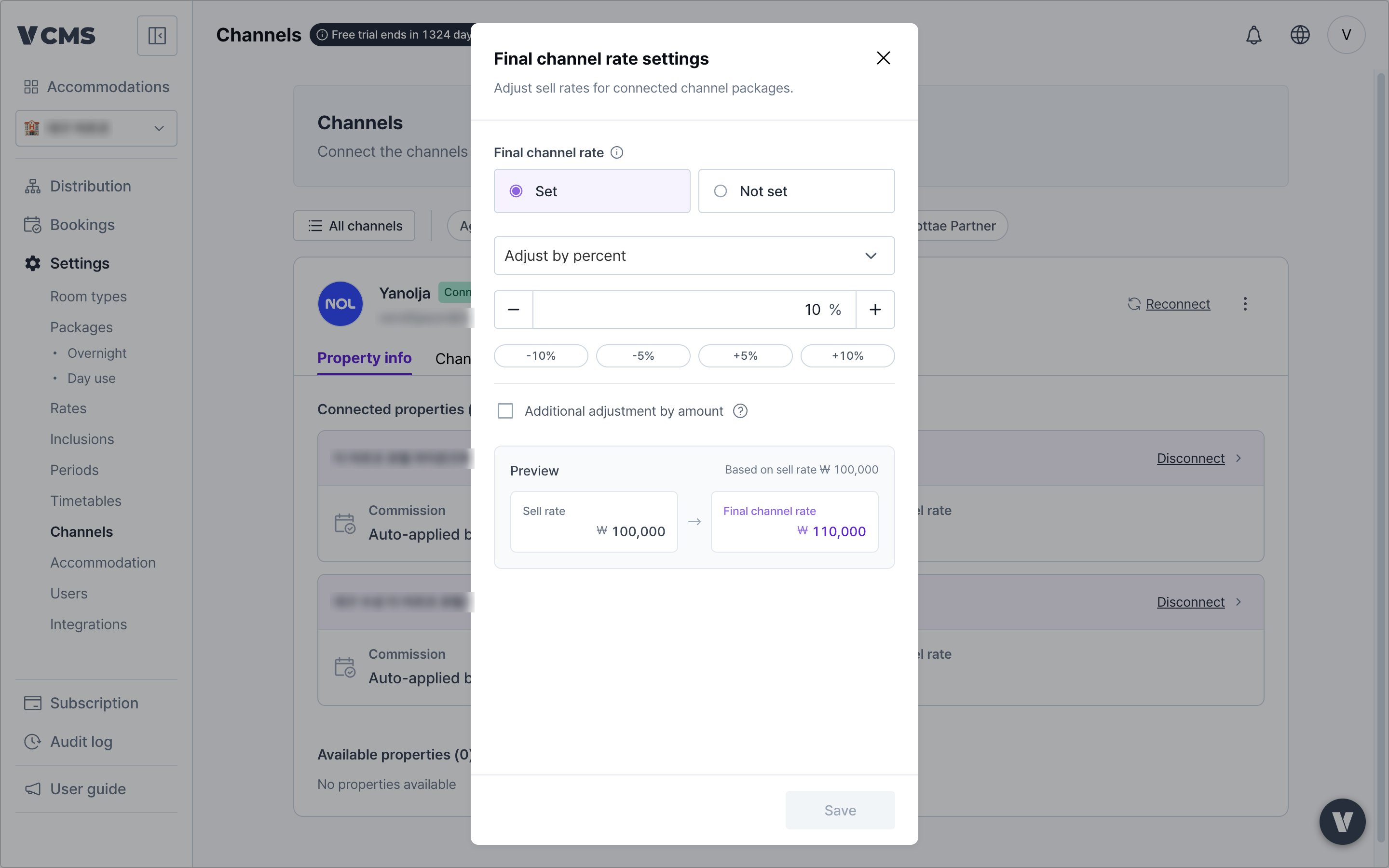
Set the final channel rate and enter the markup or discount weighting.
3
Save, and the weighting applies to the final channel rate.
For example, set a -30% weighting on Yanolja’s final channel rate and a package at KRW 100,000 goes to Yanolja at KRW 70,000.
The final channel rate lets you send a different final price to each channel when rates leave the Distribution screen. Use it to bring channels like Agoda and Tripdotcom, where promotions run hard, into line with the others.Set a -30% weighting on Yanolja’s final channel rate and a package at KRW 100,000 arrives on Yanolja at KRW 70,000.